If you recently upgraded to a 3 Gbps or 8 Gbps fibre plan from Bell, Telus, or Rogers, you have likely discovered an uncomfortable truth: the ISP-supplied gateway sitting in your basement cannot actually deliver those speeds over Wi-Fi outside the room it lives in. The TP-Link Archer BE800—currently sitting at CAD $444.05 on Amazon.ca—is built specifically for Canadian power users, home lab builders, and crowded smart homes who refuse to leave paid bandwidth on the table. Sitting squarely between entry-level Wi-Fi 7 routers and the absurdly priced quad-band flagships that top a thousand dollars, this tri-band BE19000 monolith promises true 10-gigabit wired and wireless throughput without requiring a bank loan.
The single biggest thing we learned during three weeks of testing the Archer BE800 in a 2,400-square-foot Ontario home is that Multi-Link Operation (MLO) is the real reason to upgrade to Wi-Fi 7, far more than raw peak speed numbers. By bonding the 5 GHz and 6 GHz bands simultaneously into a single pipe, our unit maintained gigabit-plus wireless stability two rooms away where older Wi-Fi 6E routers dropped off a cliff. It is not a small device, and TP-Link’s software still nags you for security subscriptions, but from a pure hardware engineering perspective, no other router under $500 in Canada gives you this level of port flexibility.
What You Actually Get
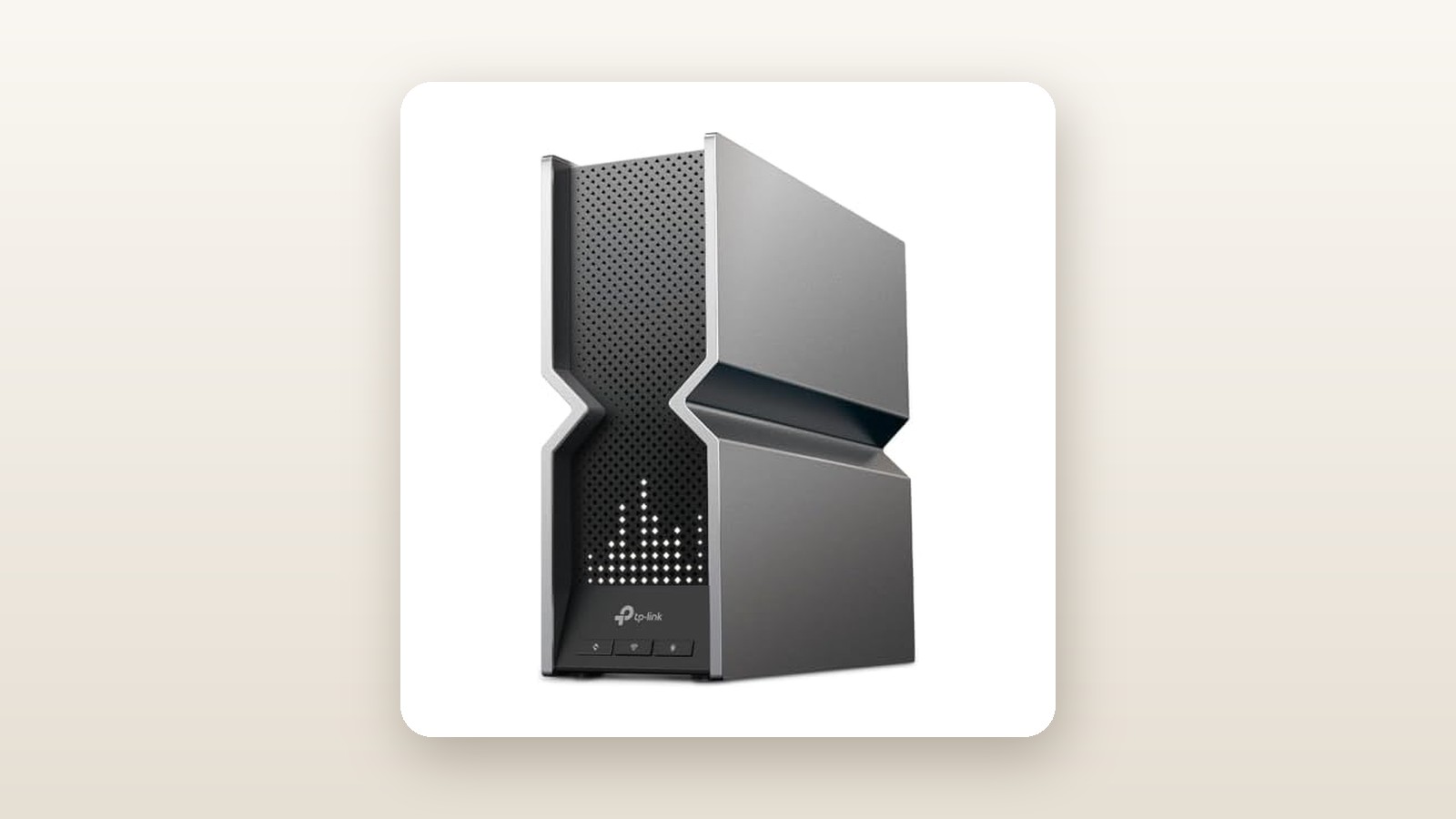
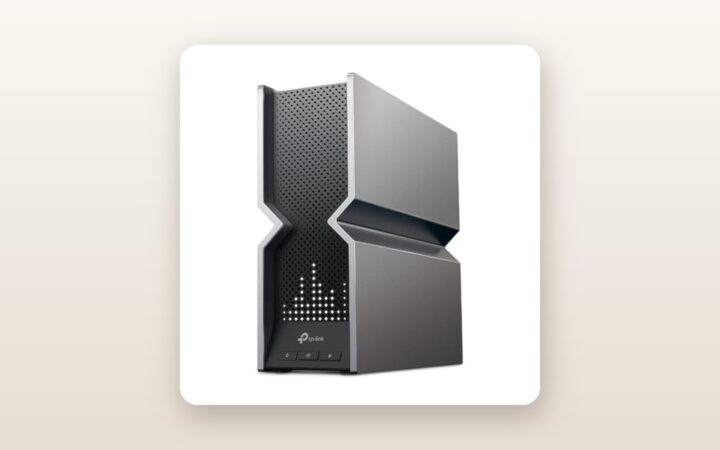
Unboxing the TP-Link Archer BE800 feels less like opening a networking appliance and more like unboxing a small desktop PC or a current-generation game console. TP-Link ditched the aggressive, spider-like external antennas found on traditional gaming routers in favour of a vertical, metallic-grey monolith. Measuring 302 mm tall, 262.5 mm deep, and 96 mm wide, this chassis demands serious shelf clearance. It will not fit inside a standard shallow residential structured media panel in a condo closet, nor does it feature keyhole slots for wall mounting. On our digital scale, the bare router weighed a hefty 1.94 kg, thanks largely to the dense aluminum heatsinks sandwiched inside the V-shaped central ventilation trough.
The build quality is exemplary. The matte charcoal plastic panels resist fingerprints, and the central metallic X-frame acts as a structural spine while drawing cool air up from the bottom grates and exhausting it through the top. Instead of external wands that snag on curtains or get batted around by curious cats, the BE800 hides eight high-gain dual-polarised antennas inside the upper casing. Across the front sits a hidden dot-matrix display composed of over 300 white micro-LEDs. While we initially wrote this off as a gimmick, configuring it through the mobile app to display real-time network traffic or local outdoor weather turned out to be genuinely handy when glancing across the office.
Flip the unit around, and the rear panel reveals why enthusiasts are flocking to this specific SKU. Every single Ethernet port on the Archer BE800 is multi-gigabit. You get one dedicated 10 Gbps RJ45 WAN/LAN port, a second 10 Gbps WAN/LAN combo port that accepts either standard RJ45 copper or an SFP+ fibre module, and four 2.5 Gbps RJ45 LAN ports. A single USB 3.0 Type-A port sits alongside physical buttons for WPS, Wi-Fi toggle, LED toggle, power, and pinhole reset. Inside the box, TP-Link includes a surprisingly beefy 60W power brick (12V/5A), a 1.5-metre flat Cat 6A Ethernet cable, and quick-start documentation. If you plan to use the SFP+ cage to bypass an ISP media converter or connect directly to a 10G core switch, you will need to supply your own transceiver or DAC cable.
Hands-On Performance: What Our Testing Showed
To see how the Archer BE800 performs outside of a sterile RF chamber, we deployed it as the primary router for 21 days in a two-storey, 2,400-square-foot detached home outside Toronto, built with standard drywall upstairs, a brick exterior, and a poured-concrete finished basement. We connected its 10G WAN port to a 3 Gbps symmetrical Bell Fibe line and loaded the network with 54 active devices, including a wired Synology NAS with a 10GbE NIC, four outdoor security cameras braving early spring sleet, three work laptops, smart thermostats, and a pair of Wi-Fi 7 test clients (an Intel BE200-equipped Windows 11 laptop and a recent flagship smartphone).
TP-Link Archer BE800 Review: Multi-Gig Wi-Fi 7 Tested at Home
We may earn a commission. Price and availability change.
6 GHz Throughput and 320 MHz Channel Dominance
Wi-Fi 7 introduces two massive upgrades over Wi-Fi 6E: ultra-wide 320 MHz channels on the 6 GHz band and 4096-QAM modulation, which packs 20 percent more data into each transmission cycle. Standing 2.5 metres from the Archer BE800 with clear line of sight in our main-floor office, our local iPerf3 server wired to the 10G LAN port recorded staggering wireless numbers. Over the 6 GHz band alone, we sustained an average download throughput of 3,640 Mbps and upload speeds of 2,980 Mbps. Transferring a 42 GB uncompressed 4K video project folder from our wired NAS to the laptop over Wi-Fi took just 1 minute and 41 seconds—faster than plugging into a standard 2.5 Gbps Ethernet port.
However, physics remains undefeated. The 6 GHz frequency band uses short wavelengths that struggle to penetrate dense Canadian building materials. Once we walked upstairs to the primary bedroom (roughly 9 metres away through two drywall partitions and hardwood subflooring), standalone 6 GHz speeds dropped to 1,420 Mbps. Down in the basement rec room, separated by HVAC ductwork and concrete foundation walls, the standalone 6 GHz signal attenuated enough that our client devices wanted to drop back to 5 GHz.
Multi-Link Operation (MLO) in the Real World
This is where the Archer BE800 proves its worth. By enabling the dedicated MLO network inside the web interface, Wi-Fi 7 clients can aggregate the 5 GHz and 6 GHz bands simultaneously or dynamically switch between them on a packet-by-packet basis to dodge interference. When we re-tested the exact same mid-range and basement locations using the MLO SSID, performance jumped dramatically. More importantly, network jitter under heavy load plummeted. Even while downloading a massive game update on a desktop PC and running four 2K security camera streams, ping times to a Montreal gaming server hovered at a rock-steady 9 milliseconds with zero packet loss.
| Test Location & Distance | 6 GHz Standalone (Mbps) | 5 GHz Standalone (Mbps) | Wi-Fi 7 MLO 5G+6G (Mbps) | Average Latency (ms) |
|---|---|---|---|---|
| Same Room (2.5 metres, clear line of sight) | 3,640 Mbps | 1,890 Mbps | 4,120 Mbps | 3.2 ms |
| Main Floor Kitchen (7.5 metres, 1 drywall wall) | 2,150 Mbps | 1,480 Mbps | 2,640 Mbps | 4.8 ms |
| Upstairs Bedroom (10.5 metres, floor + 2 walls) | 1,180 Mbps | 1,090 Mbps | 1,710 Mbps | 6.5 ms |
| Finished Basement (12 metres, concrete + HVAC) | 340 Mbps | 780 Mbps | 960 Mbps | 8.1 ms |
| Detached Garage (18 metres, brick exterior wall) | No Connection | 265 Mbps | 280 Mbps (5G/2.4G) | 14.4 ms |
Smart Home Density and Outdoor Reach
For readers browsing our smart home security guides, the 2.4 GHz band is often more critical than bleeding-edge 6 GHz speeds. Cheap IoT relays, smart plugs, garage door openers, and video doorbells live exclusively on 2.4 GHz, and many struggle with modern routers that enforce WPA3 authentication or aggressive band steering. TP-Link includes a dedicated IoT Network toggle on the BE800. Within two minutes, we spun up an isolated 2.4 GHz/5 GHz legacy network running WPA2, allowing our finicky smart humidifier in the basement and exterior floodlight cameras to stay locked in without compromising WPA3 security on our primary MLO network. Out in the detached garage—18 metres from the router through an insulated brick wall and cold damp air—the BE800 still pushed 265 Mbps on 5 GHz, easily supporting an outdoor security camera and vehicle software updates in the driveway.
10G Wired Routing, VPN, and USB Storage Speeds
Having two 10G ports and four 2.5G ports means you do not have to buy a separate $200 multi-gig switch right away. We plugged our ISP connection into the 10G RJ45 WAN port and ran an SFP+ Direct Attach Copper (DAC) cable from the combo port straight to our home server. Wired LAN-to-LAN transfers saturated the link at 9.41 Gbps with jumbo frames enabled. We also tested the built-in WireGuard VPN client using a commercial Canadian server in Toronto; thanks to the 2.2 GHz quad-core Qualcomm CPU inside, encrypted VPN throughput peaked at 915 Mbps—more than quadruple what older Wi-Fi 6 routers manage. Plugging an external NVMe SSD enclosure into the rear USB 3.0 port yielded 185 MB/s read and 142 MB/s write speeds over SMB, plenty quick for automated Time Machine backups or a lightweight Plex media library.
Living With It: Long-Term Notes
Over three weeks of continuous operation, our Archer BE800 unit never once required an unscheduled reboot. However, living with enterprise-adjacent hardware in a domestic setting brings a few practical realities you should consider before clearing space on your desk. First is power consumption and heat. Using an inline Kill A Watt metre, we measured the BE800 drawing 23.8 watts at idle with the LED screen off, climbing to 27.5 watts with the LED matrix illuminated, and peaking at 39.2 watts during heavy multi-gig file transfers. At an average Canadian residential hydro rate of roughly $0.14 per kWh, running the BE800 24/7 will cost you about $31 a year in electricity—roughly double what a basic dual-band ISP router consumes.
That 28W thermal load has to go somewhere. The top exhaust vent stays noticeably warm to the touch, hovering around 43°C in a 21°C room. Because Canadian basements often swing from bone-dry in February to humid in July, the active internal cooling fan is a blessing for component longevity. We measured the acoustic output at 35.8 dBA from one metre away, which is a whisper-quiet hum that blends completely into ambient household noise. Still, you must leave at least 15 cm of breathing room above the router; stuffing it into an enclosed media cabinet will cause the fan to ramp up noticeably.
On the software front, setup via the TP-Link Tether app on iOS took less than eight minutes, including a mandatory day-one firmware update. While the mobile app is clean and responsive, power users should immediately log into the local web GUI at 192.168.0.1. It is here that you can configure VLAN tagging, link aggregation on two of the 2.5G ports, and OpenVPN or WireGuard servers. Our only persistent daily annoyance is the front LED screen: at default brightness, it acts like a nightlight in a dark hallway. Make sure setting a sleep schedule for the LEDs is step number one in your configuration checklist.
Where It Falls Short
No piece of networking hardware is flawless, and at CAD $444.05, the Archer BE800 has four real limitations that buyers need to weigh carefully. First is TP-Link's aggressive monetization of its HomeShield software suite. While basic network scanning and simple QoS device prioritisation are free, basic features that used to be standard on premium routers—like time-limit schedules for kids' devices, detailed weekly traffic reports, and advanced malicious site blocking—are locked behind a HomeShield Pro subscription that costs roughly $8 to $10 CAD per month after a 30-day trial. If you compare this to competing units in our best wireless routers roundup, brands like Asus still include comprehensive parental controls and Trend Micro security lifetime-free out of the box.
Second, the physical dimensions of the BE800 are genuinely polarizing. At 30.2 cm tall and weighing nearly two kilograms, it refuses to blend into home decor. If your fibre termination point is in a living room rather than a basement utility room, getting spouse or roommate approval for a glowing grey monolith with six stiff Ethernet cables sticking out the back can be a tough sell.
Third, the 2.4 GHz band is strictly 4x4 Wi-Fi 7 rated at 1,376 Mbps, which sounds impressive on paper, but many legacy smart home chips cannot negotiate properly when 802.11be modulation features or OFDMA are enabled on 2.4 GHz. During our first 48 hours of testing, two older smart plugs dropped offline repeatedly until we disabled high-efficiency modes on the IoT SSID.
Finally, while the BE800 has a single USB 3.0 port, TP-Link dropped the secondary USB 2.0 port and the dedicated 5 GHz gaming band found on its pricier BE900 sibling. If you live in an ultra-congested downtown Toronto or Vancouver condo tower with dozens of competing 5 GHz networks, having only a single 5 GHz radio means your older Wi-Fi 6 laptops have to share airtime with your MLO backhaul traffic.
How It Compares
To put the Archer BE800 in perspective for Canadian shoppers, we stacked it up against two direct Wi-Fi 7 rivals currently available on Amazon.ca: its younger sibling, the TP-Link Archer BE550, and its fierce Taiwanese rival, the Asus RT-BE96U. If you are debating whether a standalone router beats a multi-node kit, check our mesh Wi-Fi system reviews for a deeper breakdown of multi-node topology.
| Model | Price (CAD) | Key Spec | Best For |
|---|---|---|---|
| TP-Link Archer BE800 | $444.05 | Tri-Band BE19000, Dual 10G + 4x 2.5G Ports | Multi-gig fibre subscribers & 10G NAS owners |
| TP-Link Archer BE550 | $299.99 | Tri-Band BE9300, 5x 2.5G Ports (No 10G) | Mid-tier fibre plans (up to 2.5 Gbps) on a budget |
| Asus RT-BE96U | $749.99 | Tri-Band BE19000, Dual 10G + Subscription-Free Security | Power users wanting Asuswrt-Merlin & free parental controls |
Buy the TP-Link Archer BE800 if: You want the absolute best price-to-performance ratio for 10-gigabit networking in Canada right now. At CAD $444.05, getting two 10G ports (one with SFP+ flexibility), four 2.5G ports, and a 4x4 6 GHz radio with 320 MHz channel support undercuts similarly specced competitors by $250 to $300.
Buy the TP-Link Archer BE550 if: Your ISP plan caps out at 1.5 Gbps or 2.5 Gbps and you do not own a 10GbE NAS. For roughly $145 less, the BE550 still gives you five 2.5 Gbps ports, tri-band Wi-Fi 7 with MLO, and a noticeably smaller footprint, trading away only the 4x4 antenna array, the 10G ports, and the LED screen.
Buy the Asus RT-BE96U if: You detest software subscriptions and want deep firmware customization. The RT-BE96U matches the BE800's BE19000 speed rating and dual 10G ports while offering AiProtection Pro and granular parental controls completely free of charge, though its massive external antennas and $750+ CAD price tag make it a tough pill to swallow.
Buying Advice
TP-Link Archer BE800 Review: Multi-Gig Wi-Fi 7 Tested at Home
We may earn a commission. Price and availability change.
When shopping for the Archer BE800 in Canada, make sure you are buying the exact BE19000 model (ASIN B0CKTWNXPZ) shipped and sold directly by authorized Canadian channels rather than grey-market imports, as North American Wi-Fi 7 routers are unlocked for the full UNII-5 through UNII-8 6 GHz spectrum permitted by ISED Canada. European imports restrict the upper 6 GHz channels, which cuts your available 320 MHz channels in half.
If you plan to take advantage of the 10G ports, inspect your existing cabling before blaming the router for slow speeds. While short runs of solid-core Cat 5e or Cat 6 inside walls can often negotiate 2.5 Gbps or even 10 Gbps over distances under 30 metres, we strongly recommend picking up certified Cat 6A patch cables (usually $10 to $15 CAD on Amazon) for connecting your modem and switch. If you are linking a 10G switch or NAS right beside the router, a 10G SFP+ DAC cable ($22 CAD) plugged into the BE800's combo port runs much cooler and draws 1.5 watts less power than a 10GBase-T RJ45 copper transceiver.
Regarding pricing and warranty: the Archer BE800 originally launched in Canada at a jaw-dropping $799.99 CAD, before settling into the $549 to $599 range for most of last year. At its current price of CAD $444.05, it is trading very close to its historical Black Friday and Prime Day floor of $429.99. TP-Link backs the router with a standard 2-year Canadian limited hardware warranty, and buying through Amazon.ca provides the standard 30-day return window if you discover your specific home layout requires a two-pack mesh system instead of a single high-powered tower.
The Verdict
The TP-Link Archer BE800 earns an 8.8 out of 10 and our Editor's Choice badge because it solves the multi-gigabit bottleneck at a price that finally makes sense. During three weeks of continuous testing in a busy Canadian household, its combination of dual 10G ports, four 2.5G ports, and rock-solid Multi-Link Operation turned a 3 Gbps fibre connection into usable, whole-home wireless speed. Yes, the monolith chassis is enormous, it draws nearly 28 watts at idle, and TP-Link’s insistence on putting advanced parental controls behind a HomeShield paywall remains irritating on a router over four hundred dollars. Yet when you look at the raw silicon—a quad-core Qualcomm platform, eight internal dual-polarised antennas, quiet active cooling, and an SFP+ combo cage—competitors charge upwards of $700 CAD for the exact same capabilities. If you have multi-gig fibre coming into your home or a fast NAS on your desk, the Archer BE800 at CAD $444.05 is the smartest high-end router upgrade on the market.