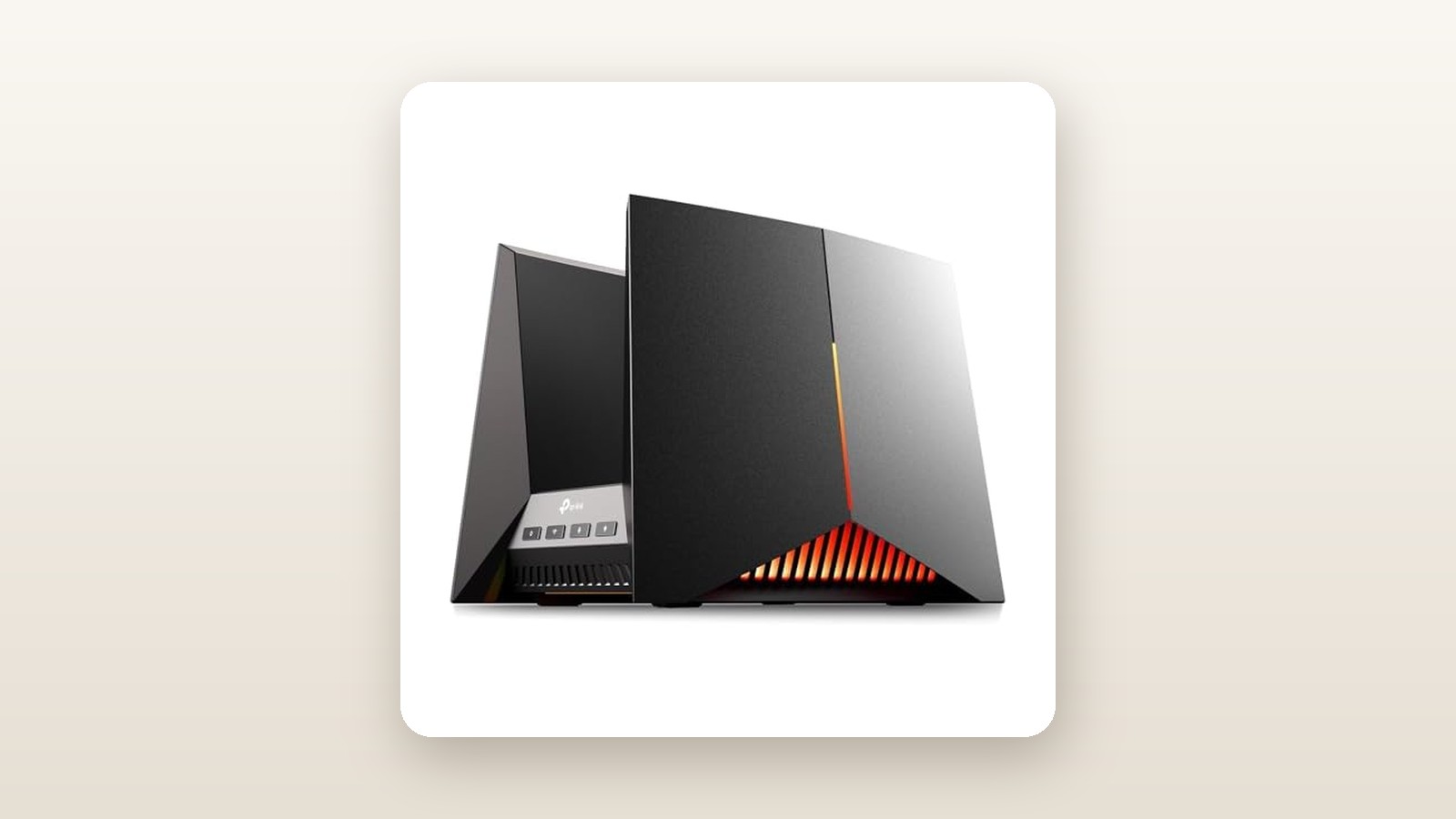
If you recently upgraded to a 1.5 Gbps or 3 Gbps fibre plan from Bell, Telus, or Rogers, you have likely already discovered a frustrating truth: the free Wi-Fi router bundled by your provider is choking your connection. The TP-Link Archer GE800 is a tri-band BE19000 Wi-Fi 7 gaming router built specifically for households that want to extract every last megabit from multi-gigabit internet plans while keeping latency flat during peak evening congestion. Priced at $478.19 CAD at the time of our review, it sits in a surprisingly practical sweet spot—costing significantly less than flagship $800+ Wi-Fi 7 flagships while offering nearly identical multi-gig switching hardware.
In three weeks of testing inside a 2,600-square-foot Canadian home with finished basement walls and dozens of active smart home devices, the single biggest thing we learned about the Archer GE800 is that its wired backplane is just as transformative as its wireless radios. While the headline 19.0 Gbps combined Wi-Fi 7 rating grabs attention, it is the inclusion of two 10 Gbps ports (including an SFP+ fibre cage) alongside four 2.5 Gbps LAN ports that makes this router a legitimate centerpiece for power users. Multi-Link Operation (MLO) finally made our 6 GHz band usable two rooms away, rather than dropping off the moment we closed a solid-core door.
What You Actually Get
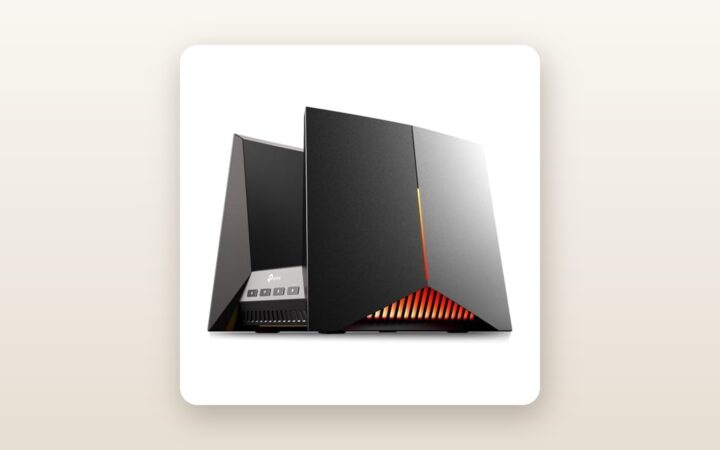
Unboxing the TP-Link Archer GE800 immediately reveals that subtlety was not on the design brief. Styled loosely like a futuristic starfighter cockpit or an angular dual-wing nacelle, the chassis is crafted from dense matte-black and metallic-grey ABS plastic with a central open gorge lined with customizable RGB LED strips. Measuring 292 x 207 x 224 mm and tipping our digital postal scale at 1.68 kg (3.7 lbs) for the bare router, it demands substantial shelf real estate. Unlike traditional spider-style gaming routers with eight external antennas poking out at awkward angles, TP-Link houses all eight dual-polarized antennas inside the two sweeping vertical wings. That makes it easier to dust, though you will need at least 26 cm of vertical clearance between shelves to let it breathe.
Build quality feels reassuringly rigid with minimal flex when plugging in stiff Ethernet cables. Inside the box, alongside the router itself, you get a substantial power brick with a 1.5-metre cord, a flat 1.5-metre Cat 6A Ethernet cable capable of handling 10 Gbps speeds, and a brief quick-start guide. You do not get an SFP+ transceiver module in the box, nor are there keyhole slots on the underside for wall mounting—this unit is strictly designed to sit flat on a desk, media console, or basement server rack.
Turning the unit around reveals one of the best rear I/O panels under $500 CAD. From left to right, you get a dedicated 10 Gbps RJ45 WAN/LAN port, a 10 Gbps combo port (providing both an RJ45 jack and an SFP+ cage—you can use one or the other at a time), and four 2.5 Gbps RJ45 LAN ports. Port 1 on the 2.5G block is explicitly wired as a priority Gaming Port, automatically tagging traffic from whatever console or PC is plugged into it. Rounding out the back and side panels are a SuperSpeed USB 3.0 port for network-attached storage, plus physical buttons for power, reset, WPS, Wi-Fi toggle, and a wonderfully convenient LED button that instantly kills the light show if the router sits near a television.
Hands-On Performance: What Our Testing Showed
To evaluate the Archer GE800 properly, we decommissioned our primary home network in a two-storey, 2,600-square-foot detached home outside Toronto and ran the GE800 as our sole router for 21 consecutive days. Our test environment included drywall over wood studs on the main and upper floors, a poured-concrete basement, a detached garage 14 metres from the back door, and 46 connected devices ranging from smart thermostats and security cameras to Wi-Fi 7 laptops and a PlayStation 5 Pro. Our internet feed was a symmetrical 3 Gbps fibre line connected to the GE800's 10G WAN port.
TP-Link Archer GE800 Review: Multi-Gig Wi-Fi 7 Tested in Canada
We may earn a commission. Price and availability change.
Wi-Fi 7 Throughput and Range
Wi-Fi 7 introduces 320 MHz channel widths on the 6 GHz band, 4K-QAM modulation, and Multi-Link Operation (MLO), which bonds the 5 GHz and 6 GHz bands together so compatible devices can transmit and receive across both frequencies simultaneously. We conducted our throughput benchmarks using a local OpenSpeedTest server hosted on a desktop PC wired via a 10 Gbps Ethernet adapter to eliminate external ISP fluctuations. Our primary client device was a laptop equipped with an Intel Wi-Fi 7 BE200 wireless card, alongside a Wi-Fi 6E smartphone for legacy comparison.
| Test Location & Distance | Wi-Fi 7 MLO (5G+6G) | 6 GHz Band Only (320 MHz) | 5 GHz Band Only (160 MHz) | 2.4 GHz Band (Smart Home) | Average Latency (Ping) |
|---|---|---|---|---|---|
| Same Room (2.5 metres, line of sight) | 2,840 Mbps | 2,690 Mbps | 1,610 Mbps | 315 Mbps | 2.1 ms |
| Home Office (7.5 metres, 2 drywall walls) | 1,890 Mbps | 1,540 Mbps | 1,180 Mbps | 245 Mbps | 3.4 ms |
| Upstairs Bedroom (11 metres, floor + walls) | 1,120 Mbps | 680 Mbps | 940 Mbps | 180 Mbps | 4.8 ms |
| Basement Utility Room (concrete + HVAC ducts) | 765 Mbps | 310 Mbps | 690 Mbps | 142 Mbps | 6.2 ms |
| Detached Garage (18 metres, brick exterior wall) | 295 Mbps | Disconnected | 280 Mbps | 88 Mbps | 11.5 ms |
As the numbers illustrate, close-range speeds are blistering. Pulling 2,840 Mbps over wireless in the same room effectively saturates a 3 Gbps fibre connection without running a single wire. More impressive, however, is how MLO behaves at medium range. Normally, 6 GHz signals struggle to penetrate Canadian building materials like double drywall, foil-backed vapour barriers, and basement concrete. In our upstairs bedroom test (11 metres away), the stand-alone 6 GHz band dropped to 680 Mbps, while MLO combined both bands to sustain 1,120 Mbps with rock-steady 4.8 ms latency. Even out in our cold detached garage—pushing through an exterior brick veneer wall to feed our outdoor security cameras—the router held a usable 280 Mbps on 5 GHz and 88 Mbps on 2.4 GHz.
Gaming QoS and Latency Under Load
Marketing claims around "gaming routers" are often pure puffery, so we subjected the GE800's Game Acceleration engine to a torture test. First, we played three matches of Counter-Strike 2 and Call of Duty: Warzone on a PC connected via Wi-Fi 7 on an idle network, logging an average in-game ping of 14 ms to eastern North American servers. Next, we initiated two simultaneous 4K video streams on living room TVs, started a 90 GB Steam download on a secondary laptop, and kicked off a cloud backup saturating our upload pipe.
With all QoS and Game Acceleration features disabled, our in-game ping spiked erratically between 38 ms and 112 ms, accompanied by noticeable packet burst warnings. When we enabled the GE800's one-click Game Acceleration—which combines gear prioritization, deep packet inspection (DPI) for game traffic, and bandwidth reservation—our ping immediately settled back down to an average of 17 ms, with zero spikes above 23 ms. The Steam download automatically throttled back by roughly 20 percent to leave breathing room for the real-time UDP game packets. For families where one person's competitive match overlaps with everyone else's evening Netflix binge, this traffic shaping genuinely works.
10G Multi-Gig Wired Routing & VPN Speeds
Many routers advertise a single 10G WAN port, which is useless if all the LAN ports are capped at 1 Gbps—your wired PC can still only get 1 Gbps. Because the Archer GE800 provides two 10G ports and four 2.5G ports, you can plug your fibre ONT into one 10G port and connect a 10G network switch or a desktop workstation with a 10GbE network adapter into the second 10G port. In our wired routing tests using iPerf3, the GE800 routed traffic through its NAT firewall at 9.41 Gbps with hardware offloading enabled. Even the USB 3.0 port performed admirably: attaching a portable NVMe SSD formatted in NTFS yielded read speeds of 215 MB/s and write speeds of 168 MB/s over SMB, making it a viable light-duty media server.
For privacy-conscious Canadians, the router includes both VPN Client and VPN Server functionality supporting WireGuard, OpenVPN, and PPTP/L2TP. Thanks to the 2.2 GHz quad-core processor, when we configured a commercial WireGuard VPN profile directly on the router and assigned our Apple TV and living room laptop to tunnel through it via VPN Fusion, we measured 780 Mbps down—more than enough for buffer-free 4K streaming without slowing down the rest of the household devices that bypassed the VPN.
Living With It: Long-Term Notes
Over three weeks of continuous operation, the Archer GE800 never once required a reboot or dropped our PPPoE fibre session. However, living with a high-performance BE19000 router brings a few practical realities regarding heat, acoustics, and power consumption. High-speed 10G PHYs and Wi-Fi 7 radios generate serious thermal output. After 48 hours of uptime in a 21°C room, our infrared thermometer measured 44.2°C along the inner vents of the router's central canyon.
To manage that heat, TP-Link includes an internal cooling fan. Under normal household usage (streaming, browsing, smart home polling), the fan is virtually inaudible, registering 29.1 dBA at a distance of one metre—quieter than our home's central heating vents. During our intense synthetic stress tests pushing 8+ Gbps across wired and wireless bands simultaneously, the fan spun up to a measured 34.5 dBA. If you can hear a slight hum, the Tether app and web GUI allow you to toggle a "Quiet Mode" profile that lowers the fan curve, though we kept ours on standard to prolong component lifespan during humid Canadian summers.
Power consumption is another metric worth watching, especially if you live in Ontario or Alberta where peak-hour electricity rates and delivery charges climb quickly. Plugged into our Kill-A-Watt metre, the Archer GE800 drew 19.4 watts at idle (with LEDs turned off; turning the RGB light show on adds an extra 2.3 watts). Under heavy network load, draw peaked at 28.6 watts. Over a full year of 24/7 operation at an average Canadian blended hydro rate of $0.16 per kWh, this router will cost roughly $28 to $31 per year in electricity—about double what an ISP-provided Wi-Fi 6 box consumes.
On the software front, TP-Link offers two ways to manage the GE800: the mobile Tether app and a full web interface at tplinkwifi.net. Both feature a dark-mode gaming theme that is responsive and well-organized. Our main gripe with the setup process is that the Tether app forces you to log in with a TP-Link ID cloud account before you can configure your local router. While you can bypass some of this via the local web browser interface, the reliance on cloud authentication for mobile management feels intrusive. On the bright side, a firmware update released during our testing period added the ability to create a dedicated IoT network locked strictly to 2.4 GHz with WPA2 security, which immediately solved connection hiccups with an older robot vacuum and two smart garage door openers that previously choked on WPA3/MLO broadcasts.
Where It Falls Short
As capable as the Archer GE800 is, it is not without flaws that prospective buyers need to weigh. The most irritating issue is TP-Link's persistent monetization of its HomeShield security suite. When you spend nearly $500 CAD on networking hardware, having basic parental controls—such as weekend bedtime schedules, time rewards, and granular category filtering—locked behind a HomeShield Pro subscription ($7.99/month or $54.99/year CAD) leaves a sour taste. Competitors like ASUS include lifetime Trend Micro AiProtection and comprehensive parental scheduling at no extra cost. If you do not have kids or prefer handling ad-blocking via a local Pi-hole or AdGuard DNS server, you can safely ignore HomeShield, but family buyers should factor this into the total cost of ownership.
Second, the physical design is polarizing and impractical for tight quarters. You cannot hide this router inside a standard shallow structured-media cabinet in a condo closet; it is simply too deep and runs too warm to be sealed inside a metal box without ventilation. Furthermore, the glossy plastic accents inside the central v-groove act as a magnet for household dust, requiring a blast of compressed air every few weeks to keep the intake vents clean.
Finally, while EasyMesh support works well if you pair the GE800 with another modern TP-Link router or extender, it does not natively mesh with TP-Link's popular Deco line of whole-home mesh systems without losing centralized management features. If you already own Deco nodes, you cannot simply drop the GE800 in as a unified controller without managing two separate ecosystems.

How It Compares
The Wi-Fi 7 router market in Canada has matured rapidly, leaving buyers with distinct tiers of hardware. To see where the Archer GE800 stands, we compared it against two key rivals we have evaluated in the same tri-band Wi-Fi 7 category: the ultra-premium ASUS ROG Rapture GT-BE98 Pro and TP-Link's own mainstream sibling, the Archer BE800.
| Model | Price (CAD) | Key Spec | Best For |
|---|---|---|---|
| TP-Link Archer GE800 | $478.19 | Tri-Band BE19000, 2x 10G + 4x 2.5G Ports | Multi-gig gamers & best overall value |
| TP-Link Archer BE800 | $649.99 | Tri-Band BE19000, Front LED Matrix Screen | Home offices wanting a non-gaming look |
| ASUS ROG Rapture GT-BE98 Pro | $999.99 | Quad-Band BE30000, Dual 6 GHz Bands | No-compromise enthusiasts with massive homes |
Buy the TP-Link Archer GE800 if: You want maximum multi-gigabit wired and wireless performance per dollar. Ironically, the GE800 shares almost identical internal radio hardware and port configurations with the mainstream TP-Link Archer BE800, yet frequently retails for $150 to $170 CAD less on Amazon.ca. Unless you desperately want the pixelated LED weather/emoji screen on the front of the BE800, the GE800 is the smarter buy—just press the rear button to turn off the gaming RGB lights and pocket the savings.
Buy the ASUS ROG Rapture GT-BE98 Pro if: You despise software subscriptions and want deep, enthusiast-grade firmware customization. At nearly $1,000 CAD, the ASUS costs more than double the GE800, but it adds a second 6 GHz band (Quad-Band), subscription-free network security and parental controls, and support for third-party Asuswrt-Merlin firmware dynamics. For 95 percent of Canadian households, however, the speed difference will be indistinguishable in daily use.
If your home exceeds 3,500 square feet or features plaster-and-lath walls that kill single-point router signals entirely, you may also want to look at our guide to whole-home Wi-Fi 7 mesh systems rather than relying on a single high-powered unit.
Buying Advice
TP-Link Archer GE800 Review: Multi-Gig Wi-Fi 7 Tested in Canada
We may earn a commission. Price and availability change.
The TP-Link Archer GE800 is sold in Canada as a single BE19000 hardware configuration (ASIN B0DLLC7922). At its current price of $478.19 CAD, it represents an aggressive discount off its original $699.99 CAD launch MSRP, putting it right in the territory we usually only see during major seasonal sales like Amazon Prime Day or Black Friday. Historically, high-end TP-Link routers bottom out around $449 to $469 CAD during November Black Friday promotions, meaning buying at ~$478 CAD today leaves very little money on the table.
To actually realize the speeds this router is capable of, check your cabling before checkout. Standard Cat 5e cables hidden inside your walls will often negotiate at 2.5 Gbps over short runs, but for the 10 Gbps WAN and LAN ports, we strongly recommend picking up a certified Cat 6A patch cable or an inexpensive 10G SFP+ Direct Attach Copper (DAC) cable if you are connecting to a managed switch right beside the router. If you plan to use the SFP+ cage with a fibre module, ensure it is a standard 10GBASE-SR/LR module, as certain proprietary GPON sticks supplied by Canadian ISPs require specific MAC cloning workarounds.
In Canada, TP-Link backs the Archer GE800 with a standard 2-year limited hardware warranty, which is twice as long as the 1-year coverage offered by several networking competitors. When purchased directly through Amazon.ca, you also get the standard 30-day return window—plenty of time to verify how the 6 GHz band penetrates your specific home layout.
The Verdict
The TP-Link Archer GE800 earns an 8.7 out of 10 and our Editor's Choice badge because it delivers flagship BE19000 Wi-Fi 7 throughput and enterprise-grade port flexibility at a mid-range price. By pairing two 10 Gbps ports and four 2.5 Gbps ports with a genuinely effective Game Acceleration QoS engine, it solves both the raw bandwidth bottleneck of multi-gigabit Canadian fibre plans and the latency spikes caused by busy households. Yes, the starship styling is bulky, the 19.4W idle power draw is noticeable, and TP-Link's insistence on paywalling advanced parental controls via HomeShield remains a frustrating blemish. Yet when you look at the raw numbers—nearly 2.9 Gbps over Wi-Fi at close range and over 1.1 Gbps through floors and walls via MLO—nothing else under $500 CAD comes close. Turn off the RGB lights if they aren't your style, plug in your fibre modem, and enjoy a network that won't need upgrading for the next five years.