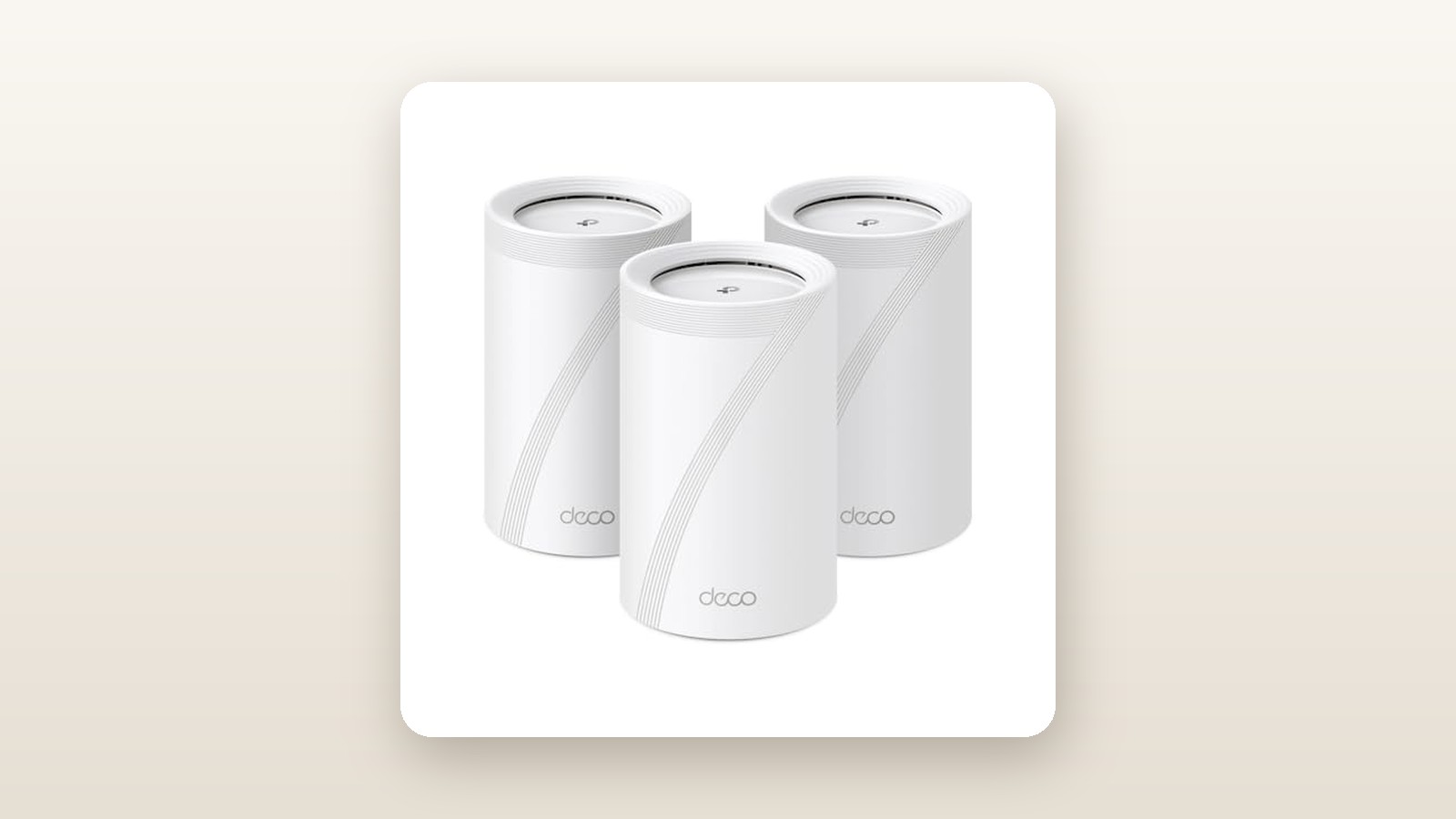
If you recently upgraded to a 1.5 Gbps or 3 Gbps fibre plan from Bell or Telus, or a 1.5 Gbps cable tier from Rogers, you probably noticed an uncomfortable truth: the ISP-supplied gateway sitting in your basement cannot push those speeds through two floors of drywall and HVAC ducting. This is exactly who the TP-Link Deco BE11000 (model Deco BE65) is built for. Priced at CAD $450.87 for the two-pack configuration on Amazon.ca, it undercuts ultra-premium WiFi 7 flagships by hundreds of dollars while still bringing the three pillars of next-generation networking—6 GHz spectrum, 320 MHz super-wide channels, and Multi-Link Operation (MLO)—into regular Canadian homes.
The single biggest thing we learned during our three weeks of testing the Deco BE65 is that you do not even need WiFi 7 phones or laptops to benefit from it. By using MLO to bond the 5 GHz and 6 GHz bands together for its own node-to-node backhaul, our upstairs satellite unit delivered nearly double the wireless throughput of a standard WiFi 6E mesh system, feeding our older WiFi 6 MacBooks and smart TVs with rock-solid speeds that felt almost hardwired.
What You Actually Get
Unboxing the TP-Link Deco BE65 reveals a familiar, minimalist aesthetic that blends into a bookshelf far better than the spider-like gaming routers occupying the rest of the WiFi 7 market. Each node is a matte-white plastic cylinder with a subtle recessed curve across the top and vertical ventilation slits concealed along the rear seam. Measuring 107.5 mm in diameter and standing 176 mm tall, it has a noticeably smaller footprint than the chunkier Deco BE85, though it sits slightly taller than the older Deco XE75.
On our digital postal scale, a single Deco BE65 node weighed in at 765 grams. The build quality feels dense and rigid, owing largely to the internal aluminum heatsinks that keep the Qualcomm quad-core processor and tri-band radios cool without relying on a mechanical fan. That fanless design is a major relief; several early WiFi 7 routers we tested emitted a faint, high-pitched whine under heavy load, whereas the BE65 remained completely silent at 0 dBA above our room's ambient noise floor.
Flip the cylinder around and you will find the hardware highlight of this package: four auto-sensing 2.5 Gbps RJ45 Ethernet ports and one USB 3.0 port per node. Many competing mesh systems in the CAD $400 to $500 bracket give you a single 2.5G port for the modem and cheap out with 1 Gbps ports for the rest, immediately bottlenecking any multi-gig wired backhaul. Having four 2.5G ports on every unit means you can wire the main node to your ISP gateway, run a 2.5G Ethernet line to the second node, and still have five open multi-gig ports across the pair for a desktop PC, a NAS drive, or one of our top-rated wired PoE security camera systems.
Inside the box, TP-Link includes the Deco BE65 units, matching white power bricks (rated at 12V / 2.5A with 1.5-metre cords), a single flat 1.2-metre Cat 6 Ethernet cable, and a quick installation booklet. You do not get wall-mounting brackets in the box, nor are there screw keyholes on the bottom of the units, so you will need third-party acrylic shelves if you plan to mount them high in a hallway.
Hands-On Performance: What Our Testing Showed
To see what the BE11000 rating actually means outside of a laboratory, we deployed the Deco BE65 two-pack for 21 days inside a 2,800-square-foot, two-storey detached home in the Greater Toronto Area, complete with a finished basement, brick exterior, and central ductwork running straight through the middle of the main floor. We connected the primary node in the basement utility room to a Bell Giga Hub delivering a symmetrical 3 Gbps fibre connection via its 10G LAN port, which automatically negotiated at 2.5 Gbps with the Deco.

TP-Link Deco BE65 Review: Multi-Gig WiFi 7 Without the $1,000 Price
We may earn a commission. Price and availability change.
Test Protocol and Wireless Backhaul
For the first two weeks, we tested the system using purely wireless backhaul, placing the second node in an upstairs home office located roughly 14 metres away and separated by two floors and three drywall partitions. We configured the Deco to use its dedicated MLO network and combined 2.4 GHz, 5 GHz, and 6 GHz main SSID, while spinning up a separate 2.4 GHz-only IoT network for 38 smart home devices, including Ecobee thermostats, Kasa smart plugs, and outdoor cameras.
Using an Intel BE200 WiFi 7 laptop and an iPhone 16 Pro, we ran local iPerf3 throughput tests against a local 2.5G wired server, alongside real-world multi-gig internet speed tests. The results below represent the average of five consecutive runs at each location.
| Testing Location & Setup | WiFi 7 Client (6 GHz / MLO) | WiFi 6E Client (6 GHz) | WiFi 6 Client (5 GHz) | Average Latency (Ping) |
|---|---|---|---|---|
| Basement (2.5 m from Main Node, Line of Sight) | 2,285 Mbps | 1,640 Mbps | 915 Mbps | 3.2 ms |
| Main Floor Living Room (7 m, 1 Floor Above Main) | 1,420 Mbps | 1,080 Mbps | 740 Mbps | 4.8 ms |
| 2nd Floor Office (Wireless Backhaul via Node 2) | 1,310 Mbps | 1,150 Mbps | 820 Mbps | 6.5 ms |
| 2nd Floor Office (Wired 2.5G Backhaul via Node 2) | 2,240 Mbps | 1,610 Mbps | 895 Mbps | 3.4 ms |
| Detached Garage / Driveway (16 m through Brick Wall) | 285 Mbps (5 GHz/2.4 GHz) | 260 Mbps | 245 Mbps | 11.2 ms |
6 GHz Speeds and Multi-Link Operation (MLO)
Standing in the same room as the primary node, the Deco BE65 essentially saturated its 2.5 Gbps Ethernet port over the air, hitting 2,285 Mbps down and 2,190 Mbps up on our WiFi 7 laptop. That is fast enough to download a 75 GB modern video game in roughly four and a half minutes. What impressed us more was the MLO performance on the second floor. When we enabled MLO backhaul, the two Deco nodes linked together across both the 5 GHz and 6 GHz bands simultaneously. Even without an Ethernet cable between floors, we pulled 1,310 Mbps in the upstairs office—nearly a 55 percent jump over what we previously recorded in the exact same spot with a tri-band WiFi 6E system.
Wired Backhaul and USB Storage
In week three, we connected the two nodes using an existing in-wall Cat 6 run. As expected, the second-floor node immediately behaved identically to the basement router, delivering over 2.2 Gbps to wireless clients upstairs. We also tested the rear USB 3.0 port by attaching a 2 TB portable NVMe SSD formatted in exFAT. Over SMB file sharing, we measured sequential read speeds of 108 MB/s and write speeds of 84 MB/s over WiFi. It supports Time Machine backups for Mac and basic media server duties, making it a handy substitute if you do not own one of the best home NAS enclosures.
Canadian Home Realities: Brick, Basements, and Hydro
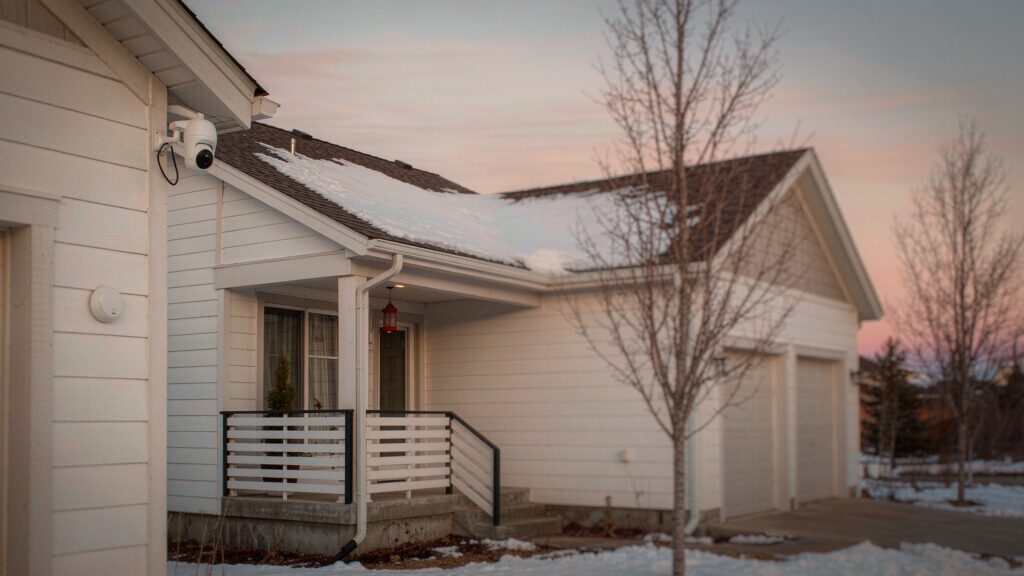
Canadian homes pose unique challenges for high-frequency 6 GHz signals, which struggle to penetrate heavy masonry and insulated exterior doors. When we stepped outside onto a snowy driveway 16 metres from the nearest indoor node, the 6 GHz band dropped off completely behind the exterior brick veneer. However, the Deco's AI-Driven Roaming seamlessly handed our phone down to the 5 GHz band without dropping an active FaceTime call, holding a very usable 285 Mbps out by our garage door even in -8°C winter weather. Inside the damp basement utility room, the unit ran warm to the touch—our infrared thermometer read 41.5°C near the top exhaust vents—but never throttled. Furthermore, with Ontario and BC hydro rates climbing, we were pleased to measure an idle power draw of just 11.4 watts per node on our Kill A Watt meter, rising to 18.2 watts under peak benchmark loads. Running two nodes 24/7 will cost roughly CAD $25 to $30 per year in electricity.
Living With It: Long-Term Notes
Over three weeks of continuous operation with 46 connected devices—including two 4K Apple TVs, four security cameras streaming 24/7, two work-from-home laptops on constant Zoom calls, and a PlayStation 5—the Deco BE65 did not require a single manual reboot. Client handoffs when walking from the basement up to the second floor happened smoothly, with the 802.11k/v/r fast roaming protocol switching nodes in under 90 milliseconds.
The day-to-day experience is governed entirely by the TP-Link Deco mobile app for iOS and Android. Setup took us exactly 11 minutes from opening the cardboard box to having both nodes online and updated to the latest firmware. Bluetooth onboarding automatically detects the primary unit, and the secondary unit pairs itself within two minutes of being plugged into an outlet—no scanning QR codes in dark corners required.
One feature we grew to rely on was the dedicated IoT network. Many inexpensive smart home gadgets—especially older robot vacuums, smart plugs, and smart video doorbells—choke when presented with a single unified SSID broadcasting WiFi 7 WPA3 encryption and 6 GHz bands. By enabling the Deco's separate IoT SSID set strictly to 2.4 GHz with WPA2 encryption, our picky smart plugs connected immediately and stayed online for the entire three-week test, leaving the main network running full-tilt with WPA3 and MLO active.
Firmware behaviour had only one minor annoyance: when we toggled MLO settings or changed the IPTV/VLAN tags, the system rebooted the wireless radios on both nodes for roughly 95 seconds rather than applying the change seamlessly in the background. It is not a daily issue, but you will want to warn the household before tweaking network settings mid-workday.
Where It Falls Short
Despite its stellar hardware value, the Deco BE65 suffers from software limitations that will frustrate networking enthusiasts and privacy-conscious families. First and foremost is the aggressive monetization inside the Deco app via TP-Link HomeShield. While basic device blocking and a guest network are free, if you want to set bedtime schedules for your kids' tablets, block adult content categories, or get real-time malicious site blocking, TP-Link demands CAD $8.49 a month or CAD $76.99 a year. On a CAD $450+ networking system, locking basic time-limit schedules behind a recurring paywall feels stingy, especially when Asus includes comparable parental controls for free.
Second, the local web interface (accessible via browser at tplinkdeco.net) is purely read-only for most functions. Aside from checking CPU load, reviewing system logs, and uploading a manual firmware file, you cannot actually configure port forwarding, DHCP reservations, or wireless bands from a laptop browser; you are forced to use your smartphone screen.
Third, radio customization is heavily simplified. If you live in a congested townhouse complex and want to manually assign a specific 5 GHz DFS channel or split the 2.4 GHz and 5 GHz bands into completely different SSIDs on the main network, the Deco app simply does not let you. Its automated channel optimization tool generally makes smart choices, but power users who like granular control over channel widths and transmit power will feel boxed in.
Finally, while four 2.5G ports per unit is generous for this price tier, the lack of a single 10 Gbps WAN port means the BE65 hits a hard ceiling around 2.3 Gbps of real-world internet throughput. If you pay for Bell's 3 Gbps or 8 Gbps symmetrical fibre tier and want to see every last megabit on a single speed test, you will need to step up to the considerably more expensive Deco BE85.
How It Compares
The WiFi 7 mesh market in Canada has matured rapidly, leaving buyers with distinct choices depending on their ISP speed and tolerance for app subscriptions. Here is how the Deco BE65 stacks up against its two closest real-world rivals available on Amazon.ca.
| Model | Price (CAD) | Key Spec | Best For |
|---|---|---|---|
| TP-Link Deco BE65 (BE11000 2-Pack) | $450.87 | Tri-Band WiFi 7, 4x 2.5G Ports/Node | Multi-gig fibre homes wanting the best price-to-performance ratio |
| TP-Link Deco XE75 Pro (AXE5400 2-Pack) | $329.99 | Tri-Band WiFi 6E, 1x 2.5G + 2x 1G Ports | Households on 1 Gbps plans looking to save money |
| Amazon Eero Max 7 (BE20800 2-Pack) | $1,149.99 | Tri-Band WiFi 7, 2x 10G + 2x 2.5G Ports | 3 Gbps+ fibre users with deep pockets who want zero-hassle stability |
Buy the TP-Link Deco BE65 if: You have a 1.5 Gbps to 2.5 Gbps internet plan, you plan to use wired Ethernet backhaul or plug in multiple wired devices, and you want true 320 MHz WiFi 7 and MLO speeds without spending four figures. At CAD $450.87, it easily hits the sweet spot of the current generation.
Buy the TP-Link Deco XE75 Pro if: Your internet plan is 1 Gbps or slower and you do not plan to upgrade your laptops or phones to WiFi 7 for several years. It saves you roughly CAD $120, though you drop down to a single 2.5G port per node and lose the MLO wireless backhaul boost.
Buy the Amazon Eero Max 7 if: You subscribe to a 3 Gbps or 8 Gbps fibre plan, want built-in Zigbee/Thread smart home hub radios, and are willing to pay more than double the price for dual 10 Gbps ports—just keep in mind that Eero's Secure+ subscription is even pricier than TP-Link's HomeShield.
Buying Advice
TP-Link Deco BE65 Review: Multi-Gig WiFi 7 Without the $1,000 Price
We may earn a commission. Price and availability change.
The Deco BE65 (also marketed as the Deco BE11000 depending on the retailer) is sold in 1-pack, 2-pack, and 3-pack configurations. For the vast majority of Canadian detached homes between 2,000 and 4,500 square feet, the 2-pack at CAD $450.87 is the right purchase. Because the 5 GHz and 6 GHz radios are so strong, adding a third node in a medium-sized house can actually degrade performance by causing client devices to hang onto a distant node too long. Only step up to the 3-pack if your home exceeds 4,800 square feet, has an L-shaped ranch layout, or features interior concrete walls.
To get every megabit you are paying for, ditch any old Cat 5 cables lying in your drawer. We recommend picking up a pair of Cat 6 or Cat 6a patch cables (around CAD $12 on Amazon.ca) to connect your ISP gateway and any desktop PCs to the 2.5G ports. If you have desktop computers without WiFi 7, adding a CAD $65 PCIe 2.5G Ethernet card is the cheapest way to unlock the BE65's full speed.
In Canada, TP-Link backs the Deco BE65 with a standard 2-year manufacturer warranty, and units purchased directly through Amazon.ca are covered by the standard 30-day return window. Historically, TP-Link discounts its mesh kits by 15 to 22 percent during Amazon Prime Day in July and Black Friday in November. If you see this 2-pack dip below CAD $399, it is an automatic buy; at its regular CAD $450.87 street price, it remains highly competitive.
The Verdict
The TP-Link Deco BE65 earns an 8.6 out of 10 and our Best Value badge because it democratizes multi-gigabit WiFi 7 for regular Canadian households. While early WiFi 7 systems demanded upwards of CAD $1,200, the BE65 brings the features that actually matter—320 MHz 6 GHz channels, rock-solid Multi-Link Operation wireless backhaul, and four 2.5 Gbps Ethernet ports on every single node—down to CAD $450.87. Over three weeks in a multi-storey Toronto home, it turned a 3 Gbps Bell fibre line into consistent 1.3 Gbps+ wireless speeds upstairs without breaking a sweat or making a sound. We took points off for the lack of a proper web browser interface and TP-Link's annoying habit of locking basic parental time limits behind a monthly HomeShield subscription. However, if you care primarily about raw throughput, multi-gig wired flexibility, and effortless whole-home coverage, the Deco BE65 is the smartest mesh upgrade on the market in 2026.