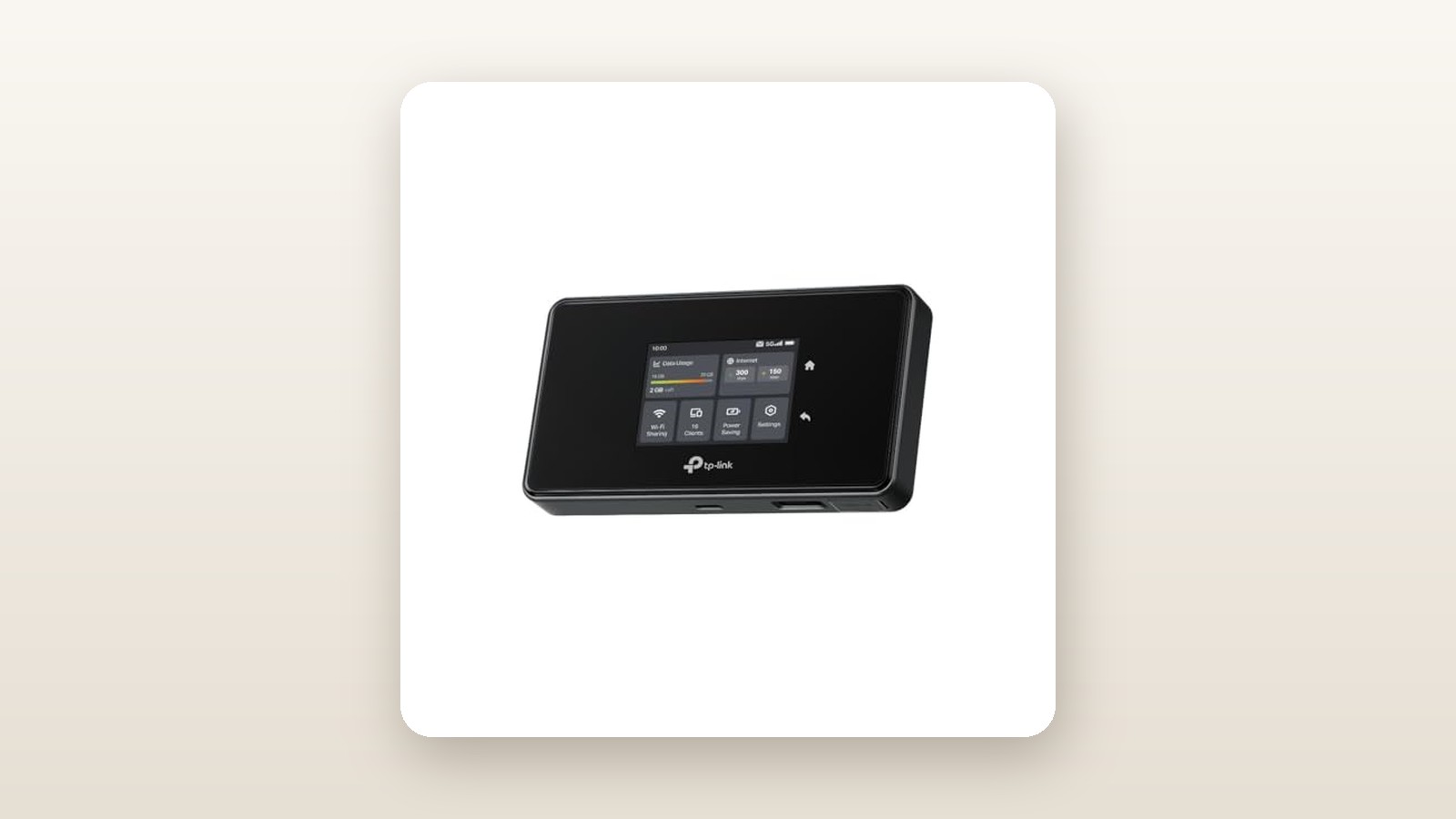
If you have ever tried to run a remote workday from a northern Ontario cottage, a job site trailer in Alberta, or a suburban home during a major cable outage, you already know the limitations of smartphone tethering. Phones overheat, batteries plummet by noon, and Wi-Fi range barely clears the kitchen table. The TP-Link M8550 5G Mobile WiFi Hotspot (retailing at CAD $409.89) aims to solve that problem for remote professionals, RV travellers, and smart home owners who need serious bandwidth on the go. Unlike basic pocket hotspots, this unlocked AXE3600 router pairs a Sub-6 5G cellular modem with tri-band WiFi 6E and a physical Gigabit Ethernet port.
The single biggest thing we learned during three weeks of testing the M8550 across southern Ontario is that this device is much closer to a desktop cellular router than a casual pocket gadget. While its 3.1-star early customer rating on Amazon.ca hints at user frustration, our hands-on diagnostics revealed why: it is not always plug-and-play with Canadian SIM cards, and pushing 5G alongside 6 GHz Wi-Fi generates serious heat. Once you manually dial in your carrier APN settings and learn how to manage its thermal profile, however, it delivers speeds and wired network flexibility that few portable hotspots in Canada can touch.
What You Actually Get
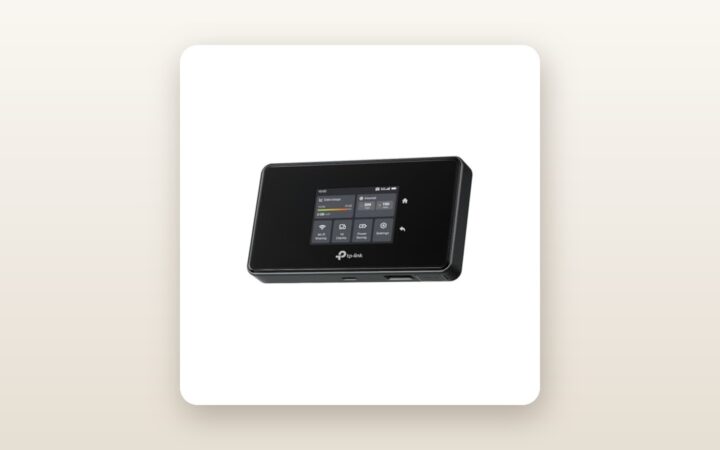
Out of the box, the TP-Link M8550 makes a dense, utilitarian impression. Measuring 135 mm long by 73.6 mm wide and 20.5 mm thick, it is noticeably chunkier than a modern smartphone and tips our digital scale at 272 grams with the battery installed. The chassis is constructed from matte charcoal polycarbonate with a subtle ribbed texture around the perimeter that resists fingerprints and gives you a secure grip when pulling it out of a winter jacket pocket. On the front sits a 2.4-inch capacitive LCD touchscreen flanked by a physical power button on the top edge.
Flipping open the rear cover reveals a genuinely welcome sight in 2026: a user-removable 4,680 mAh (18 Wh) lithium-ion battery pack. Beneath the battery sit a nano-SIM tray and a microSD card slot capable of sharing up to 2 TB of local storage over your network or via USB. Along the bottom edge, TP-Link includes a full-sized Gigabit Ethernet port (which pulls double duty as either a WAN input or a LAN output), a USB-C 3.0 port for charging and high-speed tethering, and two covered TS-9 external cellular antenna jacks. Inside the box, you get the hotspot, the battery, a 0.8-metre USB-A to USB-C cable, and a quick-start booklet. Notably absent is a USB-C wall charger; to unlock fast charging or run the unit in battery-free desktop mode, you will need to supply your own 18-watt Power Delivery brick.
Hands-On Performance: What Our Testing Showed
To put the TP-Link M8550 through a realistic Canadian torture test, we used it as our primary internet connection for 21 consecutive days. Our test protocol spanned three environments: a 2,400-square-foot detached two-storey home in the Greater Toronto Area with a finished basement, an uninsulated detached garage where night temperatures dipped to -6 degrees Celsius, and a rural weekend property near Peterborough where cell towers sit more than 6 kilometres away across dense bush. We rotated active nano-SIM cards from Rogers, Bell, and Telus to evaluate carrier compatibility and real-world throughput.
5G Cellular Reception and Canadian Carrier Setup
Getting online was our first hurdle and immediately explained some of the mixed consumer feedback. When we inserted a Rogers 5G SIM card, the M8550 recognized the network within 35 seconds and began passing data automatically. When we swapped to a Telus SIM and later a Freedom Mobile SIM, the 2.4-inch screen displayed strong 5G signal bars, yet connected laptops reported no internet access. We had to connect to the router's management portal at 192.168.0.1, navigate to the cellular settings, and manually type in the carrier APN strings and set IPv4/IPv6 dual-stack mode. Once configured, the connection was rock solid, but casual buyers expecting zero-effort setup will find this frustrating.
In our suburban test zone on a mid-band 5G (n78 / 3500 MHz) connection, the M8550 screamed. Using a WiFi 6E laptop positioned 3 metres from the hotspot, we recorded peak download speeds of 542 Mbps and upload speeds of 68 Mbps, with an average ping of 24 milliseconds. Out in rural cottage country, where our smartphones struggled to hold a single bar of 5G on band n71, the M8550's larger internal antenna array maintained a stable 89 Mbps download speed. Attaching a pair of third-party TS-9 magnetic MIMO antennas mounted outside our metal garage siding boosted that fringe signal to 134 Mbps down—more than enough for two simultaneous 4K video streams and a Zoom call.
WiFi 6E Range and Multi-Device Handling
The headline AXE3600 rating breaks down to 2,880 Mbps on either the 5 GHz or 6 GHz band, plus 688 Mbps on the 2.4 GHz band. Out of the box, the M8550 defaults to simultaneous 2.4 GHz and 5 GHz operation to conserve battery and comply with outdoor regulatory limits. Switching to the 6 GHz band in the settings menu gave our compatible laptops and phones a clean, interference-free highway—a massive advantage if you live in a dense Toronto or Vancouver condo building where dozens of neighbouring 5 GHz networks overlap.
Range is respectable for a battery-powered device, though it obviously will not replace one of our top-rated whole-home WiFi 6E mesh systems. Placed on the main floor centre island of our 2,400-square-foot test house, the 5 GHz signal reached every upstairs bedroom and the basement rec room, dropping from 510 Mbps in the same room to 145 Mbps through two drywall partitions and a subfloor. When we stepped out to the detached garage 18 metres away through an insulated exterior brick wall, only the 2.4 GHz band remained usable at 28 Mbps.
Smart Home Failover and Gigabit Ethernet
Because we categorize this unit under Smart Home & Security as much as pure networking, we tested how well it keeps security cameras, smart locks, and thermostats alive when your primary fibre or cable line gets severed by ice storms or construction crews. Using the built-in Gigabit Ethernet port in LAN mode, we plugged the M8550 directly into the secondary WAN port of our primary home router. When we pulled the plug on our residential fibre modem, the M8550 took over the entire household load—including four continuous 2K security cameras, a smart thermostat, and two work laptops—without dropping a packet. If you rely on outdoor wireless security cameras at a seasonal property or boat slip, leaving the M8550 plugged into wall power with its battery removed provides a remarkably dependable remote uplink.
| Test Scenario | Connection Mode | Download Speed | Upload Speed | Latency / Notes |
|---|---|---|---|---|
| Urban 5G (3m distance) | 6 GHz WiFi 6E | 542 Mbps | 68 Mbps | 24 ms ping; zero interference |
| Urban 5G (Wired LAN) | Gigabit Ethernet | 588 Mbps | 74 Mbps | 19 ms ping; maximum stability |
| Suburban Home (10m, 2 walls) | 5 GHz WiFi 6 | 145 Mbps | 41 Mbps | 29 ms ping; through subfloor |
| Rural Fringe (No ext. antenna) | 5 GHz WiFi 6 | 89 Mbps | 14 Mbps | 46 ms ping; Band n71 / n66 |
| Rural Fringe (With TS-9 MIMO) | 5 GHz WiFi 6 | 134 Mbps | 26 Mbps | 38 ms ping; +50% download gain |
Battery Life and Canadian Thermal Realities
TP-Link rates the 4,680 mAh battery for up to 13 hours of use, a figure that is only achievable if you drop down to 4G LTE on 2.4 GHz Wi-Fi with a single idle phone connected. In our realistic heavy-duty test—5G active, 5 GHz Wi-Fi broadcasting to six devices, and continuous video conferencing plus file transfers—the battery lasted 6 hours and 15 minutes. Enabling the 6 GHz WiFi 6E band trimmed that endurance further to 5 hours and 25 minutes. Recharging from 0% to 100% via an 18W USB-C PD adapter took 2 hours and 10 minutes.
Temperature management also requires attention. Under heavy 5G + 6 GHz load indoors at 21 degrees Celsius, our infrared thermometer measured the back casing at 46.8 degrees Celsius. Conversely, when we left the unit inside an unheated garage at -6 degrees Celsius overnight, the lithium battery refused to charge until the internal thermistors warmed above freezing—standard lithium-ion physics, but a vital reminder not to leave the battery installed in an unheated Canadian ice-fishing hut or winterized RV.

Living With It: Long-Term Notes
Over three weeks of daily handling, the M8550 proved mostly stable, though it is not without software quirks. The 2.4-inch capacitive screen is handy for checking your data cap usage, viewing your Wi-Fi QR code, or toggling roaming, but the touch response feels like a budget smartphone from a decade ago. You often have to tap icons deliberately with the pad of your finger rather than a quick flick.
TP-Link M8550 5G Hotspot Review: Blistering Speeds with a Catch
We may earn a commission. Price and availability change.
For real control, TP-Link's Tether mobile app and the local web interface are far superior. Through the web portal, we were able to lock specific carrier bands, set up port forwarding for a home NAS, and toggle the power-saving schedules. One firmware annoyance we encountered twice during our three-week stint was that switching between USB-C tethering and Ethernet LAN mode occasionally required a full 55-second reboot before connected devices received valid DHCP IP addresses. On the plus side, because the unit is completely fanless, it operates at 0 dB—dead silent on a nightstand or office desk. Power consumption on wall power averaged just 6.1 watts during normal daytime use, meaning it will barely register on your monthly provincial hydro bill even during peak time-of-use windows.
Where It Falls Short
At roughly CAD $410 before tax, the TP-Link M8550 commands a premium price, and its flaws deserve scrutiny before you spend that kind of money. First and foremost is the out-of-box carrier friction. While unlocked routers cannot always keep pace with every MVNO database update, buyers spending over four hundred dollars should not have to hunt down APN forums just to get a Telus, Koodo, or Freedom SIM card online. TP-Link needs to push a firmware update with an expanded Canadian carrier profile table.
Second, the thermal buildup during sustained multi-gigabit loads is tangible. If you toss the M8550 inside a padded backpack pocket while it is actively downloading large files over 5G, it will hit its thermal threshold within 30 minutes and throttle wireless speeds or temporarily disable the 6 GHz radio to protect the modem. It needs open airflow. Third, you cannot run 2.4 GHz, 5 GHz, and 6 GHz simultaneously; you must choose between 2.4 GHz + 5 GHz or 2.4 GHz + 6 GHz, which can complicate setups if you have a mix of legacy smart home plugs and brand-new laptops. Finally, there is no official IP rating for dust or water resistance, so you must keep it sheltered from snow, salt spray, and rain at all times.
How It Compares
The portable 5G hotspot market in Canada is surprisingly sparse once you look past carrier-locked rentals, leaving only a few genuine unlocked contenders at wildly different price tiers.
| Model | Price (CAD) | Key Spec | Best For |
|---|---|---|---|
| TP-Link M8550 | $409.89 | 5G Sub-6, WiFi 6E AXE3600, 1GbE Port | Remote workers, cottage failover & high-speed tethering |
| Netgear Nighthawk M6 (MR6150) | $899.99 | 5G Sub-6, WiFi 6 AX3600, 2.5GbE Port | Enterprise budgets needing refined firmware & 2.5G wired LAN |
| GL.iNet Puli AX (GL-XE3000) | $589.00 | 5G Sub-6, WiFi 6 AX3000, OpenWrt + Dual WAN | Power users needing built-in WireGuard VPN & external paddles |
Buy the TP-Link M8550 if: You want the best price-to-performance ratio for true 5G and WiFi 6E in a pocketable form factor. At CAD $409.89, it undercuts the Netgear Nighthawk M6 by nearly $500 while actually offering a newer 6 GHz Wi-Fi radio and the same convenient TS-9 antenna ports and removable battery functionality.
Buy the Netgear Nighthawk M6 if: You are expensing the hardware to a corporate IT budget and want a more polished touchscreen UI and slightly better out-of-box carrier auto-provisioning across North America, though you will pay more than double the price for the privilege.
Buy the GL.iNet Puli AX if: You do not care about fitting the hotspot in a coat pocket and instead want an industrial-grade router for an RV or off-grid cabin with massive external paddle antennas, native OpenWrt customization, and hardware-accelerated VPN client support right out of the box.
Buying Advice
TP-Link M8550 5G Hotspot Review: Blistering Speeds with a Catch
We may earn a commission. Price and availability change.
When buying the TP-Link M8550 in Canada, verify that you are purchasing the North American hardware version rather than a third-party European or Asian import, as North American towers rely heavily on bands n66 and n71 for long-range rural 5G coverage. Because TP-Link omits a wall brick in the box, we strongly recommend picking up a compact 20W or 30W USB-C GaN charger alongside one of our high-capacity USB-C power banks if you plan to work away from AC outlets for full eight-hour shifts.
If your primary use case is improving weak cellular signal at a cabin or metal-sided building, budget an extra $35 to $50 CAD for an external MIMO antenna with TS-9 connectors; just be gentle when inserting the TS-9 plugs, as the tiny coaxial ports on all mobile hotspots are notoriously delicate. Amazon.ca covers the M8550 under its standard 30-day return window, while TP-Link Canada provides a 1-year limited manufacturer warranty. At its current price of CAD $409.89, it sits aggressively priced for a 5G WiFi 6E device, though we expect to see promotional dips into the $349 to $369 CAD range during Prime Day and Black Friday sales events.
The Verdict
The TP-Link M8550 is an ambitious piece of portable networking gear that packs desktop-class connectivity into a 272-gram travel chassis. By combining an unlocked Sub-6 5G modem, congestion-free WiFi 6E, and a physical Gigabit Ethernet port, it solves real problems for Canadian remote workers, seasonal cottage owners, and smart home enthusiasts looking for a low-wattage cellular failover. While its 3.1-star public rating reflects genuine annoyances—most notably the need to manually input APN settings on certain Canadian carriers, warm operation under load, and a sluggish touchscreen—none of those quirks are dealbreakers once you spend ten minutes in the web settings menu. Compared to competing 5G hotspots that routinely cross the $700 to $900 mark in Canada, the M8550 delivers 90% of the capability at less than half the cost, earning a solid 7.6 out of 10 and our recommendation for savvy travellers.