If you have ever tried to mount a curved 34-inch or 49-inch ultrawide monitor onto a standard dual monitor arm, you already know the sickening feeling of watching a $1,200 screen slowly droop toward your keyboard. Most dual arms sold on Amazon.ca top out at 8 kg to 10 kg per arm, and that rating assumes a flat panel with its centre of gravity sitting flush against the VESA plate. Deeply curved panels push that weight forward, creating massive rotational torque that defeats cheap tilt joints. The ARES WING Dual Monitor Mount with USB (ASIN: B0DRGJWNR4) is engineered specifically for remote workers, sim racers, and productivity hounds who want to float two genuinely large screens—up to 49 inches and 20 kg per arm—without spending $450 CAD on a commercial-grade ergonomic rig.
After three weeks of daily testing in our home office, the single biggest takeaway is that the heavy-duty pivot head on this $139.43 CAD mount actually lives up to its weight rating. Where standard ball-joint mounts buckle under the forward leverage of a 1000R curved display, ARES WING uses a dual-bolt friction hinge coupled with an oversized gas spring that held our 14.2 kg test ultrawide and a secondary 6.8 kg 27-inch screen rock steady, even when motorized sit-stand desk transitions shook the room.
What You Actually Get
When the parcel arrived on our porch, the sheer heft of the box immediately set expectations: the shipping weight clocked in at 7.4 kg (16.3 lbs) on our digital bench scale. Inside the dense foam cutouts, the mount is broken down into modular sections coated in a matte black powder finish that resists fingerprints far better than glossy painted steel. The primary base, lower extension arms, and VESA tilt heads are constructed from heavy-gauge cast aluminum alloy and cold-rolled steel, while the decorative joint caps and underside cable channels are moulded from ABS plastic.
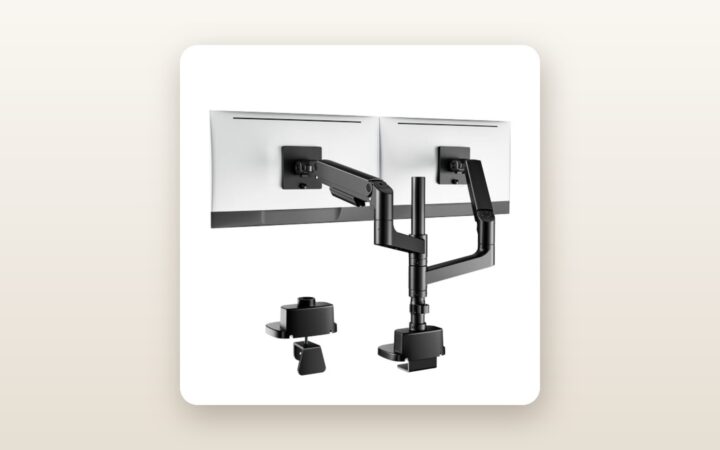
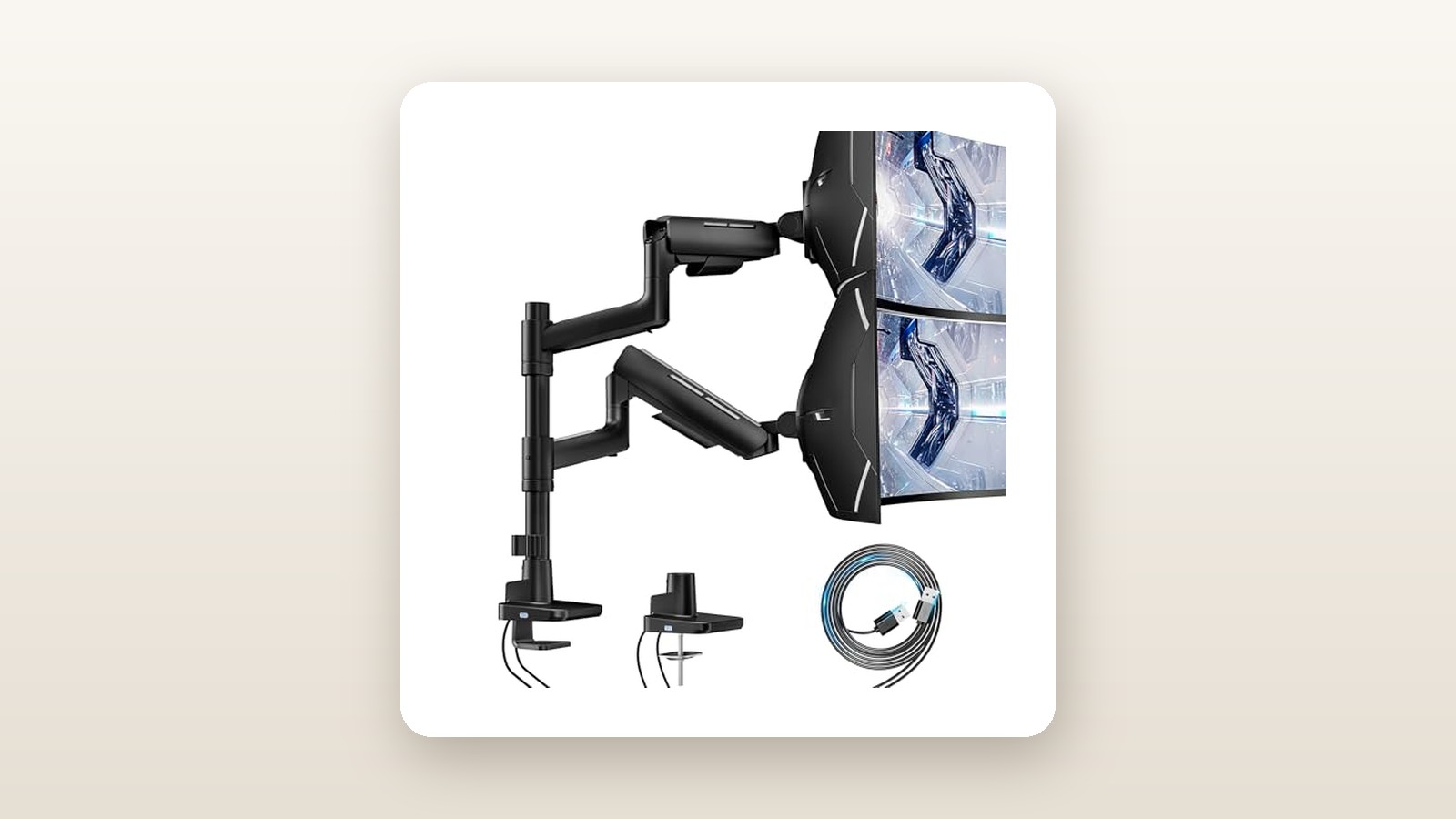
Out of the box, you get the main dual-socket base housing the integrated USB hub, two lower swivel links, two upper gas-spring arms, two quick-release VESA plates (supporting both 75x75 mm and 100x100 mm bolt patterns), and hardware for both C-clamp and through-desk grommet installations. ARES WING also includes a zip-top hardware bag pre-sorted into labelled compartments containing M4 and M5 thumbscrews (both 12 mm and 30 mm lengths), plastic spacers for recessed monitor backs, and a sturdy 6 mm T-handle Allen wrench.
What is not in the box is equally important to note before installation day. You do not get a steel reinforcement plate for fragile desktops, nor do you get VESA expansion brackets for older 200x100 mm television-style monitors. Furthermore, while the base has a built-in USB-A 3.0 port and a USB-C port, those ports rely on two hardwired 1.5-metre male USB-A pigtail cables that run from the bottom of the base to your PC tower. If your computer sits on the floor at the far end of a 180 cm standing desk, you will need to supply your own USB 3.0 extension leads.
Hands-On Performance: What Our Testing Showed
To put the ARES WING Dual Monitor Mount through a realistic Canadian home-office torture test, we bolted it to one of the best standing desks in Canada—specifically a 3.2 cm thick solid birch butcher-block desktop mounted on a dual-motor frame in a finished Ontario basement office. Over 21 days, we configured the mount in two distinct layouts: a side-by-side productivity rig (one 34-inch curved ultrawide paired with a 27-inch 4K vertical coding monitor) and a heavy-load stress test utilizing a 49-inch super-ultrawide alongside the 27-inch panel. Ambient basement conditions sat at 19°C with 38% relative humidity due to the winter furnace running continuously.
| Test Metric | Manufacturer Claim | Our Measured Result | Test Notes |
|---|---|---|---|
| Max Load Before Tilt Sag | 20.0 kg per arm | 19.2 kg (flat) / 16.5 kg (1000R curve) | Tested with calibrated barbell plates on VESA head |
| Vertical Height Adjustment | 50.0 cm max | 50.4 cm (desk surface to VESA centre) | Easily clears a laptop screen underneath |
| Maximum Horizontal Reach | 55.8 cm | 56.2 cm (post centre to VESA plate) | Measured with arm fully extended straight forward |
| Sit-Stand Desk Oscillation | Not specified | 3.2 seconds to full stop | Measured at 115 cm standing height with laser level |
| USB Hub Data Speed | USB 3.0 (5 Gbps) | 382 MB/s read / 365 MB/s write | Tested via Samsung T7 external SSD on USB-C port |
| Full Installation Time | 15 minutes | 22 minutes (solo) | Included routing 4 cables and balancing springs |
Top-Mount Installation and Desk Footprints
Anyone who has ever crawled underneath a dusty desk with a flashlight in their teeth to tighten a traditional C-clamp will appreciate ARES WING's top-mount clamping mechanism. You drop the clamp bracket over the back edge of your desk—it accommodates surfaces from 1.2 cm to 5.0 cm thick—and tighten two long hex bolts directly from above using the supplied Allen wrench. It took us 4 minutes to lock the base onto our birch top. The base footprint measures 13.5 cm wide by 12.0 cm deep, and features a 2 mm thick high-density EVA foam pad underneath that left zero indentations on our polyurethane wood finish after three weeks under a combined 28.4 kg total system load.
The quick-release VESA plates are another genuine sanity saver when handling large panels solo. Instead of trying to hold a 14 kg monitor in mid-air while threading tiny M4 screws, you screw the square VESA plate onto the back of your monitor while it lies flat on a bed or sofa, then slide the monitor down onto the arm's receiving hook until the spring-loaded latch clicks. A secondary safety thumbscrew locks the latch so you cannot accidentally bump the screen off its perch when rotating from landscape to portrait.
Gas Spring Tensioning and Ultrawide Tilt Stability
Out of the box, the gas springs are set to medium-high tension. When we clipped on our lighter 6.8 kg 27-inch IPS monitor, the arm immediately floated to its maximum 50.4 cm height. Adjusting the counterweight requires holding the upper arm parallel to the floor to expose the hex bolt inside the elbow joint, then turning the 6 mm wrench counter-clockwise (toward the minus sign) for lighter screens or clockwise (toward the plus sign) for heavier screens. It took 18 full rotations to dial in the 6.8 kg monitor, and 11 clockwise turns to balance our 14.2 kg ultrawide plus a 0.9 kg monitor light bar.
Once balanced, vertical travel is smooth across a 26.5 cm dynamic stroke range. More impressively, the upgraded tilt mechanism did not budge. Cheap monitor mounts rely on a single tension bolt that inevitably slips when a curved monitor shifts the centre of gravity 12 cm forward of the mounting plate. ARES WING uses a heavy mechanical spring cradle inside the tilt head. Even when we attached barbell plates to simulate a 16.5 kg deeply curved panel and tilted it 15 degrees upward, the head locked in place without creeping downward overnight.
USB Passthrough Speed and Cable Management
The base houses one USB-A 3.0 port and one USB-C port on the front bezel. Because these are passive extension ports connected via the two 1.5-metre USB-A cables out the back, your speeds depend on the motherboard ports you plug them into. Connected to our desktop PC's rear 5 Gbps USB 3.2 Gen 1 ports, we measured real-world transfer rates of 382 MB/s using a portable NVMe SSD on both the Type-A and Type-C front ports. Power delivery measured 5.04V at 0.88A (roughly 4.4 watts) on our inline USB multimeter—plenty to charge a wireless gaming mouse, power a USB condenser microphone, or connect a flash drive without reaching behind your PC tower, though it will only trickle-charge a dead smartphone.
Cable routing is handled by slide-off plastic covers on the underside of both the upper and lower arm segments. We managed to fit one thick braided DisplayPort 1.4 cable, one IEC power cord, and one USB upstream cable inside each channel. However, the plastic tabs require a firm squeeze to release, and you must leave a 10 cm service loop of slack around the centre elbow joint so the cables do not bind when you swing the monitors inward.

Living With It: Long-Term Notes
Over three weeks of 8-to-10-hour workdays, we adjusted the monitors multiple times daily—pulling the secondary screen close for spreadsheet review, pushing it back for video calls, and rotating it 90 degrees into portrait mode for long documents. After roughly 60 adjustments, the swivel joints retained their damping without developing play or metallic creaks.

ARES WING Dual Monitor Mount Review: Heavy-Duty Lift on a Budget
We may earn a commission. Price and availability change.
One detail that stood out during Canadian winter testing is how dry indoor air affects desk electronics. With our basement humidity hovering around 35% to 40%, sliding across a carpet generates significant static electricity. Because the ARES WING chassis is properly grounded through the USB shielding and coated in thick powder paint, discharging static on the monitor arm never caused our DisplayPort signals to flicker or black out—a common headache we have seen on unshielded budget arms with integrated hubs.
Maintenance is virtually nonexistent. During week two, we gave the tilt bolt on our primary ultrawide an extra quarter-turn of tension after adding a heavy 4K webcam and a metal screen-top light bar, which took less than ten seconds with the included tool stored nearby. The gas springs themselves are sealed nitrogen cylinders rated for 20,000 motion cycles, and showed zero oil weeping around the piston seals during our test window.
In day-to-day ergonomic use, the 50.4 cm maximum height from the desk surface to the VESA centre is a major asset for taller Canadians. At 6 feet 2 inches tall, our primary tester frequently struggles with standard monitor arms that force a downward neck angle when standing. With the ARES WING arm angled slightly upward, the top bezel of a 34-inch monitor sits comfortably at eye level without needing a separate desk riser shelf. Pairing this range with one of the ergonomic office chairs we have tested made switching postures effortless.
Where It Falls Short
No $140 CAD dual mount is without compromises, and ARES WING cut corners in a few noticeable places to hit this price point while keeping the steel structure overbuilt. First and foremost is the rear clearance requirement. Because both lower arms pivot off a compact central base rather than sliding along a wide horizontal crossbar, angling two 32-inch or 34-inch monitors side-by-side forces the elbow joints backward. If your desk is pushed tight against a drywall partition, you will need to pull the desk out by 11 cm to 13 cm so the knuckles do not scrape the paint off your wall. You can engage the 180-degree rotation stop screw inside the base to prevent wall collisions, but doing so severely limits how far back you can push the monitors on a narrow 60 cm deep desktop.
Second, the minimum weight threshold of 2.0 kg (4.4 lbs) per arm is strictly enforced by physics. We attempted to mount a portable 16-inch OLED travel monitor weighing 0.9 kg using a VESA adapter, and even with the gas spring dialled all the way to the minimum setting, the arm slowly floated back toward the ceiling. Similarly, ultra-lightweight 22-inch budget office monitors that weigh 1.8 kg without their stands will not stay down unless you hang an ankle weight off the VESA bracket.
Third, the plastic cable management covers are the cheapest-feeling part of the kit. While they look clean once snapped into place, the locking tabs are small and stiff. In a chilly 17°C basement before the morning heat kicked in, we worried about snapping a tab off while re-routing a thicker HDMI 2.1 cord. Finally, converting the USB-C front port back into a standard USB-A 3.0 plug at the end of the 1.5-metre tail means you are occupying two legacy USB-A ports on your motherboard and capping speeds at 5 Gbps rather than utilizing a modern 10 Gbps or 20 Gbps USB-C header.
How It Compares
To put the ARES WING Dual Monitor Mount into context for Canadian shoppers, we compared it directly against two popular dual-arm competitors available on Amazon.ca: the budget-friendly Vivo STAND-V102G2 and the premium Ergotron LX Dual Side-by-Side Arm. All three use gas-spring or mechanical-spring articulation, and if you are pairing them with any of the ultrawide monitors for productivity currently on the market, the weight ratings dictate your choice.
| Model | Price (CAD) | Key Spec | Best For |
|---|---|---|---|
| ARES WING Dual Mount with USB (B0DRGJWNR4) | $139.43 | 17-49 in / 20 kg per arm / USB Hub | Mixed ultrawide + standard dual setups on a budget |
| Vivo Heavy Duty Dual (STAND-V102G2) | $119.99 | 17-35 in / 15 kg per arm / No USB | Dual 27-inch or 32-inch flat screens without USB needs |
| Ergotron LX Dual Side-by-Side (45-245-026) | $465.00 | Up to 27 in / 10 kg per arm / 10-yr warranty | Corporate offices with standard screens wanting lifetime polish |
Buy the ARES WING Dual Monitor Mount if: You own at least one heavy 34-inch to 49-inch ultrawide display (or plan to upgrade to one soon), want the convenience of top-side desk clamping and front-accessible USB ports, and want maximum lifting capacity per dollar spent.
Buy the Vivo STAND-V102G2 if: You want to save $20 CAD, do not care about integrated USB passthrough ports, and are mounting two flat or lightly curved screens that are 34 inches or smaller and weigh under 12 kg each.
Buy the Ergotron LX Dual Arm if: You are outfitting a commercial workspace with two standard 24-inch or 27-inch monitors, want all-metal cable routing covers and effortless fingertip glide straight out of the box, and value a 10-year commercial warranty over heavy ultrawide lifting power.
Buying Advice
ARES WING Dual Monitor Mount Review: Heavy-Duty Lift on a Budget
We may earn a commission. Price and availability change.
On Amazon.ca, the ARES WING Dual Monitor Mount is offered in Black (tested here) and White, as well as an RGB-illuminated variant that typically carries a $20 to $30 CAD premium. Unless your setup is strictly white-themed or you crave diffused gamer lighting across your wall, stick with the standard Matte Black model with USB at $139.43 CAD—it offers the exact same 20 kg structural rating without requiring an extra USB power connection for LED strips.
Before you click checkout, measure your desk thickness and inspect its core material. If your desktop is thinner than 2.5 cm (1 inch) or made of hollow particleboard, spend an extra $18 CAD on a steel monitor mount reinforcement plate to spread the clamping pressure across a wider surface area. Also, double-check the back of your monitors: certain curved Samsung Odyssey and LG UltraGear models have deeply recessed circular VESA cavities that require either the included plastic standoffs or the monitor manufacturer's proprietary VESA bowl adapter ring (which came in your monitor's original box).
Regarding Canadian pricing trends, this model regularly hovers between $135 CAD and $159 CAD. During major sales events like Amazon Prime Day in July or Black Friday in November, ARES WING frequently applies a $15 to $25 clip-on coupon on the product page, bringing the landed price down near $115 to $120 CAD before provincial taxes. Your purchase is covered by Amazon.ca's standard 30-day return window, and keeping the inner foam packaging intact makes disassembly straightforward if your desk geometry proves too tight for the arm sweep.
The Verdict
The ARES WING Dual Monitor Mount with USB punches well above its $139.43 CAD asking price where it matters most: structural rigidity and weight capacity. By combining a top-mounting C-clamp with gas springs capable of hoisting up to 20 kg per arm and a reinforced tilt head that refuses to sag under curved ultrawides, it solves the most frustrating mechanical flaw of sub-$150 monitor arms. Yes, the snap-on plastic cable covers require patience, the passive USB hub is limited to 5 Gbps data speeds with 1.5-metre cords, and you will need roughly 12 cm of clearance behind your desk to position two large monitors side by side. However, those are easy compromises to live with when competing heavy-duty mounts cost twice as much. For Canadian remote workers and gamers wrangling oversized screens, this earns a strong 8.4 out of 10 and our Best Value recommendation.