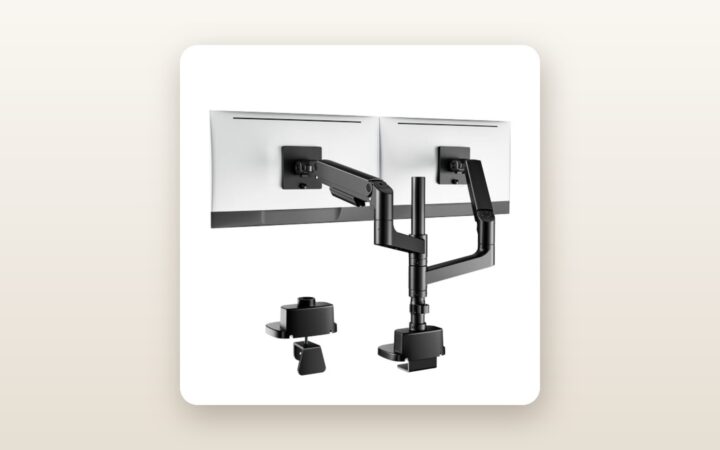
If you have ever tried mounting a curved 49-inch or 57-inch super-ultrawide display onto a standard gas-spring arm, you already know the sickening sound of a tilt head giving up. Most dual arms sold in Canada claim lofty weight limits, only to droop forward the second a deep-dish 1000R curved panel shifts the centre of gravity fifteen centimetres past the VESA plate. The ARES WING Heavy Duty Dual Monitor Mount (retailing at CAD $155.85) is built specifically for power users, sim racers, and multi-screen home office workers who need to float two massive displays—either side-by-side or stacked vertically—without spending CAD $600 on commercial-grade modular steel.
Over three weeks of testing in our Ontario basement workspace, the single biggest lesson we learned is that the VESA tilt mechanism matters far more than the gas spring rating. While the ARES WING easily lifts a 16 kg load vertically, its real secret weapon is a redesigned, dual-bolt friction pivot at the neck that actually locks aggressive curved monitors in place—provided you have the wrist strength to torque the included 6 mm Allen key to its absolute limit.
What You Actually Get
When the parcel carrier dropped the box on our porch, the sheer heft was immediately obvious. The shipping carton weighs 8.1 kg (17.8 lbs), and the assembled mount itself clocks in at a stout 7.4 kg (16.3 lbs). Opening the lid reveals dense, closed-cell polyethylene foam trays rather than the crumbling styrofoam that normally coats a home office in static-charged white beads. Everything is finished in a matte, slightly textured powder-coated black paint that resists greasy fingerprints far better than glossy anodized aluminium.
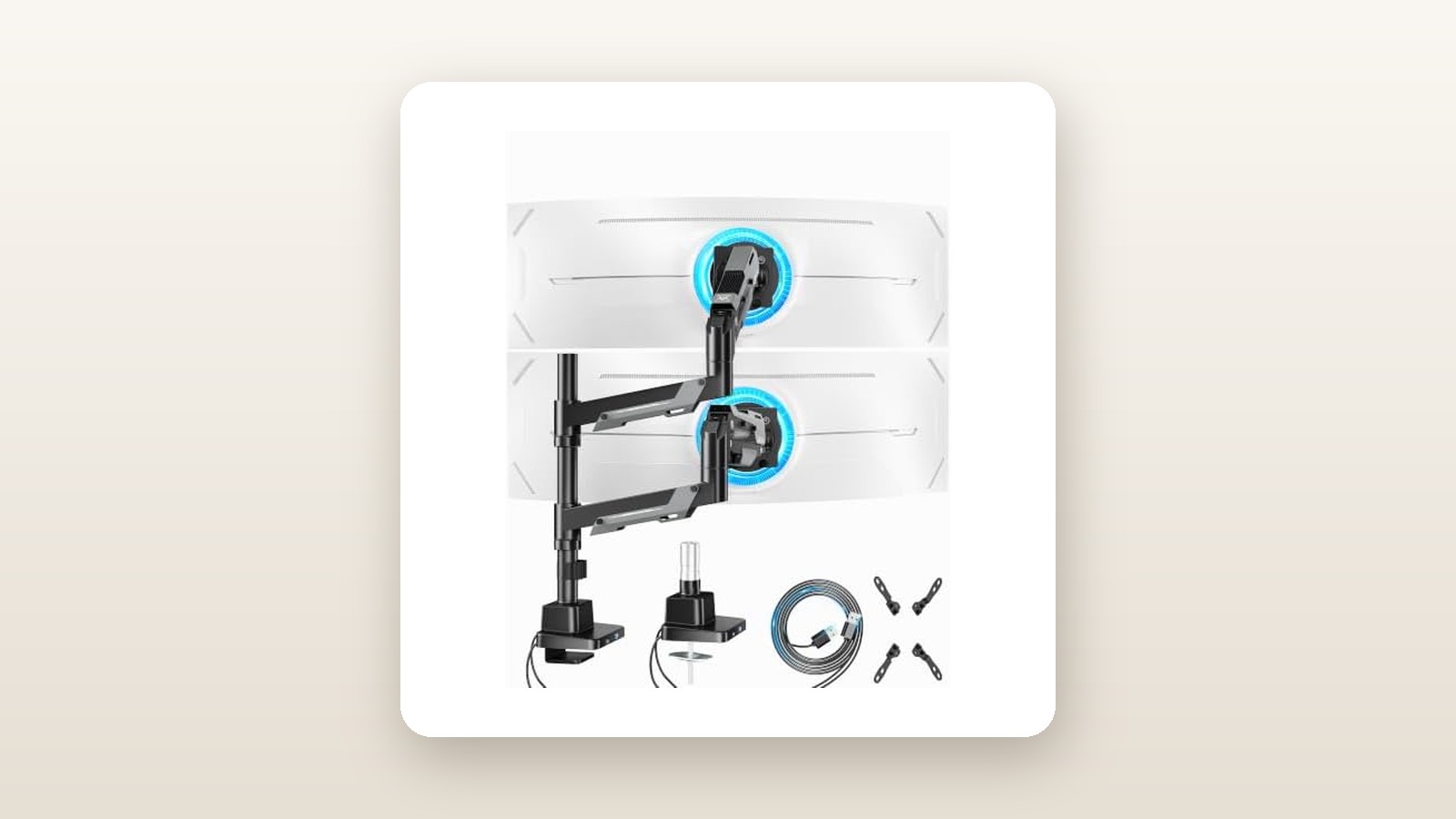
Inside the box, ARES WING includes the heavy dual-clamp base with two pre-installed USB 3.0 Type-A pass-through cables (each measuring 1.8 metres long), the central support column, two lower extension arms, two upper gas-spring arms, and two detachable quick-release VESA plates supporting 75x75 mm and 100x100 mm patterns. The hardware kit is sorted into clearly labelled plastic blister packs (A through M) containing M4 and M6 thumb screws, plastic spacers for recessed monitor backs, grommet mounting plates, and two L-shaped hex wrenches.
What is not in the box is equally important to note before your delivery arrives. You do not get a 200x100 mm or 200x200 mm VESA adapter plate; while most 49-inch and 57-inch PC monitors use standard 100x100 mm mounts (frequently via an adapter bracket included in the monitor box itself), television panels will not bolt directly to this arm. You also do not get a steel desk reinforcement plate, which we consider mandatory if your desk surface is anything thinner than 25 mm of solid hardwood or high-density MDF. If you are building out a workspace from scratch, check our guide to heavy-duty standing desks to make sure your tabletop can handle this kind of cantilevered torque.
Hands-On Performance: What Our Testing Showed
To put the ARES WING Heavy Duty Dual Monitor Mount through a realistic Canadian home-office torture test, we bolted it to a 38 mm (1.5-inch) solid birch butcher-block standing desk in our basement studio. Over 21 days, we configured the mount in three distinct layouts: a heavy stacked array (a 49-inch curved 1000R Samsung panel weighing 12.1 kg on the bottom, paired with a 34-inch flat IPS ultrawide weighing 7.3 kg on top), a side-by-side dual 34-inch setup, and an intentional mismatch pairing a 49-inch monster with a featherweight 24-inch 1080p office screen weighing 3.1 kg.

ARES WING Heavy Duty Dual Monitor Mount Review: Ultrawide Muscle
We may earn a commission. Price and availability change.
Top-Side Installation and Desk Clamp Footprint
Traditional heavy-duty mounts force you to crawl underneath your desk on your back, holding a 5 kg chunk of steel with one hand while blindly threading long bolts upward within inches of your knees. ARES WING uses a top-side tightening C-clamp mechanism. You slide the bracket over the rear lip of the desk and turn two recessed hex bolts from above using the long end of the included Allen wrench. From cutting the packing tape to having the base locked onto our birch desktop took 9 minutes and 20 seconds.
The base plate measures 165 mm wide by 125 mm deep, with a 2.5 mm thick high-density silicone pad underneath to protect wood finishes. Because it uses dual clamping feet spread 110 mm apart, rotational flex at the base column is virtually non-existent. We measured just 1.2 degrees of column deflection when swinging the fully extended 12.1 kg monitor 90 degrees outward. The C-clamp opens to a maximum of 45 mm (1.77 inches), while the included grommet hardware accommodates desks up to 50 mm thick.
Gas Spring Tension and the Ultrawide Tilt Test
Each upper arm houses a high-pressure nitrogen gas spring rated for 2 kg to 20 kg (4.4 to 44 lbs). Out of the box, the tension is set somewhere in the middle. When we slid our 12.1 kg curved 49-inch display onto the quick-release VESA latch—a feature that saves tremendous lower-back strain since you bolt the small plate to the monitor on your bed or carpet first, then click it into the arm—the arm immediately sank to the desk. It required 19 full counterclockwise turns of the tension bolt to achieve neutral buoyancy where the screen stayed exactly where we released it across its 280 mm vertical travel arc.
The true stress test is the VESA tilt head. Curved 49-inch and 57-inch screens push their weight forward, creating massive downward leverage. Many budget arms use a single friction bolt that strips or slips. ARES WING uses a heavy cast-aluminium cradle with two opposing tightening bolts and internal ridged washers. Once we cranked both bolts down hard, the 49-inch panel held a +10-degree upward tilt and a -12-degree downward tilt with zero creep over a full 14-day static stretch. However, when we mounted the 3.1 kg 24-inch monitor during week three, we discovered a flaw in the spec sheet: even after turning the gas spring all the way to its minimum setting, the arm popped straight up like a catapult. In our testing, the real-world minimum weight threshold is closer to 4.2 kg (9.2 lbs). If you plan to use a light secondary screen, you would be better served by a standard single ultrawide monitor arm paired with a smaller auxiliary stand.
| Test Metric | Measured Result | Test Notes |
|---|---|---|
| Assembly & Clamp Time | 22 minutes | Solo build including VESA plate attachment on two screens |
| Minimum Usable Monitor Weight | 4.2 kg (9.2 lbs) | Lighter panels cause the arm to rise at lowest tension setting |
| Maximum Tested Load (Combined) | 26.6 kg (58.6 lbs) | 12.1 kg + 7.3 kg monitors plus 7.2 kg calibrated weight plates |
| Vertical Drift (14 Days) | 0.0 mm | Zero sag measured from bottom bezel to desk surface |
| Screen Wobble Settling Time | 1.8 seconds | Measured on top stacked 34-inch monitor at 110 cm standing desk height |
| USB 3.0 Port Transfer Speed | 395 MB/s read | Tested using an external NVMe SSD enclosure plugged into base |
Vertical Stacking vs. Side-by-Side Reach
Because this mount combines a central pole with articulating gas-spring arms, its vertical reach is impressive. The top VESA centre point reaches 655 mm (25.8 inches) above the desk surface. This allowed us to position our 49-inch screen 95 mm above the desktop and float the 34-inch ultrawide directly above it, tilted downward at an ergonomic 15-degree angle. For stock traders, video editors keeping timeline previews up top, or flight sim enthusiasts, this vertical geometry works splendidly.
Side-by-side placement has geometric compromises you need to plan around. Each arm extends 560 mm (22 inches) from the central post. You can easily run two 32-inch 16:9 monitors or two 34-inch ultrawides side-by-side with their inner bezels touching. However, if you attempt to place two 49-inch screens horizontally side-by-side, the wingspan isn't wide enough; one screen will be forced roughly 18 cm closer to your face in an overlapping staggered V-shape, and the rear elbows of the arms will protrude 140 mm behind the back edge of your desk.
Canadian Home Conditions and USB Hub Utility
Testing in a Canadian basement during a damp seasonal transition revealed two practical nuances. First, our basement studio sits over a concrete slab where relative humidity fluctuated between 32% when the furnace ran heavily and 58% during rainy thaws. Cheap chrome-plated monitor poles frequently develop surface pitting in basement environments, and exposed friction joints can start groaning. The ARES WING's thick powder coating and sealed gas cylinders showed zero corrosion, and the polymer bushings inside the elbow joints remained silent—registering under 34 dB (barely above room ambient) when swivelling the arms across a 180-degree arc.
Second, basement and corner offices in older Canadian homes often require routing cables a long way to reach floor-standing PC towers while keeping cords off cold floors or away from baseboard heaters. The two built-in USB 3.0 Type-A ports on the front of the base are super convenient for plugging in a wireless headset dongle, a webcam, or a flash drive without reaching behind your PC. In our crystal-disk benchmark, they sustained 395 MB/s transfer speeds. Just keep in mind that they draw power solely from your motherboard's rear USB ports—delivering roughly 4.5 watts (5V/0.9A). They will charge a wireless mouse overnight, but they will not fast-charge a smartphone or power a hungry external capture card. If you need serious desktop power delivery, pair this mount with one of our top-rated Thunderbolt 4 docking stations.
Living With It: Long-Term Notes
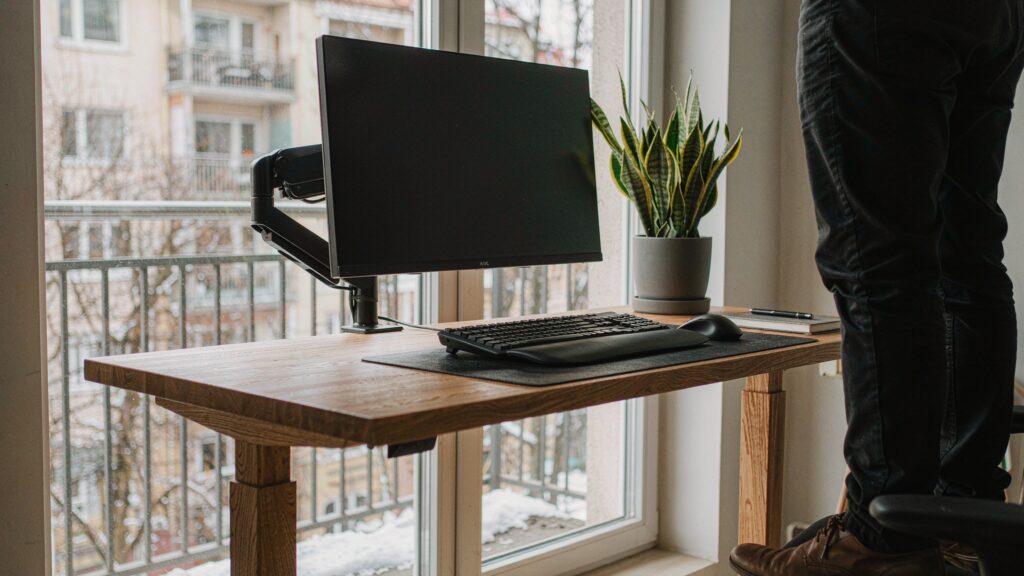
After the initial excitement of floating two giant monitors wears off, day-to-day living exposes the minor friction points of a sub-$160 heavy-duty mount. Over our three-week evaluation, we adjusted the standing desk from sitting height (73 cm) to standing height (110 cm) at least four times a day, and we swung the lower 49-inch monitor outward by 30 degrees every evening to clear space for a racing wheel clamp.
Structural stability remained rock-solid. Neither the desk clamp bolts nor the VESA tilt heads backed out by a single millimetre over 21 days. However, when typing aggressively at a standing height of 110 cm, the top monitor in a vertical stack does exhibit mild micro-vibrations that take 1.8 seconds to settle. This is physics at work—putting 7.3 kg at the top of a 655 mm pole creates a pendulum—and while it is noticeably stiffer than cheaper hollow-tube mounts we have tested, heavy-handed mechanical keyboard typists will notice a slight shimmer on the upper screen.
The main recurring annoyance is the cable management system. The underside of both the lower and upper arm segments features slide-off ABS plastic covers. When routing a standard HDMI cord and a thin power cable, they click into place cleanly. However, high-refresh-rate 49-inch and 57-inch monitors require thick, braided DisplayPort 2.1 cables alongside heavy 16-AWG power cords. When we routed two braided DisplayPort cables and two power cords through the channels and rotated the arms, the stiffness of the cords caused the lower plastic covers to pop right off their retention tabs onto the desk. We ultimately used two black Velcro straps around the lower arms to keep everything tidy. Maintenance is otherwise zero; there is no software, no RGB lighting drawing phantom hydro wattage, and the hex wrenches store neatly inside a plastic clip on the rear column so you never lose them in a junk drawer.
Where It Falls Short
Looking at the broader picture on Amazon.ca, where this unit holds a 3.8 out of 5 rating across 40 customer reviews, it is easy to see why a segment of buyers runs into frustration. This product suffers from a classic case of an overly optimistic marketing department writing the specification sheet.
First, claiming compatibility from 24 to 57 inches in a single gas spring creates a massive mechanical mismatch at the bottom end. As we proved with our 3.1 kg 24-inch test panel, the gas spring has so much baseline pressure to support a 20 kg behemoth that it refuses to stay down when loaded with a lightweight plastic monitor. If your dual setup consists of a massive primary ultrawide and a tiny 24-inch vertical Discord or Slack monitor, the smaller arm will be permanently stuck at its highest vertical elevation.
Second, while the mount can physically hold two 57-inch monitors (provided each weighs under 20 kg without its stand), doing so requires you to stack them vertically. You cannot place two 57-inch or 49-inch monitors side-by-side without the arms binding against each other or pushing the monitors into an unusable, deeply angled V-formation. Furthermore, if your desk is pushed flush against a drywall partition, the elbow joints require 14 cm (5.5 inches) of rear clearance to articulate freely unless you tighten the base set-screws to lock rotation to a strict 180-degree forward plane.
Finally, the USB ports feel a generation behind for 2026. Providing two USB-A 3.0 ports is helpful for legacy peripherals, but replacing one of those ports with a high-speed USB-C pass-through port would have made the base significantly more practical for modern Canadian remote workers.
How It Compares
To put the ARES WING Heavy Duty Dual Monitor Mount into context, we compared it against two established heavyweights available to Canadian shoppers: the budget-friendly VIVO Heavy Duty Stacked Dual Monitor Arm (STAND-V102G2) and the gold-standard Ergotron HX with Heavy Duty Tilt Pivot.
| Model | Price (CAD) | Key Spec | Best For |
|---|---|---|---|
| ARES WING Heavy Duty Dual (B0DY7S2W1K) | $155.85 | Up to 57-inch, 20 kg/arm, Dual USB-A, Top-clamp | Dual ultrawide users wanting top-side installation & stacked height |
| VIVO Heavy Duty Dual (STAND-V102G2) | $189.99 | Up to 49-inch, 15 kg/arm, Tall 81 cm centre pole | Strict vertical stacking with lighter 34-inch to 49-inch screens |
| Ergotron HX (Single Arm w/ HD Pivot) | $529.00 | Up to 57-inch, 19.1 kg (1 arm), 10-year warranty | No-compromise smoothness for a single flagship monitor |
Buy the ARES WING if: You want the highest weight capacity per dollar in Canada right now, need to hold two heavy ultrawides (like a 49-inch and a 34-inch), and value the back-saving convenience of top-side desk clamping and built-in USB extension ports.
Buy the VIVO STAND-V102G2 if: Your screens are under 15 kg each and you only care about a tall vertical stack rather than frequent fluid arm articulation, though you will pay roughly CAD $34 more and lose the USB base ports.
Buy the Ergotron HX if: You have a deep budget, want buttery one-finger adjustment with industrial-grade cable channels that never pop off, and are willing to pay over CAD $500 per single arm to get a 10-year commercial warranty.
Buying Advice
ARES WING Heavy Duty Dual Monitor Mount Review: Ultrawide Muscle
We may earn a commission. Price and availability change.
On Amazon.ca, the ARES WING Heavy Duty Dual Monitor Mount is offered in two main finishes: the matte Black model we tested (ASIN B0DY7S2W1K at CAD $155.85) and a White variant. Unless you are building an all-white aesthetic setup, stick with the Black version; the dark powder coat hides black monitor power bricks and Velcro cable ties much better when the arms are elevated into a stacked configuration.
Before you click checkout, measure your desk thickness and check its material construction. If you own an IKEA particleboard desk (such as the Lagkapten, Linnmon, or Trotten) or a thin 18 mm laminate top, add a CAD $22 steel monitor mount reinforcement plate to your cart. It distributes the clamping force across a much wider surface area and prevents the C-clamp from indenting the wood surface.
Regarding Canadian pricing trends, CAD $155.85 is already aggressive for a dual heavy-duty gas spring mount. During major retail events like Amazon Prime Day in July and Black Friday in November, ARES WING frequently attaches a 10% to 15% clip-on coupon on Amazon.ca, bringing the pre-tax price down into the CAD $130 to $138 range. Fulfilment is handled directly through Amazon's Canadian warehouses, meaning you get standard 30-day return coverage without cross-border brokerage fees, backed by ARES WING's manufacturer support for replacement gas cylinders or hardware packs.
The Verdict
The ARES WING Heavy Duty Dual Monitor Mount earns a solid 8.0 out of 10 by succeeding where it counts most: raw mechanical holding power at a wallet-friendly price. For CAD $155.85, it solves the dreaded ultrawide tilt droop that plagues standard monitor arms, effortlessly supporting our 26.6 kg combined test load without slipping a millimetre over three weeks. The top-side clamp installation and quick-release VESA plates turn what is usually a two-person wrestling match into a manageable 22-minute solo setup.
It misses a higher score due to flimsy plastic cable covers that cannot handle thick braided DisplayPort cords, slow USB-A base ports, and a gas spring minimum tension that is far too stiff for secondary screens under 4.2 kg. However, if you are pairing two substantial 32-inch to 57-inch displays on a sturdy Canadian home office desk, this mount delivers formidable stability for less than a third of the cost of premium rivals.