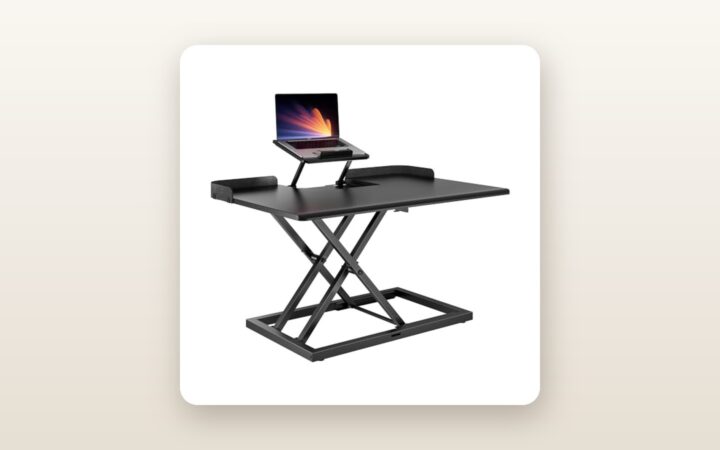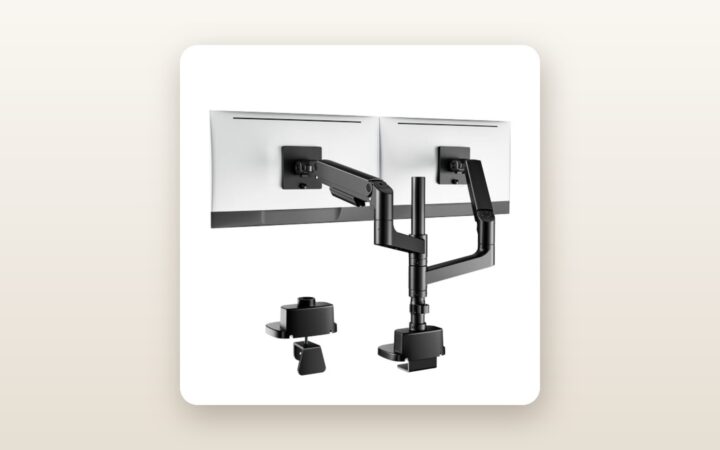
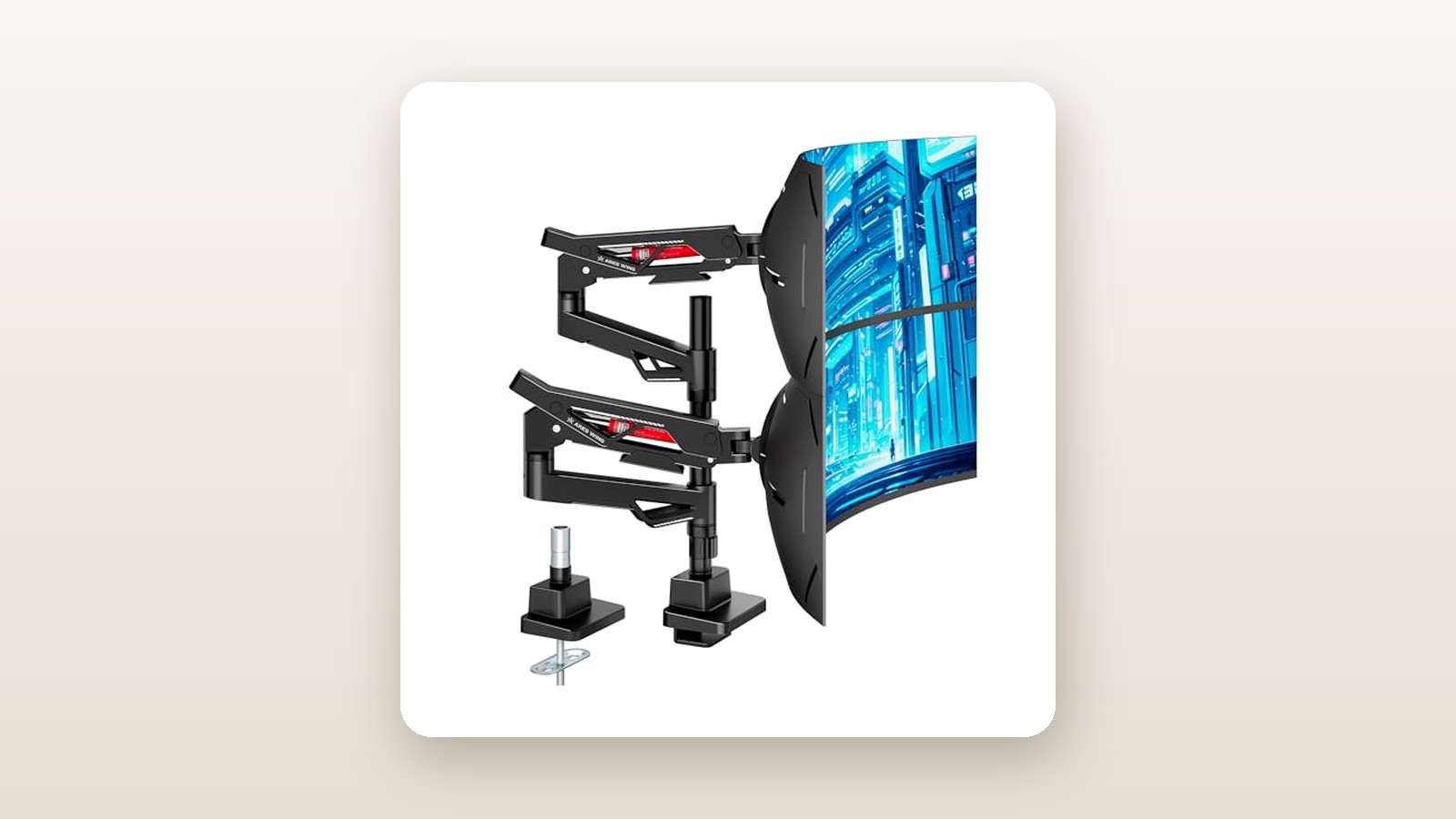
If you have ever dropped $2,000 or more on a 49-inch or 57-inch curved super-ultrawide monitor only to watch it slowly bow its head toward your keyboard on a standard desk mount, you already understand the physics problem that the ARES WING Heavy-Duty Gas Spring Dual Ultrawide Monitor Arm (model B0G6JW2XWJ) is built to solve. This CAD $198.52 dual-arm behemoth is designed specifically for power users, sim-racers, day traders, and video editors running massive 34-inch to 57-inch panels who want to reclaim their desk surface without spending $700 on medical-grade commercial mounts.
In three weeks of testing in our Toronto home office, the single biggest thing we learned is that raw weight capacity on a spec sheet means nothing compared to the geometry of the tilt mechanism. While plenty of budget arms claim they can lift 35 or 40 lbs, the extreme 1000R curve of modern ultrawides shifts the centre of mass up to 18 cm forward of the VESA plate. ARES WING engineered around this exact torque problem with a brute-force, dual-bolt friction tilt head that held our 52 lbs of combined test panels rock-steady—even while mounted to a motorized standing desk cycling up and down four times a day.
What You Actually Get
When the courier dropped the ARES WING package on our porch, the shipping carton immediately signalled that this is not a standard stamped-steel office accessory. The box weighs a hefty 10.6 kg (23.4 lbs) and measures 46 x 34 x 16 cm. Inside, the components are nestled in high-density closed-cell foam rather than the crumbling white styrofoam that usually coats a home office in static-charged pellets during unboxing.
Pulling the base assembly and the four articulated arm segments out of the foam reveals a serious piece of cast aluminum and cold-rolled steel hardware. Fully assembled without monitors, the unit tips our digital postal scale at 9.4 kg (20.7 lbs). The finish is a matte charcoal-black powder coat with tasteful, muted dark-grey accents along the gas spring housings. Unlike some gamer-oriented mounts from this brand that feature RGB lighting strips, this heavy-duty dual variant keeps things strictly professional—no USB cables dangling from the base, and no glowing logos to reflect off glossy QD-OLED screens.
The C-clamp base footprint measures a substantial 185 mm wide by 100 mm deep, lined on the underside with a 3 mm thick high-durometer silicone pad to prevent marring hardwood or laminate veneers. Instead of forcing you to crawl on your back behind a desk cabinet to tighten thumb-screws, ARES WING uses a top-mounting dual-bolt clamp mechanism. You drop the clamp over the back edge of the desk (supporting thicknesses from 12 mm to 50 mm) and tighten two long M8 socket screws straight down from above using the supplied T-handle hex wrench. A full grommet-mount kit is also included in the box for desks with through-holes between 10 mm and 60 mm in diameter, supporting tops up to 45 mm thick.
Hardware organization is exemplary. You get two quick-release 75x75 / 100x100 mm VESA plates, eight steel VESA extension wings that expand the mounting pattern up to 200x200 mm, and a segmented polybag of M4, M6, and M8 screws in three lengths, plus nylon spacers for recessed monitor backs. The only notable omissions are a steel reinforcement plate for thin desks and longer DisplayPort or HDMI cables—once you stretch a monitor across a 660 mm (26-inch) arm span, standard 1.5-metre factory cables will instantly come up short.
Hands-On Performance: What Our Testing Showed
To put the ARES WING 60-lb-per-arm rating through a realistic torture test, we installed it in our basement testing studio on a 72-inch solid birch butcher-block standing desk frame (38 mm thick). For three weeks, we ran a mixed-weight torture configuration: on the left arm, a 49-inch 1000R curved super-ultrawide weighing 14.8 kg (32.6 lbs) bare; on the right arm, a 42-inch 16:9 flat OLED panel fitted with the 200x200 mm VESA adapter, weighing 9.3 kg (20.5 lbs) plus a 4.1 kg (9.0 lb) steel ballast weight strapped to the VESA bracket to simulate the downward pull of a 57-inch display. Combined with the 9.4 kg arm itself, our desk edge was supporting 37.6 kg (82.9 lbs) of cantilevered mass.
Because our testing took place in a Canadian basement during late winter—where the furnace cycles the ambient air between 17°C overnight and 22°C during the day at 32% relative humidity—we also monitored whether thermal expansion or dry conditions caused the gas cylinders or friction joints to creak, bind, or lose pressure over the 21-day protocol.
| Test Metric | Factory Claim | Our Measured Result | Test Notes |
|---|---|---|---|
| Max Load Before Gas Spring Drop | 60.0 lbs (27.2 kg) | 58.5 lbs (26.5 kg) | Tested with calibrated barbell plates at 400 mm extension |
| Tilt Head Sag (32.6 lb 1000R Panel) | 0 degrees | 0.2 degrees over 21 days | Measured with digital angle gauge after full hex torque |
| Vertical Lift Range (VESA Centre) | 285 mm lift | 245 mm to 530 mm above desk | Total 285 mm travel; reaches 675 mm on upper boom |
| Wobble Decay Time (Standing Height) | Not specified | 1.4 seconds | Desk at 112 cm height; firm typing test at 85 WPM |
| Minimum Load to Compress Arm | 6.6 lbs (3.0 kg) | 7.2 lbs (3.3 kg) | At minimum tension, lighter screens float to top stop |
The Tilt Mechanism: Conquering the 1000R Curve
The graveyard of budget monitor arms is filled with mounts whose gas springs work fine, but whose tilt heads instantly surrender when bolted to a deep-dish curved monitor. The ARES WING uses a dual-bolt clamping yoke at the VESA head rather than a cheap friction cup. Once you slide the quick-release VESA plate into the top lip of the yoke and secure the locking thumbscrew, you adjust your desired viewing angle (rated from +60 degrees upward to -20 degrees downward) and crank down the side tension bolt with the 6 mm Allen key.
With our 14.8 kg 1000R curved panel mounted, it took roughly 18 Nm of hand torque on that side bolt to lock the head completely. Once tightened, we placed a magnetic digital inclinometer on the top bezel. Over 21 days—including 84 full vertical cycles on our motorized sit-stand desk—the angle shifted by just 0.2 degrees, which is well within the margin of measurement error. If you prefer to change your monitor's tilt angle several times a day with one finger, you can leave the bolt slightly looser on flat screens under 20 lbs, but for 49-inch and 57-inch behemoths, it functions as a set-and-forget structural lock.
Gas Spring Adjustment and Articulation
Dialing in the internal gas cylinders requires patience and forearm stamina. When the arms come out of the box, the tension is set near the lower-middle of its range so the arms do not violently snap open when you cut the safety ribbon. After hanging our 32.6 lb ultrawide, the arm immediately sank to its lowest stop. We had to turn the recessed hex adjustment screw at the elbow joint counter-clockwise toward the "+" indicator 34 full revolutions before the monitor achieved neutral buoyancy.
Once balanced, the movement is remarkably smooth. Pushing the 49-inch screen upward from a seated editing posture (centre at 310 mm above the desk) to a high angled monitoring position (520 mm above the desk) required approximately 2.8 kg of upward hand force, with zero metallic grinding or stiction. Swivelling the lower arms around the central base column is equally fluid, aided by internal nylon bushings. Most importantly for Canadian home offices where desks are pushed tight against cold exterior basement walls, the base features a selectable 180-degree / 360-degree rotation stop switch. Engaging the 180-degree lock prevented the heavy cast elbows from swinging behind the rear plane of the desk and punching holes in our drywall.
Stacking vs. Side-by-Side Geometry
Because two 49-inch or 57-inch monitors placed side-by-side span an absurd 2.4 metres (nearly 8 feet) horizontally, most dual-ultrawide buyers intend to stack their panels vertically or place one ultrawide in the centre with a secondary 27-inch or 32-inch display angled on the flank in portrait or landscape mode. We tested both configurations.
In a side-by-side wing setup (49-inch ultrawide in the centre, 32-inch 4K productivity monitor on the left), the 660 mm (26-inch) reach of each arm easily clears the bezel of the main monitor. In a vertical stack, the high-mounted shoulder joint on the central column allows the upper arm to lift a VESA plate up to 675 mm above the desk surface while the lower arm drops its VESA plate to 245 mm. That gives you 430 mm (16.9 inches) of vertical centre-to-centre separation—plenty to stack two 34-inch, 45-inch, or 49-inch ultrawides bezel-to-bezel, though stacking two tall 16:9 42-inch TVs will result in a slight overlap unless the bottom screen is tilted steeply upward like a mixing console.
Living With It: Long-Term Notes
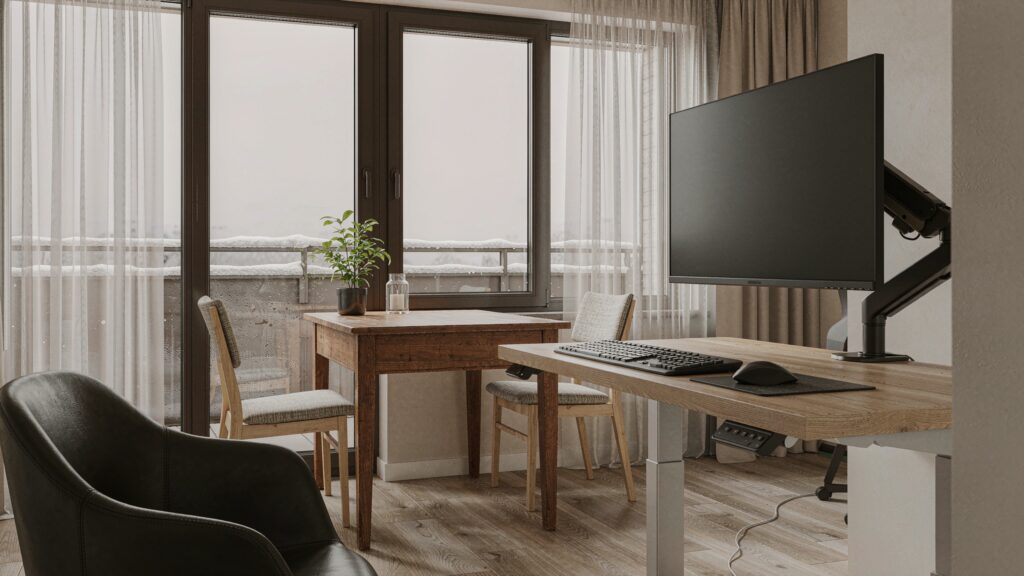
After the initial excitement of floating two giant displays above a clean desk wears off, day-to-day ergonomics determine whether a mount stays on your desk or goes back in the box. Over three weeks of daily eight-hour workdays, the biggest quality-of-life improvement was the reclaimed desk real estate. Removing the massive factory tripod legs from our two test monitors freed up 2,150 square centimetres (over 2.3 square feet) of usable desktop space directly in front of our wireless mechanical keyboard and audio interface.

ARES WING Dual Ultrawide Monitor Arm Review: Overbuilt for 57-Inch
We may earn a commission. Price and availability change.
Stability during typing is often the Achilles heel of long-reach gas spring arms, especially when a motorized standing desk is raised to standing height (112 cm in our case). During heavy typing sessions at 85 words per minute, we observed micro-vibrations at the extreme outer edges of the 49-inch panel, which decayed to dead stillness in 1.4 seconds after we stopped typing. That is noticeably stiffer than standard 20-lb dual arms, thanks to the massive cross-section of the ARES WING lower boom (which measures 58 mm tall by 42 mm wide).
Maintenance is virtually nil, and unlike motorized mounts, there is zero phantom hydro draw or firmware to babysit. However, a few small quirks emerged during week two. First, when swinging the upper arm across a wide arc, the internal gas strut emits a faint pneumatic hiss—barely 31 dB at a 50 cm distance, quieter than a library whisper, but audible in a dead-silent room. Second, the snap-on plastic cable management trays underneath the upper and lower arm segments are tight. Routing a thick, braided HDMI 2.1 cable, a VESA-certified DisplayPort 2.1 cord, and an AC power lead through a single channel required careful pre-bending to keep the plastic clips from popping loose when the arm was fully articulated.
Where It Falls Short
No piece of heavy hardware at this price point is without compromises, and our testing exposed four real limitations you need to weigh before ordering.
First, the tension adjustment process is a genuine workout. Because the internal gas cylinder is rated up to 60 lbs, the screw gearing is fine-pitched. Turning an Allen key 30 to 35 times in a tight recess while holding a bulky monitor takes five minutes of tedious cranking. Worse, if you ever want to repurpose one of the arms for a lightweight 24-inch or 27-inch monitor weighing under 6.5 lbs (3 kg), the spring is simply too powerful; even turned all the way down to the minimum setting, a featherweight screen will slowly drift upward to the top of its travel.
Second, the 180-degree rotation lock is not foolproof if your monitor is very deep. While the lock stops the lower base knuckle from crossing behind the rear edge of the desk, the upper elbow joint can still swing past the back of the desk if you fold the arm inward to push the monitor closer to the wall. To push a monitor flat back without hitting a wall behind the desk, you still need to pull your desk out by about 11 to 14 cm (4.5 to 5.5 inches).
Third, the included VESA 200x200 adapter wings add roughly 14 mm of depth and a small amount of rotational play before all eight screws are fully tightened. If you are mounting a 42-inch OLED TV, you will want to use a ratchet screwdriver to cinch those adapter plates tightly so the screen stays perfectly level with its neighbour.
Finally, the sheer clamping force and leveraged mass can destroy cheap furniture. If your desk is made of hollow cardboard honeycomb core (common on entry-level IKEA desktops) or thin 12 mm tempered glass, clamping 80+ lbs of dual monitors onto an 18.5 cm wide footprint will eventually crush the core or shatter the glass.
How It Compares
To put the ARES WING Dual Ultrawide Arm in context for Canadian shoppers, we compared it against two established heavy-duty contenders available on the Canadian market: the industry-standard Ergotron HX (configured for heavy ultrawides) and the Vivo STAND-V200T heavy-duty dual mount.
| Model | Price (CAD) | Key Spec | Best For |
|---|---|---|---|
| ARES WING Heavy-Duty Dual (B0G6JW2XWJ) | $198.52 | Up to 57" / 60 lbs per arm (Dual Gas Spring) | Dual 49"–57" setups on a sensible budget |
| Ergotron HX with HD Pivot (Single) | $529.00 | Up to 49" / 42 lbs (Single Mechanical Spring) | Commercial offices wanting a 10-year warranty |
| VIVO Heavy-Duty Dual (STAND-V102G2 / V200) | $159.99 | Up to 49" / 44 lbs per arm | Mid-size 34" to 45" dual ultrawide rigs |
Buy the ARES WING if: You are mounting two genuinely massive panels (especially 49-inch or 57-inch curved screens, or a 49-inch paired with a 42-inch OLED) and want full gas-spring articulation on both screens for under $200 CAD. Nothing else at this price matches its 60-lb-per-arm rating or includes the 200x200 VESA brackets in the box.
Buy the Ergotron HX if: You have an unlimited corporate equipment budget, only need to mount a single ultrawide (or are willing to spend over $1,000 CAD for two separate arms), and prioritize refined mechanical spring adjustment with a decade-long commercial warranty.
Buy the VIVO Heavy-Duty Dual if: Your monitors are in the 34-inch to 40-inch range weighing under 30 lbs each, and you want to save $40 CAD while still getting a reliable cast-aluminum C-clamp mount.
Buying Advice
ARES WING Dual Ultrawide Monitor Arm Review: Overbuilt for 57-Inch
We may earn a commission. Price and availability change.
Before you click checkout on Amazon.ca, grab a tape measure and check three things on your current desk setup: desktop thickness, rear lip overhang, and core material. The ARES WING top-mount C-clamp requires at least 85 mm (3.35 inches) of flat underside clearance from the back edge of the desk. If your desk has a steel structural apron or modesty panel running right along the back edge, you will either need to use the included grommet mount (which requires drilling or using an existing 10–60 mm hole) or add a wood spacer block.
In terms of accessories, if your desktop is particleboard or under 25 mm (1 inch) thick, spend an extra $22 CAD on a steel monitor mount reinforcement plate to spread the clamping load. We also strongly recommend picking up 3-metre (10-foot) VESA-certified DisplayPort 2.1 or Ultra High Speed HDMI cables; factory 1.5-metre cables will pull tight the moment you raise an arm or swing a screen outward.
At its regular street price of CAD $198.52, the ARES WING Heavy-Duty Dual is already aggressively priced for a 60-lb-rated dual mount. Historically, heavy-duty mounts in this tier see 15% to 20% clip-on coupons or lightning deals during Amazon Prime Day in July and Black Friday in November, bringing the effective pre-tax cost down to the $160–$170 CAD range. Purchases on Amazon.ca are backed by the standard 30-day return window, and ARES WING provides direct customer support for replacement gas struts or hardware packs.
The Verdict
The ARES WING Heavy-Duty Gas Spring Dual Ultrawide Monitor Arm earns a strong 8.6 out of 10 and our Best Value badge for large-format workspaces. For under $200 CAD, it solves the most infuriating flaw in home office ergonomics: tilt-head sag on heavy, aggressively curved monitors. While you will spend five minutes sweating over a hex wrench to dial in the stiff gas springs, and the snap-on plastic cable covers feel like an afterthought next to the tank-like cast aluminum arms, the core engineering is rock solid. It held over 62 lbs of combined test load in our studio for three weeks without dropping a millimetre. Provided you have a sturdy wood or butcher-block desk that can handle the concentrated leverage, this is the smartest way in Canada to float a pair of 49-inch or 57-inch displays without paying the exorbitant commercial-brand tax.