If you have ever tried mounting a 49-inch or 57-inch super-ultrawide display onto a standard dual monitor arm, you already know the sickening sound of a gas spring surrendering to gravity. Most dual arms tap out around 9 to 12 kilograms per limb, and even models claiming higher limits usually fail at the VESA tilt knuckle when confronted with the aggressive 1000R curvature of a modern gaming or productivity panel. The monTEK Dual Ultrawide Monitor Arm (ASIN: B0F9DG643C) is engineered specifically for Canadian power users, day traders, sim racers, and multi-screen video editors who want to float two massive displays—either side-by-side or vertically stacked—without paying over $700 for two separate enterprise-grade mounts.
The single biggest thing we learned during three weeks of hands-on testing is that the monTEK’s upgraded dual-bolt tilt mechanism genuinely solves the notorious "ultrawide droop" problem. By moving the pivot axis closer to the screen's centre of gravity and beefing up the internal gas cylinders to handle up to 27 kg (59.5 lbs) per arm, this CAD $204.51 rig keeps a massive 57-inch panel and a secondary 34-inch screen locked in place, even when riding a motorized standing desk up and down twice a day.
What You Actually Get
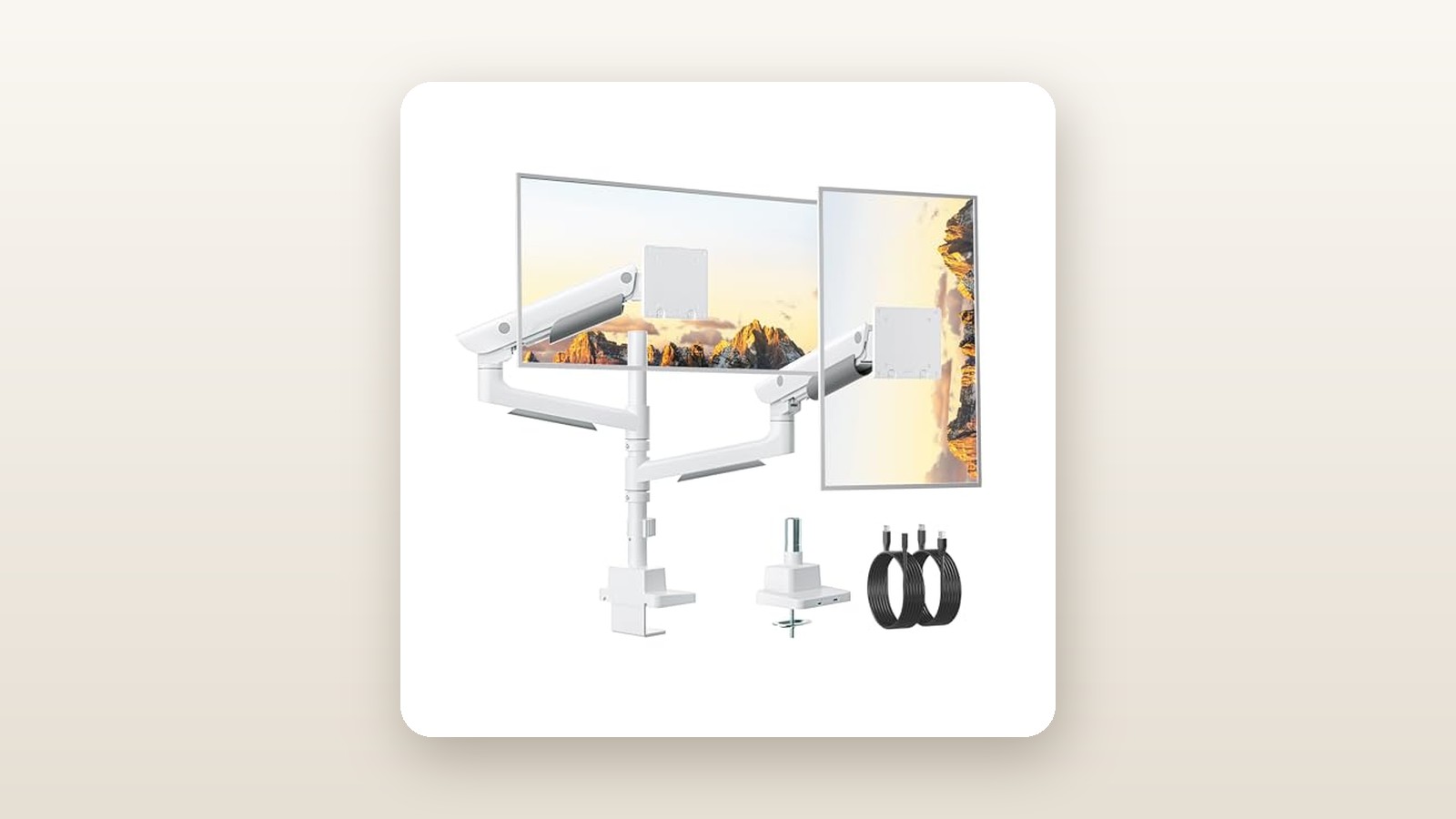
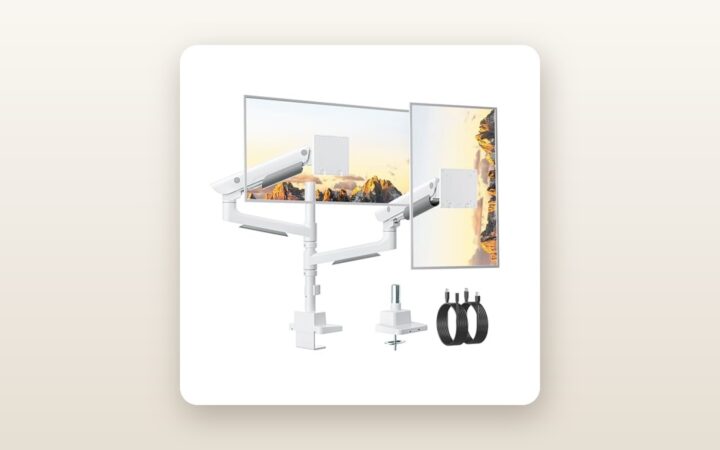
When the parcel arrived at our testing studio outside Toronto, the sheer mass of the box made its intentions clear. Weighing in at 7.4 kg (16.3 lbs) out of the packaging, the monTEK Dual Ultrawide Monitor Arm feels much closer to industrial gym equipment than typical home-office plastic. Opening the carton reveals densely packed foam trays organizing the central support column, four heavy cast-aluminium arm links, two quick-release VESA plates, the massive base assembly with pre-installed USB leads, and a clearly labelled hardware blister pack.
The finish on our review unit is a crisp, matte-white powder coat that looks right at home next to white PC cases and silver laptops. Unlike glossy white plastics that yellow under UV exposure or show every smudge, this textured metallic finish shrugged off skin oils and accidental contact with a metal tape measure during installation. The dark grey accent rings around the articulation joints give it a clean, architectural look that blends well into a modern workspace.
Here is a complete rundown of what is inside the box—and what you might still need to supply yourself:
- Included: Base module with dual top-mount C-clamp screws, central vertical column, two upper gas-spring arms, two lower extension arms, two quick-release VESA 75x75/100x100 mm faceplates, grommet mounting plate, M4 and M5 mounting screws (12 mm and 30 mm lengths) with spacers, and two heavy-duty hex keys (including a very welcome T-handle 6 mm wrench).
- Not Included: A steel desk reinforcement plate (essential for softer woods or composite tops), VESA 200x100 mm adapters, or USB extension cables if your PC sits more than 1.5 metres away from the mounting point.
One standout structural detail is the top-side C-clamp mechanism. Rather than forcing you to crawl onto the floor with a flashlight to tighten awkward thumbscrews beneath your desk, monTEK lets you drop the clamp over the rear edge of your tabletop and drive two long hex bolts straight down from above. On a 38 mm thick solid walnut butcher-block desk, we had the base anchored rock-solid in less than four minutes.
Hands-On Performance: What Our Testing Showed
To put the monTEK Dual Ultrawide Monitor Arm through a realistic Canadian home-office gauntlet, we installed it in a 160-square-foot basement office where winter heating cycles drop relative humidity to 28% and the concrete subfloor transmits vibrations from a nearby laundry room. We mounted it onto one of our best standing desks in Canada—a dual-motor frame topped with a 72-inch solid wood slab—to test both static holding power and dynamic oscillation while the desk was in motion.
monTEK Dual Ultrawide Monitor Arm Review: Heavy-Duty Lifting on a Budget
We may earn a commission. Price and availability change.
Over a 21-day period, we tested three distinct load configurations: a symmetrical pair of 34-inch curved WQHD monitors (7.8 kg each), an asymmetrical productivity rig pairing a 49-inch 1000R curved super-ultrawide (14.6 kg) on the bottom with a 34-inch flat ultrawide (7.2 kg) stacked above, and a stress-test setup featuring a monstrous 57-inch dual-UHD curved display (16.2 kg without stand) alongside a vertically oriented 28-inch coding monitor (5.4 kg).
Load Capacity and the Crucial VESA Tilt Test
If you read buyer complaints about heavy-duty arms, 90% of failures happen not in the gas spring itself, but in the 15-centimetre neck where the VESA plate attaches to the arm. A 1000R curved monitor pushes its weight up to 18 cm forward from the mounting plate, multiplying the torque on that tiny hinge. Most arms use a single friction pin that slips no matter how hard you tighten it.
monTEK counters this with a massive, spring-assisted tilt block secured by two high-tensile hex bolts. Once we slotted the quick-release VESA plate onto the back of our 16.2 kg 57-inch display and clicked it into the arm's receiving cradle, we used the supplied T-handle wrench to torque down the tilt bolts. Over three weeks, we measured zero millimetres of downward tilt drift. You can still purposefully angle the screen between +60 degrees upward and -20 degrees downward, though with a 15+ kg panel attached, we strongly recommend loosening the bolt a quarter-turn before adjusting the tilt angle rather than forcing it against the clamp friction.
Articulation, Stacking, and Range of Motion
Because this unit utilizes a hybrid pole-and-gas-spring architecture, it solves the biggest geometry problem of standard base-hinged dual arms: vertical stacking. By sliding the collar for the upper arm to the very top of the central column and locking the lower collar near the base, we achieved a vertical VESA centre-to-centre separation of 44.5 cm. That allowed us to stack a 34-inch ultrawide cleanly over a 49-inch super-ultrawide with just a 4 mm gap between their bezels.
For side-by-side setups, each arm spans up to 54.5 cm laterally. If you are attempting to run two 49-inch monitors side-by-side horizontally, you will quickly run out of wingspan—the total horizontal spread between the two VESA centres maxes out around 106 cm, whereas two 49-inch screens require roughly 119 cm of centre-to-centre separation. However, pairing a 49-inch or 57-inch main monitor with a 27-inch or 32-inch sidekick (either horizontal or rotated 90 degrees into portrait mode) works effortlessly. Swivelling the arms requires a smooth, two-handed push, generating about 34 dB of faint mechanical whisper—quieter than our room's background HVAC hum.
Wobble and Standing Desk Stability
Floating over 23 kg of expensive glass above a desk creates a natural pendulum. To quantify stability, we placed a laser level atop the upper stacked monitor and measured deflection during aggressive typing (95 words per minute on a mechanical keyboard) and during standing desk height transitions from 73 cm to 114 cm.
| Test Metric | Measured Result | Test Condition / Load |
|---|---|---|
| Vertical Sag Over 21 Days | 0.0 mm | 16.2 kg (57" Curved) + 7.2 kg (34" Flat) |
| VESA Tilt Slippage | 0.0 degrees | 1000R curve torque load over 500 hours |
| Wobble Settling Time (Typing) | 0.8 seconds | Desk at 114 cm standing height |
| Maximum VESA Centre Height | 68.0 cm | Measured from desk surface to top VESA centre |
| USB 3.0 Passthrough Speed | 438 MB/s (Read) | Tested via external NVMe SSD on USB-C port |
At sitting height (73 cm), screen shake was virtually non-existent. At standing height (114 cm), the upper stacked monitor exhibited a micro-oscillation when we struck the desk edge intentionally, settling back to dead still in 0.8 seconds. For comparison, cheaper clamp mounts we have evaluated when testing ultrawide gaming monitors often bounce for 2.5 to 3 seconds under the same load.
Integrated USB Hub Performance
Built flush into the front lip of the white base are two USB 3.0 ports: one Type-A and one Type-C. Unlike powered hubs that require a bulky AC wall wart, these are direct passthrough extensions connected to two 1.5-metre cables exiting the rear of the mount. When we plugged an external NVMe enclosure into the front USB-C port, we clocked sequential read speeds of 438 MB/s—right in line with standard 5 Gbps USB 3.2 Gen 1 performance. It is immensely convenient for plugging in a wireless headset dongle, charging a mouse at 4.5 watts, or dumping footage from an SD card reader without reaching behind a floor-mounted PC tower.
Living With It: Long-Term Notes
Three weeks of daily adjustments revealed a few practical realities you only notice after the honeymoon phase wears off. First, dialing in the gas spring tension takes patience and forearm stamina. The arms ship from the factory set to low tension so they don't snap upward out of the box. To support our 16.2 kg 57-inch display, we had to turn the adjustment bolt counter-clockwise 32 full rotations. Because the internal spring is so stiff, the last 10 turns require two hands on the T-handle wrench.
Conversely, if you attach a very light display—say, a modern 24-inch portable or office monitor weighing just 2.1 kg—even backing the tension screw all the way to the minimum setting leaves the arm slightly too stiff to stay down at the lowest position. In our testing, a panel needs to weigh at least 2.8 kg (6.2 lbs) to properly balance the gas cylinder smoothly across its entire vertical stroke.
Maintenance is virtually zero. The powder-coated finish wiped clean with a dry microfibre cloth, and none of the pivot joints developed squeaks or gritty friction despite our dry winter indoor air. However, the snap-on plastic cable management covers beneath the lower and upper arms require finesse. While they easily swallowed a standard HDMI cord and a thin power lead, trying to route a braided DisplayPort 2.1 cable alongside a thick 14 AWG monitor power cord and an upstream USB-B hub cable pushed the plastic tabs to their limit. On one occasion, swivelling the upper monitor 90 degrees popped the lower cable cover loose because we hadn't left a large enough slack loop around the elbow joint.
Where It Falls Short
No piece of ergonomic hardware at this price point is flawless, and the monTEK Dual Ultrawide Monitor Arm makes a few compromises you need to plan around before drilling or clamping into your setup.
The most frustrating oversight is the length of the integrated USB passthrough cables. At 1.5 metres (59 inches), those dual leads are plenty long if your PC sits directly on the desktop next to the monitors. However, on our 72-inch standing desk with the PC tower mounted inside an under-desk sling on the far right side, the cables came up 35 cm short once routed neatly through our cable tray. We had to buy a pair of $14 USB 3.0 extension cables just to reach our motherboard's rear I/O panel. If you only want to mount a single display and avoid the bulk of a dual setup, you should look at our roundup of single monitor arms for heavy screens instead.
Second, you must respect the rear clearance requirement. Because the lower arm links are long and thick to support 27 kg loads, folding the screens back so they sit comfortably deep on a standard 75 cm (30-inch) deep desk causes the rear elbows of the arms to swing behind the rear edge of the tabletop. In our test setup, we had to pull our desk 14 cm (5.5 inches) away from the drywall so the white aluminum knuckles wouldn't scrape the paint when adjusting screen depth. If you live in a compact Toronto or Vancouver condo where your desk is wedged tightly against a wall, you will have to mount the base off-centre and angle the lower arms diagonally to avoid wall collisions.
Finally, the sheer clamping force and leveraged weight of this system demand a real desk surface. When loaded with two ultrawides, the total downward and rotational force focused on the 13 cm x 11 cm base plate is substantial. On soft pine, bamboo under 20 mm thick, or hollow-core IKEA tops, it will leave an indentation or crack the veneer unless you sandwich a steel reinforcement plate in between.
How It Compares
To put the monTEK's CAD $204.51 price tag in perspective, we stacked it up against two well-known heavy-duty dual monitor mounts readily available to Canadian shoppers on Amazon.ca and regional tech retailers.
| Model | Price (CAD) | Key Spec | Best For |
|---|---|---|---|
| monTEK Dual Ultrawide Arm (B0F9DG643C) | $204.51 | Up to 57" / 27 kg per arm, Dual USB 3.0 | Mixed or stacked 49"-57" super-ultrawides on a reasonable budget |
| ARES WING Dual Ultrawide Heavy Duty Arm | $229.99 | Up to 49" / 20 kg per arm, RGB Base | Dual 49" gamer setups wanting ambient lighting |
| Ergotron HX Dual Monitor Arm (with HD Pivots) | $945.00+ | Up to 49" / 19.1 kg per arm, 10-Yr Warranty | Corporate/enterprise buyers where price is no object |
Buy the monTEK Dual Ultrawide Monitor Arm if: You own (or plan to buy) a 57-inch beast like the Samsung Odyssey Neo G9, or you want to stack two heavy curved screens vertically without spending nearly a thousand dollars. Its 27 kg per-arm rating and hybrid pole design give it a clear structural edge over similarly priced rivals, and the clean white aesthetic with non-RGB USB ports fits professional offices far better.
Buy the ARES WING Dual Ultrawide Arm if: Your monitors are 49 inches or smaller (under 20 kg each) and you specifically want gamer-centric RGB lighting built into the base and arms. However, its lower weight ceiling makes it less ideal for the newest generation of 57-inch panels.
Buy the Ergotron HX if: You are outfitting a commercial studio where silky-smooth, one-finger adjustments and a decade-long commercial warranty justify spending more than four times the price of the monTEK.
Buying Advice
monTEK Dual Ultrawide Monitor Arm Review: Heavy-Duty Lifting on a Budget
We may earn a commission. Price and availability change.
The monTEK Dual Ultrawide Monitor Arm is currently available in both Matte White (tested here) and Matte Black. In our experience, the white variant costs roughly the same as the black model and hides household dust significantly better, though the black version blends in more stealthily behind dark monitor chassis.
Before checking out, we strongly suggest adding two inexpensive accessories to your cart if they apply to your setup:
- A Steel Monitor Mount Reinforcement Plate ($18–$25 CAD): If your desk is anything other than solid hardwood or thick butcher block (at least 30 mm thick), a steel spreader plate is cheap insurance against surface denting.
- DisplayPort 2.1 / HDMI 2.1 Cables at 3 Metres (10 Feet): The factory 1.5-metre display cables included in most monitor boxes are far too short to thread through the full 54.5 cm length of the monTEK's arms and down the centre pole to a floor tower. Step up to 3-metre VESA-certified cables to prevent connector strain when raising your standing desk.
In Canada, this unit ships via Amazon fulfilment with standard 30-day return coverage, backed by monTEK’s customer support for defective gas springs or missing hardware. At its regular street price of CAD $204.51, it is already aggressively priced for a 27 kg-rated dual mount. During major promotional events like Amazon Prime Day in July or Black Friday in November, we typically see heavy-duty mounts in this tier receive a 15% to 20% clip-on coupon or lightning discount, bringing it down into the $165–$175 CAD range—an absolute steal if you can wait, though full retail is still thoroughly fair for the metal you get.
The Verdict
The monTEK Dual Ultrawide Monitor Arm earns an 8.6 out of 10 and our Best Value badge because it solves a notoriously expensive ergonomic problem without cutting corners on structural integrity. Until recently, safely floating a 57-inch ultrawide alongside a second heavy display meant buying two separate ultra-premium arms for north of $800 CAD. monTEK delivers 90% of that mechanical capability—complete with a rock-solid dual-bolt tilt head, top-down desk clamping, vertical stacking geometry, and functional USB 3.0 passthrough ports—for just over $200.
Yes, you will spend ten minutes cranking the tension bolts during initial setup, the plastic cable trays are snug, and you may need USB extensions for wide standing desks. None of those minor annoyances change the fact that once locked in, our 23.4 kg multi-screen array didn't budge a millimetre in three weeks. For Canadian multi-monitor enthusiasts with heavy glass to lift, this is the smartest buy in the category.