If you have ever watched your laptop battery plummet during a cross-country flight from Toronto to Vancouver while a standard portable charger barely slows the drain, the Anker Prime 20,100mAh 220W Power Bank (ASIN: B0F66S21NL) was built specifically for you. Designed for mobile professionals, photographers, and commuters who carry high-wattage laptops alongside tablets and phones, this prism-shaped battery bridges the gap between pocketable phone banks and bulky portable power stations. Priced at CAD $156.86, it promises desktop-grade power delivery in a chassis that fits inside a winter parka pocket.
After three weeks of daily testing across commuter trains, unheated workshops, and home offices, the single biggest thing we learned is that raw peak wattage only tells half the story—thermal management and recharge speed are what actually define daily usability. While this unit legitimately pushes 140W into a single laptop via USB-C Power Delivery 3.1, its ability to swallow a 100W recharge in just 62 minutes is what changed our daily routine. You no longer need to remember to plug your power bank in overnight; topping it up while you brew coffee and pack your bag before heading out the door is completely viable.
What You Actually Get
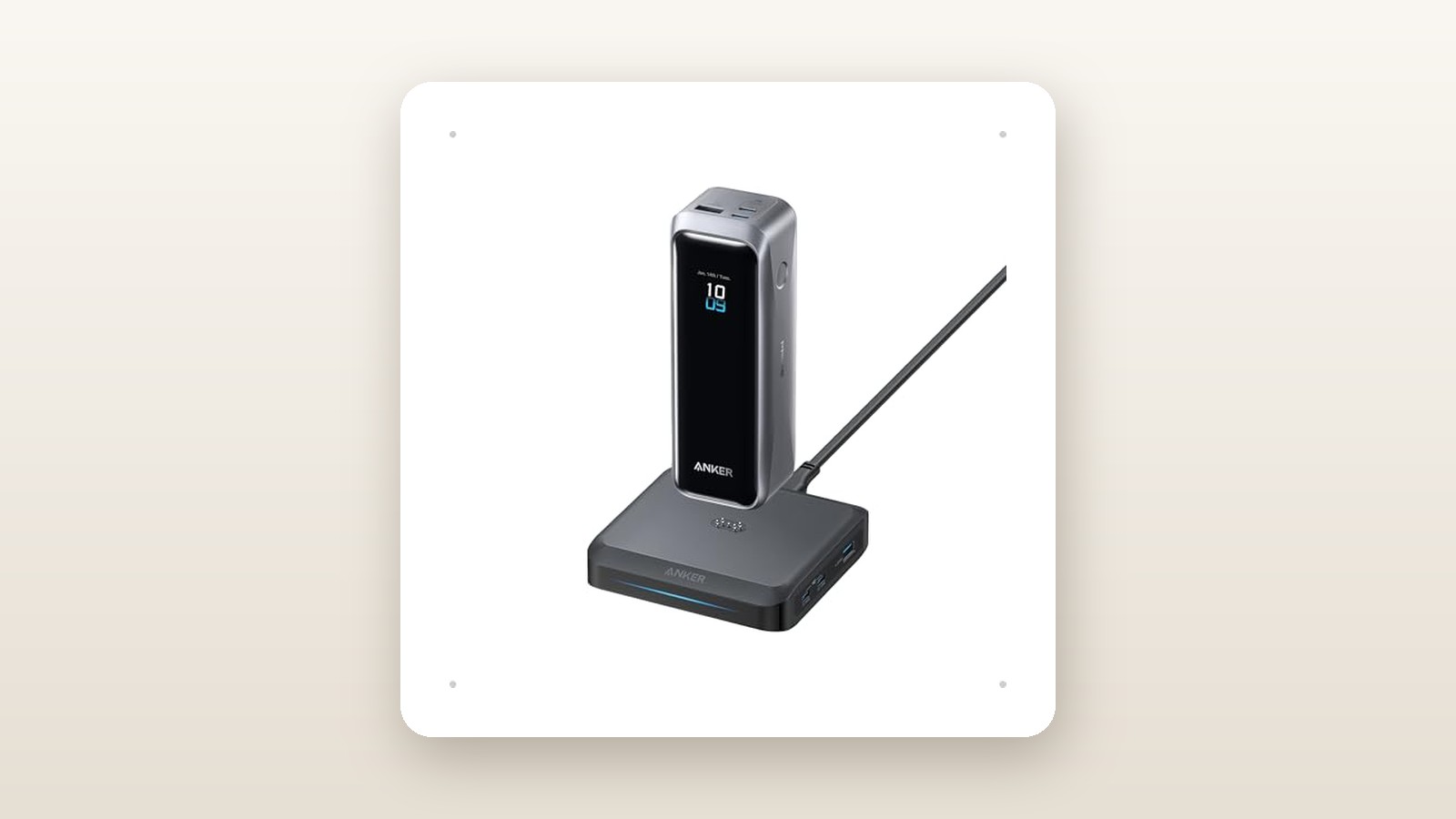
Sliding the Anker Prime 20,100mAh out of its packaging reveals a dense, cuboid pillar that immediately feels more like precision test gear than a disposable plastic accessory. Measuring 150 mm tall, 55 mm wide, and 49 mm deep (roughly the size of a compact 355 mL soda can, though squared off), it tips our digital postal scale at 515 grams. That is over half a kilogram of lithium-ion cells and heat-dissipating potting compound. In a structured backpack or messenger bag, the weight disappears, but drop it into the slash pocket of a light spring shell and it will swing noticeably against your hip.
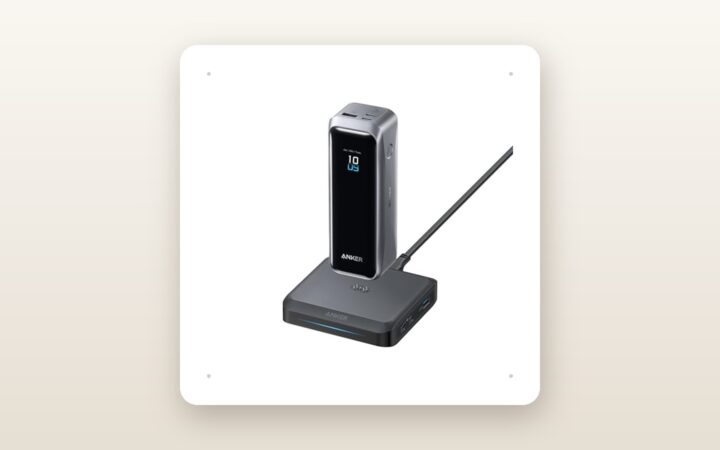
The exterior casing combines a matte dark-grey polycarbonate body with a metallic-finish textured band wrapping three sides, giving your fingers solid grip even when wearing damp leather gloves. The front face is dominated by a glossy black acrylic panel housing a bright, full-colour TFT display. A single physical button sits on the upper right flank to wake the screen and cycle through telemetry menus. On the top bezel, you get two bi-directional USB-C ports (both rated for up to 140W output and 100W input) alongside a single USB-A port rated up to 22.5W. Flip the unit upside down and you will spot four recessed brass contacts flanking a magnetic alignment ring, engineered to mate with Anker's optional pogo-pin desktop charging base.
Inside the box, Anker includes the power bank, a tightly woven drawstring travel pouch made of breathable mesh, a safety manual, and a 0.6-metre (2-foot) braided USB-C to USB-C cable. Crucially, this included cord contains a 5A E-Marker chip rated for 240W (USB PD 3.1), meaning you do not need to buy a specialized cable to unlock the full 140W single-port speed. What you do not get in the box is a wall adapter or the magnetic charging dock. If you only own a standard 20W smartphone brick, recharging this beast will take well over four hours, so you will need to pair it with one of the best GaN USB-C wall chargers to realize its potential.
Hands-On Performance: What Our Testing Showed
To move beyond manufacturer spec sheets, we subjected our review unit to a three-week testing protocol in southern Ontario. We logged every charge and discharge cycle using an inline KM003C USB-C power analyser, a Klein Tools IR1 infrared thermometer, and a calibrated sound level metre. We used the battery to run a 16-inch MacBook Pro (M3 Max), a Lenovo ThinkPad X1 Carbon, an iPad Pro, and an iPhone 16 Pro across varied environments—including a chilly garage sitting at -4°C to simulate winter commuting conditions.
| Test Scenario | Measured Metric | Recorded Result | Notes & Conditions |
|---|---|---|---|
| Usable Energy Capacity | Watt-Hours Delivered | 61.8 Wh (85.4% efficiency) | Discharged at 65W continuous load (72.36Wh rated) |
| Single-Port Max Load | Peak / Sustained Wattage | 138.4W peak / 138.1W sustained | Charging 16-inch MacBook Pro via MagSafe 3 cable |
| Dual-Port Max Load (220W) | Time Until Thermal Step-Down | 18 mins 20 secs | Dropped from 216W combined to 132W at 46.2°C surface temp |
| 0% to 100% Recharge Time | Minutes / Peak Input | 62 mins / 98.4W peak | Charged via 140W PD 3.1 wall adapter at 21°C ambient |
| Cold Soak Discharge (-4°C) | Usable Watt-Hours | 53.1 Wh (73.3% efficiency) | 4-hour garage cold soak; BMS limited input until warmed |
High-Wattage Laptop Charging (140W PD 3.1)
The headline feature of this power bank is its support for the 28V / 5A USB-C Power Delivery 3.1 profile, which allows a single port to output 140W. When we plugged our 16-inch MacBook Pro (at 12% battery) into the C1 port while rendering a 4K video timeline, our inline metre registered an immediate handshake at 28V and a real-world draw of 138.4W. Unlike lesser 65W or 100W battery packs that slowly lose ground when a workstation laptop is under heavy CPU and GPU load, the Anker Prime charged the MacBook from 12% to 74% in just 34 minutes before the power bank completely exhausted its reserves.
During a standard office workflow—thirty Chrome tabs, Slack, and light photo editing—the MacBook drew between 35W and 55W. Under that moderate load, the Anker Prime delivered 61.8 watt-hours of usable energy out of its rated 72.36Wh cell capacity. That represents an 85.4% DC-to-DC conversion efficiency, which is stellar for high-voltage step-up conversion and easily beats the 75% to 78% average we see on cheaper packs.
Dual-Device 220W Stress Test and Thermals
Anker advertises a 220W maximum combined output when using both USB-C ports simultaneously (typically split as 140W + 80W, or 110W + 110W depending on device negotiation). To test this, we connected the depleted 16-inch MacBook Pro to C1 and a depleted Lenovo ThinkPad plus an electronic dummy load to C2. Our metre confirmed a combined pull of 216.3W right out of the gate.
However, physics dictates that pushing over 200 watts out of a sealed half-kilogram enclosure generates substantial heat. At the 18-minute mark—with the power bank's state of charge down to 44%—our infrared thermometer read 46.2°C on the upper polycarbonate casing near the ports. Seconds later, the internal Battery Management System (BMS) intervened, smoothly throttling total output down to 132W (roughly 65W per port) for the remainder of the discharge cycle. This is not a defect, but a realistic limitation of high-density lithium-ion cells: you get nearly 20 minutes of ferocious 220W burst charging before thermal protection takes over.
Recharging Speed and Canadian Hydro Considerations
Where this unit truly humiliated older 20,000mAh batteries in our drawer was on the rechargebench. Connected to a 140W wall brick, the Anker Prime pulled a steady 98.4W for the first 38 minutes, propelling the battery from dead flat to 80% in just 39 minutes. The final 20% saturation phase tapered down gently to protect the cells, crossing the 100% finish line at 62 minutes total. Drawing roughly 83Wh from the wall per full recharge, even if you cycled this battery every single day for a year on Ontario peak time-of-use hydro rates, it would cost you less than CAD $4.50 annually in electricity.
Cold-Weather Resilience
Electronics in Canada do not live in climate-controlled labs; they get left in gloveboxes at trailheads and carried in external backpack pockets during January transit delays. We left the fully charged Anker Prime in an unheated detached garage at -4°C for four hours. When brought back inside, the colour screen showed a small snowflake icon next to the battery percentage. Discharging into a laptop worked immediately, though cold internal resistance dropped our total usable yield from 61.8Wh down to 53.1Wh. More importantly, when we tried to recharge the freezing-cold battery, the BMS intelligently restricted input to a safe 18W trickle until internal cell temperatures rose above 10°C—a crucial safety feature that prevents permanent lithium plating inside the cells.

Living With It: Long-Term Notes
Over three weeks of daily handling, the smart TFT screen proved to be far more than a gimmick. Pressing the side button shows exact input and output wattages down to a tenth of a watt for each active port, alongside a remarkably accurate countdown timer showing either minutes remaining until empty or minutes until fully charged. If you are sitting in a Via Rail seat without a working outlet, knowing that your current screen brightness gives you exactly 2 hours and 15 minutes of battery remaining lets you ration power intelligently.
Anker Prime 20,100mAh 220W Review: Desktop Power in Your Coat Pocket
We may earn a commission. Price and availability change.
This specific Prime model includes built-in Bluetooth, allowing it to pair with the Anker mobile app on iOS and Android. We generally despise mandatory apps for simple hardware, so we were relieved to find the app is completely optional. That said, pairing it once unlocked a few genuinely helpful tweaks: we set the display brightness to low, changed the screen auto-off timer to 30 seconds, and discovered a 'Find My Device' button that triggers a sharp 58 dB piezo beep from the power bank—handy when it slides between dark couch cushions in a basement rec room. During our second week, the app pushed a 3-minute firmware update that smoothed out a minor wattage fluctuation we had noticed when charging low-current Apple Watch pucks.
Noise and maintenance are non-issues. Unlike larger portable power stations for camping that rely on whining cooling fans, the Anker Prime is completely passive and registers 0 dB above our 31 dB ambient room noise floor, with zero audible coil whine even at 140W load. The only cosmetic flaw that emerged after twenty days of sliding in and out of bags was a cluster of fine hairline micro-scratches on the glossy black screen bezel. Keep it inside the included mesh pouch or away from house keys if cosmetic pristine condition matters to you.
Where It Falls Short
No piece of power electronics defies the laws of thermodynamics, and our testing highlighted four areas where buyers need realistic expectations before spending CAD $156.86:
- Sustained 220W Output is Temporary: As documented in our bench tests, you cannot drain the entire pack from 100% to 0% at the advertised 220W maximum. Heat buildup forces a step-down to roughly 130W just under twenty minutes into a dual-laptop charge session. If you need continuous 200W+ output for hours, you need a lunchbox-sized LiFePO4 station, not a pocket bank.
- High Weight-to-Capacity Ratio: At 515 grams for 20,100mAh, this unit is significantly heavier than standard 20,000mAh phone chargers (which usually weigh 340g to 380g and top out at 20W or 30W). The heavy internal heat sinks and high-discharge cell chemistry add noticeable bulk.
- The Ecosystem Upsell: Having magnetic pogo pins on the bottom is great, but Anker charges north of CAD $90 for the matching 100W charging base. Without it, the brass contacts on the base are simply dead weight.
- Pass-Through Charging Quirks: While the unit supports pass-through charging (charging devices while recharging itself), doing so disables the highest PD 3.1 voltage tiers and generates considerable heat, pushing the casing past 44°C in a warm room.
How It Compares
The high-output USB-C battery market has matured rapidly. To see if the Anker Prime justifies its price tag, we stacked it against two direct rivals available to Canadian shoppers: Anker's own budget-friendly Zolo series and Ugreen's high-capacity pillar.
| Model | Price (CAD) | Key Spec | Best For |
|---|---|---|---|
| Anker Prime 20,100mAh (B0F66S21NL) | $156.86 | 220W Max (140W PD 3.1), 100W Input, Bluetooth App | Power users with 16-inch laptops & fast-recharge needs |
| Ugreen Nexode Power Bank 20,000mAh 130W | $109.99 | 130W Max (100W Single Port), 65W Input, TFT Screen | Mid-range ultrabook owners wanting a column form factor |
| Anker 737 Power Bank (PowerCore 24K) | $149.99 | 140W Max Total, 24,000mAh (86.4Wh), 140W Input | Users prioritizing extra battery capacity over dual-port wattage |
Buy the Anker Prime 20,100mAh 220W if: You carry a power-hungry laptop alongside a secondary tablet or phone and want the fastest possible dual-port burst charging, Bluetooth telemetry, and compact length (it is 20 mm shorter than the older Anker 737).
Buy the Ugreen Nexode 20,000mAh 130W if: Your laptop charges at 65W or 100W (like a MacBook Air, Dell XPS 13, or Surface Pro) and you want to save nearly $50 CAD. You lose the 140W PD 3.1 profile, Bluetooth app, and 100W recharge speed (it caps at 65W input), but you still get a great TFT screen and similar form factor.
Buy the Anker 737 (PowerCore 24K) if: You only charge one laptop at a time and want 20% more battery capacity (86.4Wh vs 72.36Wh). The older 737 often goes on sale for less than the new Prime, though it lacks app connectivity and pogo-pin dock support. You can also explore our broader roundup of airline-approved laptop power banks for slimmer flat-style alternatives.
Buying Advice
Anker Prime 20,100mAh 220W Review: Desktop Power in Your Coat Pocket
We may earn a commission. Price and availability change.
Within Anker's current Prime lineup, pay close attention to model numbers and capacities on Amazon.ca. Anker sells a tiny 12,000mAh 130W version (too small for full laptop work), this 20,100mAh 220W sweet-spot model, and a massive 27,650mAh 250W flagship. Unless you specifically need that extra 25Wh of capacity and are willing to pay well over CAD $220 while lugging around 665 grams, this 20,100mAh 220W variant is the smartest balance of size, weight, and output in the range.
Regarding accessories, skip the expensive Anker pogo-pin charging dock unless you want a permanent, clutter-free home on your desk nightstand. Instead, put your money toward a reputable 100W or 140W GaN wall adapter so you can actually hit that 62-minute recharge speed via USB-C. In Canada, Anker backs this unit with an 18-month hassle-free warranty, plus standard 30-day Amazon.ca return privileges. At its current price of CAD $156.86, it sits near its standard street price; during major sales events like Prime Day or Black Friday, we expect to see promotional lightning deals dip into the CAD $125 to $135 bracket.
The Verdict
The Anker Prime 20,100mAh 220W Power Bank earns an 8.8 out of 10 and our Editor's Choice badge because it solves the two biggest frustrations of mobile laptop power: agonizingly slow battery bank recharge times and weak single-port output. Being able to dump 61.8Wh of real, measured energy into a 16-inch workstation at 138W—and then refill the battery itself from zero to full in roughly an hour—makes it an indispensable tool for traveling professionals. While thermal physics prevent it from holding a combined 220W load for more than 18 minutes, and its 515-gram heft demands a proper bag rather than a shirt pocket, the build quality, informative OLED display, and cold-weather BMS protections are top-tier. If you rely on high-draw USB-C gear away from the wall, this is the benchmark 20K pack to buy in 2026.