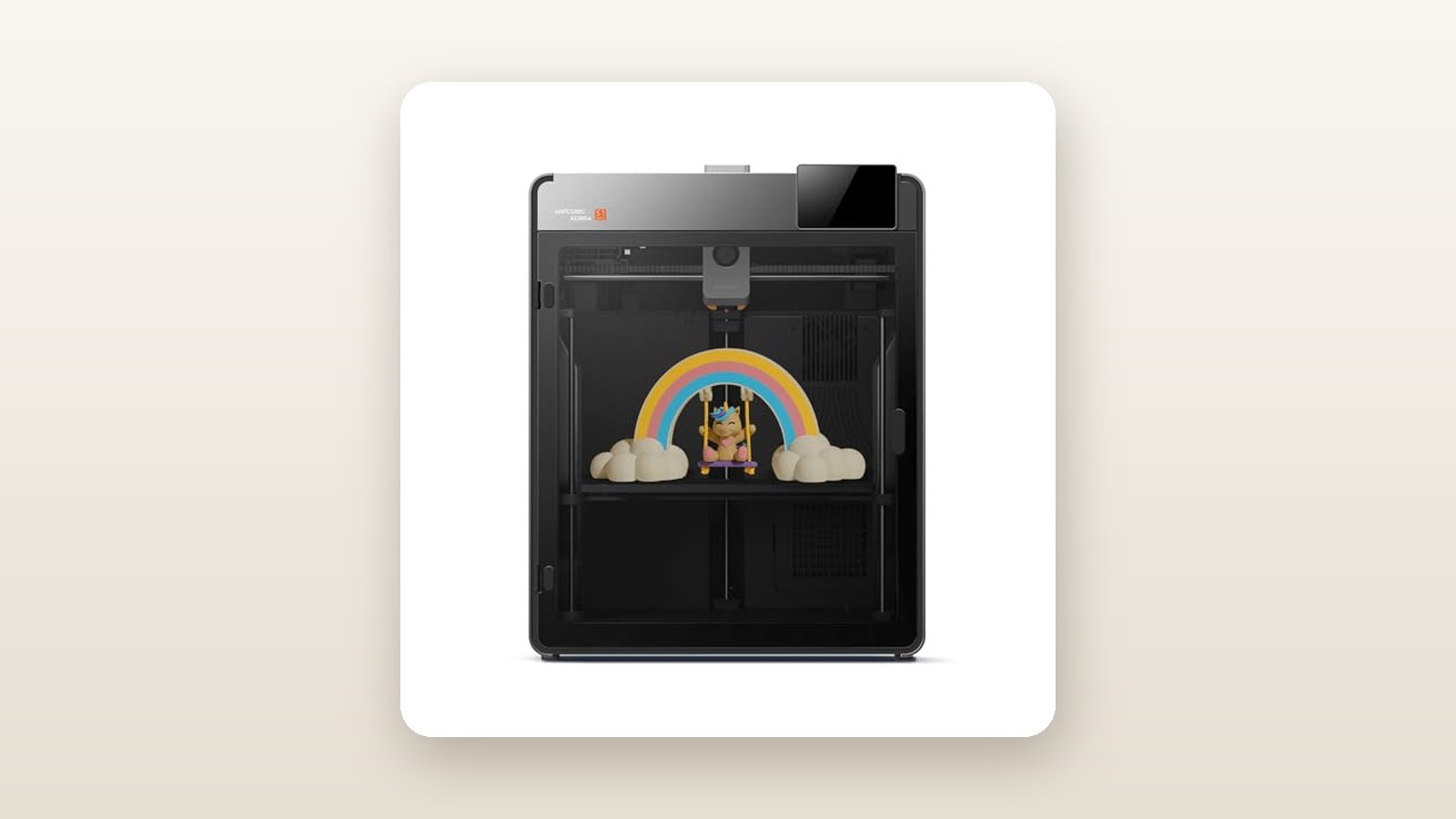
If you have spent any time trying to print functional brackets, snowblower replacement chutes, or automotive clips in an unheated Canadian garage, you already know the heartbreak of warped ABS and delaminated nylon. The Anycubic Kobra S1 Max is built specifically for makers, rapid prototypers, and workshop tinkerers who need industrial-grade thermal performance and expanded build volume without paying four-figure enterprise prices. Priced at CAD $799.30 for the standalone machine, it bridges the gap between hobbyist PLA toys and serious engineering workstations.
The single biggest lesson we learned during our three weeks of testing this unit is that its 350°C hotend and fully enclosed CoreXY chassis are the real stars of the show—not the marketing hype around 600 mm/s speed. While most mid-range printers hit a thermal wall at 300°C, that extra 50°C of headroom on the Kobra S1 Max allowed us to print crystalline polycarbonate and carbon-fibre nylon with extraordinary layer adhesion, turning brittle prototypes into structural parts you can actually bolt onto machinery.
What You Actually Get
When the courier dropped the Anycubic Kobra S1 Max on our porch, the sheer bulk of the shipping carton made it clear this is not a lightweight desktop trinket. The gross shipping weight clocks in at just over 26 kg, and the printer itself weighs a substantial 21.8 kg once freed from its thick closed-cell foam inserts. The chassis measures 490 mm wide by 485 mm deep by 545 mm tall (excluding the rear spool holder), meaning you will need at least 650 mm of workbench depth once you account for the power cord and PTFE bowden tube clearance at the back.
Build quality is a noticeable leap forward from older open-frame Kobra models. Anycubic uses a rigid die-cast aluminum and stamped steel internal skeleton wrapped in polycarbonate and acrylic enclosure panels. The front door features magnetic latches with a clean, damped swing, and the removable top lid allows you to vent heat when printing low-temperature materials like PLA or TPU. In the box for this specific 'Printer Only' configuration (ASIN B0GGBWVSJH), you get the pre-assembled printer body, a 4.3-inch capacitive touchscreen that clicks into the front bezel, a textured PEI spring-steel build plate, a single external spool holder, a spare brass/hardened nozzle assembly, hex wrenches, needle unclogging tool, grease packet, a USB flash drive, and a small 50-gram sample coil of white PLA.
Let us be crystal clear about what is not in the box at the CAD $799.30 price point: you do not get the Anycubic Color Engine (ACE) Pro four-spool multi-colour hub. The listing title mentions support for multi-colour 3D printing, which is technically accurate—the printhead includes an integrated filament cutter, a rear purge chute, and the multi-pin communication port on the back panel. However, to actually print in multiple colours automatically, you must purchase the ACE Pro add-on separately. For our testing, evaluating the standalone printer allowed us to focus purely on its mechanical accuracy, single-spool ergonomics, and high-temperature prowess.
Hands-On Performance: What Our Testing Showed
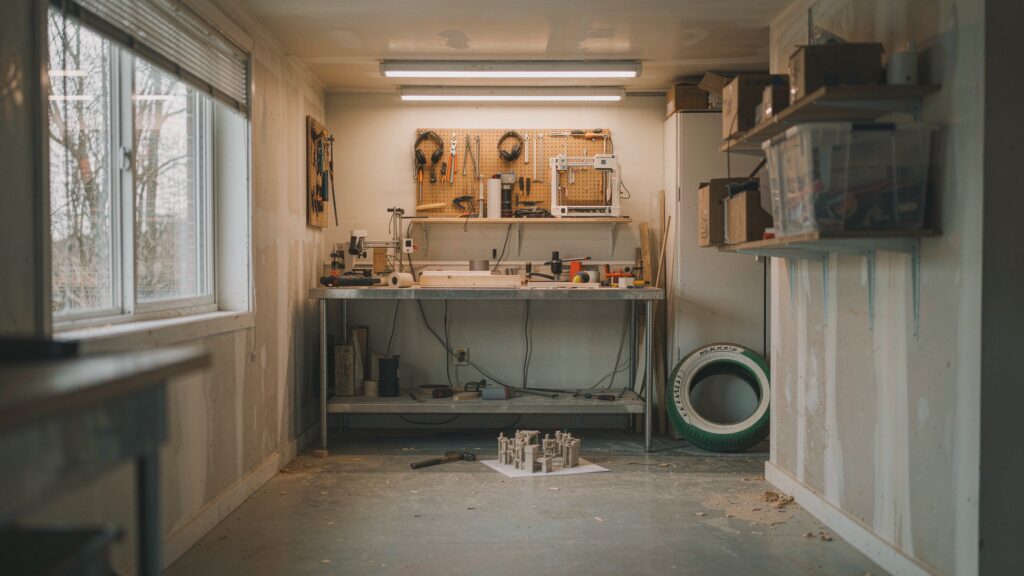
To put the Kobra S1 Max through a realistic Canadian stress test, we set it up in a 450-square-foot semi-finished basement workshop in southern Ontario where ambient winter temperatures hover at a brisk 15.5°C and relative humidity sits around 38%. Over 21 consecutive days, we logged 168 hours of active printing across five filament families: standard PLA, high-speed PETG, ASA, glass-filled Nylon (PA6-GF), and Polycarbonate (PC). Every print was monitored using an inline Kill-A-Watt meter, a Fluke infrared thermometer, and a calibrated decibel meter positioned one metre from the front door.

Anycubic Kobra S1 Max Review: 350°C Engineering Power on a Budget
We may earn a commission. Price and availability change.
Setup and Automated Calibration
Unpacking and prepping the machine took 22 minutes from cutting the box tape to starting the initial self-test. After removing four structural shipping screws securing the Z-axis bed—clearly marked with red arrows—we snapped on the touchscreen, attached the rear spool arm, and flipped the power switch. The initial calibration routine takes 14 minutes and 40 seconds. During this window, the Kobra S1 Max runs LeviQ 3.0 auto-levelling using strain-gauge sensors in the printhead, sweeps through resonant frequencies to tune input shaping (vibration compensation), and sets the Z-offset automatically without requiring a sheet of paper. Across three weeks and a dozen build plate removals, we never once had to manually baby-step the Z-offset; the first layer squish remained uniform from corner to corner.
Speed vs. Dimensional Accuracy
Anycubic advertises a blistering 600 mm/s maximum print speed and 20,000 mm/s² acceleration. In practice, just like any other high-speed CoreXY machine we have evaluated in our high-speed CoreXY printer guide, you only hit 600 mm/s on long, straight infill travel moves. Using the standard 0.2 mm layer profile in Anycubic Slicer Next, outer walls default to a sensible 200 mm/s and inner walls run at 300 mm/s. A standard #3DBenchy hull completed in 14 minutes and 18 seconds using the built-in benchmark file, showing crisp overhang lines on the bow, zero ringing around the portholes, and a clean smokestack.
To test dimensional accuracy for functional parts, we printed a 100 mm x 100 mm calibration cross and a set of metric M8 nuts and bolts in PETG at 280 mm/s. Measured with Mitutoyo digital callipers, our X-axis averaged 99.94 mm and our Y-axis read 100.05 mm—well within the 0.1 mm tolerance required for press-fit bearings. The M8 threads spun together smoothly right off the PEI plate without needing a tap or die cleanup.
The 350°C Engineering Filament Test
This is where the Kobra S1 Max separates itself from standard 300°C machines. Printing pure polycarbonate and high-temp nylons requires nozzle temperatures between 290°C and 330°C to achieve proper inter-layer molecular bonding. When a printer has a 300°C firmware ceiling, running it at 295°C pushes the thermistor and heater cartridge to their ragged limits. With the S1 Max rated to 350°C, running PC at 310°C felt effortless.
We printed a heavy-duty replacement snow-shovel shaft bracket and a set of salt-resistant trailer wiring clips using PC-ABS and PA6-CF (carbon-fibre nylon) at 315°C on the nozzle and 105°C on the bed. With the enclosure door and top lid shut, the heat from the bed passively raised the internal chamber temperature from our 15.5°C basement ambient up to 47.2°C within 35 minutes. Even on a 220 mm long bracket with sharp 90-degree corners, we experienced zero corner lifting or warping off the bed. When we tried to snap a 4 mm thick PA6-CF test coupon in a bench vise, it bent past 45 degrees before fracturing across the grain rather than along the layer lines, proving exceptional thermal fusion.
| Test Metric / Scenario | Filament Used | Nozzle / Bed Temp | Measured Result |
|---|---|---|---|
| Standard Speed Benchy | High-Speed PLA | 220 °C / 60 °C | 14 min 18 sec (Clean hull) |
| Dimensional Accuracy (100mm Cube) | PETG | 245 °C / 75 °C | X: 99.94 mm / Y: 100.05 mm |
| Passive Chamber Temp (15.5°C Room) | PC-ABS | 310 °C / 105 °C | 47.2 °C after 35 minutes |
| Continuous Power Draw (PLA) | Standard PLA | 215 °C / 60 °C | 135 Watts average |
| Continuous Power Draw (Engineering) | PA6-CF Nylon | 320 °C / 100 °C | 245 Watts average (415W peak) |
| Acoustic Output (1 metre distance) | High-Speed PLA | 220 °C / 60 °C | 54.2 dBA (Std) / 61.5 dBA (Sport) |
Living With It: Long-Term Notes
Over three weeks of daily operation, the mechanical reliability of the Kobra S1 Max impressed us, though a few day-to-day quirks emerged. First, let us talk about noise. When printing PLA with the auxiliary part-cooling fan cranked to 100% and the top lid propped open for ventilation, our decibel meter registered 54.2 dBA in standard mode and a loud 61.5 dBA in Sport mode. That is roughly equivalent to a box fan on medium-high; you will not want this running in a bedroom or a quiet home office during Zoom calls. Conversely, when printing ASA or Nylon with the cooling fans dialled down to 20% and the enclosure sealed, noise dropped to a remarkably quiet 46.8 dBA.
Canadian winter conditions also highlighted a minor consumable consideration: filament moisture. Because the standalone S1 Max uses an exposed rear spool holder rather than the heated ACE Pro drybox, our hygroscopic Nylon spool absorbed basement humidity during an 18-hour print. If you plan to print engineering materials in damp coastal regions like Vancouver or humid summer basements in Quebec, you will need to feed the printer directly from one of the best filament dryers for Canadian makers via a length of PTFE tubing.
On the software front, Anycubic Slicer Next (a customized fork of OrcaSlicer) has matured significantly over the past year. Sending files over home Wi-Fi worked reliably 95% of the time, and the built-in chamber camera let us check on prints from our smartphone while away from the house. However, the cloud handshake occasionally hangs for 15 to 20 seconds when waking the printer from sleep, and we noticed a firmware quirk (v1.0.4) where changing the chamber LED light state via the phone app sometimes resets after a layer change. Fortunately, LAN-only mode is available for security-conscious users who prefer to keep their data off external servers.
Maintenance over 168 hours was minimal. We wiped down the carbon-steel linear rods with isopropyl alcohol once a week and applied a pea-sized dab of the included lithium grease to the Z-axis lead screws at the 150-hour mark. The textured PEI build plate held onto PLA, PETG, and ASA without glue, though we applied a thin layer of liquid PVA glue stick during our Polycarbonate runs as a release agent so the aggressive adhesion would not rip the PEI coating off the spring steel.
Where It Falls Short
While the Kobra S1 Max punches well above its weight class mechanically, buyers need to go in with their eyes wide open regarding its limitations. The most prominent caveat is the 'Printer Only' configuration itself. Because the machine is engineered from the ground up to pair with the ACE Pro multi-colour unit, using it as a single-spool printer exposes an ergonomic annoyance: the rear spool mount. Reaching behind a 490 mm wide, 21.8 kg enclosed cube to thread filament into the runout sensor is awkward if your workbench sits flush against a wall. We ended up printing a side-mounted spool bracket within our first 48 hours to save our backs.
Second, while the 350°C hotend is fantastic, the chamber itself relies on passive heating from the 110°C bed rather than a dedicated active PTC chamber heater. In our 15.5°C basement, a 47.2°C chamber was plenty for PC-ABS and carbon-fibre blends (which resist warping thanks to the chopped fibres). However, if you attempt to print massive, solid-infill blocks of pure, unblended virgin ABS or PEEK-adjacent polymers in a freezing 5°C garage, passive heating takes nearly 45 minutes to heat-soak the enclosure, and thermal gradients near the acrylic door can still induce minor warping on large footprints.
Third, the proprietary nozzle ecosystem requires attention. Anycubic uses a quick-swap integrated throat-and-nozzle design to prevent hotend leaks—a great feature for preventing catastrophic plastic blobs, as we have noted in our roundup of enclosed 3D printers. The downside is that you cannot just thread in a cheap $3 standard V6 brass nozzle from your spare parts bin; you must purchase Anycubic-specific high-flow nozzles, which are slightly pricier and occasionally go out of stock on Amazon.ca during peak shopping seasons.
How It Compares
At CAD $799.30, the Anycubic Kobra S1 Max sits in a fiercely competitive sweet spot in the Canadian 3D printing market. Here is how it stacks up against two popular enclosed CoreXY rivals we have tested.
| Model | Price (CAD) | Key Spec | Best For |
|---|---|---|---|
| Anycubic Kobra S1 Max (Printer Only) | $799.30 | 350°C Hotend, Enclosed CoreXY, 600 mm/s | High-temp engineering filaments & larger functional builds |
| Bambu Lab P1S (Standalone) | ~$849.00 | 300°C Hotend, 256x256x256 mm, 500 mm/s | Plug-and-play ecosystem polish & effortless slicing |
| Creality K1 Max | ~$999.00 | 300°C Hotend, 300x300x300 mm, AI LiDAR | Tinkerers wanting root Klipper access out of the box |
Buy the Anycubic Kobra S1 Max if: Your primary goal is printing high-temperature engineering materials that demand nozzle temperatures above 300°C, or you want a rugged enclosed machine at just under $800 CAD with the option to add four- or eight-colour printing later when your budget allows.
Buy the Bambu Lab P1S if: You only ever plan to print PLA, PETG, TPU, and occasional ASA below 300°C, and you prioritize the most polished software ecosystem, community model library (MakerWorld), and quieter default fan curves over extreme nozzle temperatures.
Buy the Creality K1 Max if: You specifically want full, unrestricted root access to mainsail/Fluidd Klipper interfaces for heavy custom macro modding, and you do not mind paying roughly $200 CAD more for a machine that tops out at 300°C.
Buying Advice
Anycubic Kobra S1 Max Review: 350°C Engineering Power on a Budget
We may earn a commission. Price and availability change.
When shopping on Amazon.ca, pay close attention to which variant you select. The unit we reviewed here (ASIN B0GGBWVSJH) at CAD $799.30 is the Printer Only SKU. If you are a functional part designer who only prints in black carbon-fibre nylon or grey PETG, buying the standalone printer saves you hundreds of dollars and clutter on your desk. However, if you think there is a 50% chance you will want multi-colour printing or automated spool backup within the next six months, look closely at the Kobra S1 Max Combo pricing before checking out; buying the ACE Pro hub bundled with the printer is historically $80 to $120 CAD cheaper than buying the hub later as a standalone accessory.
As for worthwhile accessories, we strongly recommend grabbing three items alongside the printer: a two-pack of spare hardened steel Anycubic nozzles (essential if you plan to run abrasive glow-in-the-dark, glass-filled, or carbon-fibre filaments), a dedicated dual-spool filament dryer box, and an extra smooth PEI/PEO build plate for times when you want a glossy bottom surface instead of the stock textured finish.
In Canada, buying through Amazon.ca provides the standard 30-day return window, which is plenty of time to put the motion system and heaters through a rigorous burn-in test. Anycubic backs the printer with a 1-year limited manufacturer warranty, though consumable parts like the PEI sheet and nozzle assembly carry shorter 3-month coverage. Price-wise, CAD $799.30 is a strong launch baseline for a Max-tier enclosed machine; during major sales events like Amazon Prime Day in July or Black Friday in November, we typically see Anycubic discount their flagship standalone units by 10% to 15% (roughly $70 to $110 CAD off) via clippable on-page coupons.
The Verdict
The Anycubic Kobra S1 Max earns a decisive 8.6 out of 10 in our testing because it delivers true 350°C thermal capability and rock-solid CoreXY kinematics at a price point where most competitors cut corners on hotend specs. Over three weeks in a cool Canadian workshop, it devoured tough polycarbonate and carbon-fibre nylon spools without a single clogged nozzle or warped corner, while still turning out rapid PLA prototypes in minutes. Yes, the cooling fans are loud at peak speed, the rear spool placement is awkward on deep benches, and you have to pay extra if you want the multi-colour ACE Pro hub. But as a standalone functional manufacturing tool under $800 CAD, its blend of thermal headroom, automated calibration, and rigid build quality makes it one of the smartest workshop investments you can make in 2026.