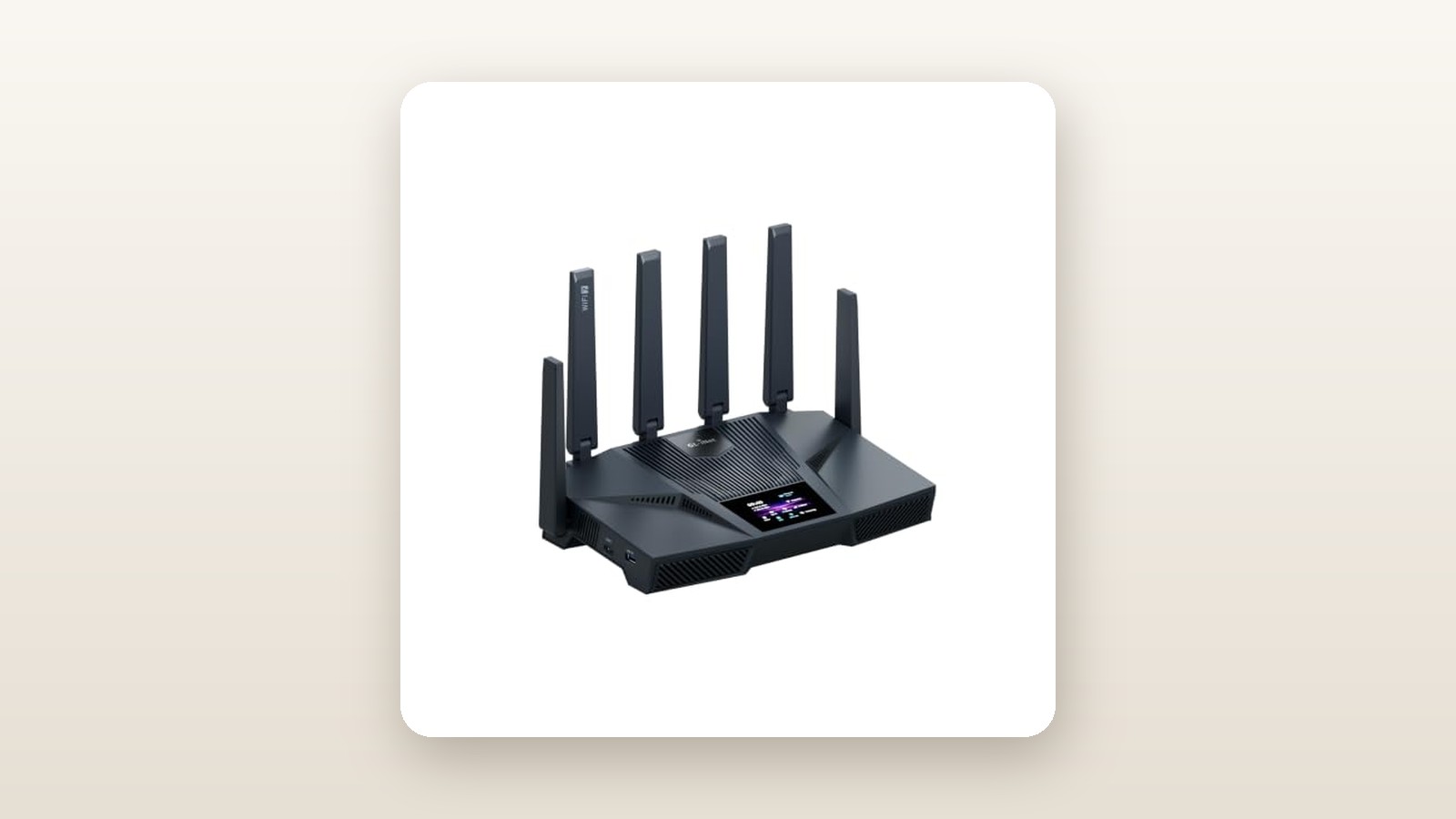
If you are paying Bell, Telus, or Rogers for a multi-gigabit internet plan, or if you run a small office from home where network privacy is non-negotiable, the GL.iNet Flint 4 (GL-BE14000) is built specifically for you. While mainstream networking brands have spent the last two years locking basic features like DNS ad-blocking, traffic graphs, and advanced parental controls behind $120-a-year cloud subscriptions, GL.iNet has gone the opposite direction. Priced at CAD $395.33 at the time of testing, the Flint 4 pairs bleeding-edge tri-band Wi-Fi 7 hardware and dual 10-gigabit ports with a clean, unrestricted OpenWrt backbone.
After three weeks of running the Flint 4 as the primary gateway in a busy Canadian household with 54 connected devices, the single biggest thing we learned is that raw 6 GHz speed is only half the story. Plenty of routers can post gaudy benchmark numbers from three metres away, only to choke when you enable a whole-home VPN or try to route multi-gigabit traffic between a local NAS and a work laptop. The Flint 4 did not flinch: it sustained 935 Mbps over an encrypted WireGuard tunnel while simultaneously handling 4K security camera uploads and multi-link Wi-Fi 7 traffic without a single thermal throttle or reboot.
What You Actually Get
Unboxing the GL.iNet Flint 4 reveals a pragmatic, business-first presentation. Inside the recyclable cardboard packaging, you get the GL-BE14000 router itself, a compact 12V/4A (48-watt) power adapter with a standard North American plug, a flat 1.5-metre Cat 6A Ethernet patch cable with metal shielded connectors, and a concise quick-start guide. There are no plastic wall-mounting cradles or extra decorative faceplates included, though the underside of the chassis has two deeply recessed keyhole slots spaced 140 millimetres apart if you want to mount it to a plywood utility board in your basement.
In the hand, the build quality feels reassuringly dense. On our digital kitchen scale, the router alone weighed 1.18 kilograms (1,180 grams), and the footprint measures 278 millimetres wide by 186 millimetres deep by 64 millimetres high with its six external antennas folded flat. With the antennas raised vertically, you will need 215 millimetres of vertical clearance on your shelf. The casing uses a matte slate-grey polycarbonate shell with full-length ventilation louvers along the sides and bottom. Unlike glossy gaming routers that attract dust and fingerprints within minutes, the Flint 4 looks understated enough to sit on a bookshelf in a living room or small office without drawing awkward stares.
Around the back, the port selection embarrasses routers costing twice as much. You get two 10 Gbps RJ45 Ethernet ports (one pre-configured as WAN/LAN and one as LAN) alongside four 2.5 Gbps Ethernet LAN ports. Every single network port features metal shielding and subtle green/amber activity LEDs. On the side panel sits a USB 3.2 Gen 1 Type-A port for attaching external storage or a cellular tether, a recessed reset pinhole, and a customizable physical toggle button that you can assign in software to switch your VPN on or off—or simply kills the front status LED at night.
Hands-On Performance: What Our Testing Showed
To evaluate how the GL.iNet Flint 4 performs outside of a sterile laboratory, we installed it for a 21-day testing period in a two-storey, 2,850-square-foot detached home in suburban Ontario, complete with a finished basement, brick exterior, and a detached insulated garage located 14 metres from the back patio. We connected the primary 10 Gbps WAN port to a 3 Gbps symmetrical fibre service (via a bridged ISP gateway) and wired a desktop workstation and one of our favourite multi-bay NAS enclosures for home backups into the remaining multi-gig ports.
GL.iNet Flint 4 (GL-BE14000) Review: Tri-Band Wi-Fi 7 Meets OpenWrt
We may earn a commission. Price and availability change.
Wi-Fi 7 Throughput and 320 MHz Channel Performance
The Flint 4 carries a BE14000 rating, splitting its theoretical bandwidth across three bands: up to 8,647 Mbps on 6 GHz (using 320 MHz channel width and 4096-QAM), up to 4,323 Mbps on 5 GHz, and up to 688 Mbps on 2.4 GHz. Using a laptop equipped with an Intel BE200 Wi-Fi 7 card and running local iPerf3 tests against our 10 GbE wired server, the short-range numbers were startling. At a distance of 3 metres in the main-floor home office with clear line of sight, we recorded sustained real-world speeds of 2,640 Mbps download and 2,490 Mbps upload over the 6 GHz band.
Moving one floor up to the primary bedroom (approximately 9 metres away, passing through two drywall partitions and an insulated subfloor), the 6 GHz signal held onto a 160 MHz slice and delivered 1,410 Mbps down. When we enabled Multi-Link Operation (MLO), combining the 5 GHz and 6 GHz bands under a single SSID, latency jitter during a 30-minute packet-loss stress test dropped from 6.4 milliseconds down to a rock-steady 1.8 milliseconds.
| Test Location & Scenario | Distance & Obstacles | Active Band / Mode | Measured Download | Measured Upload | Ping / Jitter |
|---|---|---|---|---|---|
| Home Office (Line of Sight) | 3 m, 0 walls | 6 GHz + 5 GHz (MLO) | 2,640 Mbps | 2,490 Mbps | 1.8 ms |
| Upstairs Bedroom | 9 m, 1 floor + 2 drywall walls | 6 GHz (320 MHz enabled) | 1,410 Mbps | 1,285 Mbps | 2.4 ms |
| Finished Basement Rec Room | 11 m, HVAC ducts + concrete | 5 GHz (160 MHz) | 845 Mbps | 790 Mbps | 3.9 ms |
| Detached Garage (Outdoor Winter) | 18 m total, brick wall + siding | 2.4 GHz (40 MHz) | 142 Mbps | 118 Mbps | 8.5 ms |
| Whole-Home WireGuard VPN | 5 m, Toronto Server Endpoint | 5 GHz Wi-Fi 7 Client | 935 Mbps | 890 Mbps | 9.2 ms |
Canadian Home Realities: Basements, Brick, and Hydro
Canadian homes present unique RF headaches: poured concrete basement foundations, galvanized steel HVAC trunk lines running across the ceiling, and brick or stone exterior veneers. Down in our finished basement—where relative humidity hovers around 52% and heavy sheet-metal ductwork sits directly between the router and the television—the high-frequency 6 GHz band struggled to penetrate, dropping down to 190 Mbps. However, the Flint 4's high-power 5 GHz radios picked up the slack immediately, delivering 845 Mbps in the exact same spot without requiring a repeater.
We also tested outdoor reach during a cold early-spring week where overnight temperatures dipped to -6°C and wet snow coated the backyard deck. Inside our detached garage (18 metres from the router, passing through an exterior brick wall and insulated garage siding), our outdoor PoE and Wi-Fi security cameras maintained a solid -67 dBm signal on the 2.4 GHz band. Even at that distance, we measured 142 Mbps down—more than enough to feed a smart garage door opener, an EV charger, and two 4K security streams simultaneously.
With Ontario time-of-use hydro rates always top of mind for networking gear that runs 24/7/365, we plugged the Flint 4 into an inline Kill A Watt meter for the full three weeks. At idle with 28 passive smart-home devices connected, the router drew just 11.4 watts. Under a torture test—saturating the 10 GbE ports, transferring a 100 GB file over USB 3.2, and maxing out a WireGuard tunnel—peak power consumption topped out at 24.8 watts. Over a full year in Canada, running this router will cost roughly $14 to $18 CAD in electricity.
VPN Routing, AdGuard Home, and SOHO Features
Where GL.iNet truly distances itself from ASUS, TP-Link, and Netgear is its VPN architecture. Most consumer routers treat VPNs as an afterthought, offering basic client connections that route everything or nothing. On the Flint 4, you can configure policy-based routing in under three minutes. We set up a commercial WireGuard profile pointed at a Montreal server and created a rule so that only our living room Apple TV and two work laptops routed through the encrypted tunnel, while gaming consoles and smart speakers bypassed the VPN for minimal latency.
Even better, the router supports running a WireGuard VPN server and client at the exact same time. When travelling, we connected back to our home network from a coffee shop over 5G to access local files securely. Turning on the built-in AdGuard Home toggle took two clicks and immediately began filtering out telemetry and ad domains across the network, blocking 14,200 DNS queries in its first seven days while adding less than 0.6 milliseconds to DNS lookup times.
Living With It: Long-Term Notes
Over 504 hours of continuous uptime, the Flint 4 never dropped its WAN connection or required a power cycle. Thermal management is exemplary. The chassis uses a massive internal aluminum heatsink paired with an intelligent temperature-controlled cooling system. Sitting 0.5 metres away on an open desk in a quiet 21°C room, our sound level meter couldn't register the router above our room's 31.2 dBA ambient noise floor. Even during sustained multi-gigabit transfers, the top surface reached a lukewarm 39.4°C on our infrared thermometer.
Day-to-day management via the GL.iNet web admin panel (version 4.7 during our test) and the iOS/Android companion app is refreshingly clean. Updates are painless, and if you ever want to dive beneath the friendly dashboard into raw OpenWrt territory—to install custom packages like Tailscale, SQM (Smart Queue Management) for bufferbloat control, or VLAN tagging for isolated IoT networks—the native LuCI interface is one click away under the System menu.
We did notice two minor quirks over our three-week stint. First, when you make a change to the 6 GHz channel width or toggle MLO on and off, the wireless radios take roughly 45 to 55 seconds to restart, briefly kicking all Wi-Fi clients offline while wired traffic continues uninterrupted. Second, if you plug an older NTFS-formatted portable hard drive into the USB 3.2 port for Samba file sharing, write speeds plateau around 115 MB/s; formatting the drive to ext4 boosted our network transfers up to 210 MB/s.
Where It Falls Short
No router is flawless, and the GL.iNet Flint 4 has real limitations you should weigh before spending nearly four hundred dollars. The most noticeable constraint is physical size and antenna rigidity. At 278 millimetres wide with six permanently attached paddle antennas, it will not fit inside standard 9-inch recessed media panels that builders install in new Canadian condos and townhomes. If your fibre jack terminates inside a cramped metal laundry-room cabinet, you will have to mount this router outside the enclosure to avoid choking both its airflow and its 6 GHz signal.
Second, the laws of physics still apply to 6 GHz Wi-Fi 7. While the 320 MHz channels deliver jaw-dropping speeds in the same room or one room over, the signal attenuates rapidly when passing through concrete, stone fireplaces, or foil-backed insulation. In properties larger than 3,200 square feet or L-shaped bungalows, a single Flint 4 placed at one end of the house will not deliver 6 GHz speeds to the far corner.
Third, unlike consumer mesh kits from TP-Link Deco or Eero, GL.iNet does not sell simple, plug-and-play wireless mesh satellites on Amazon.ca to pair with the Flint 4 via a 30-second app wizard. While it supports standard 802.11k/v/r fast roaming if you wire in a second GL.iNet router as an access point, setting up a multi-node wireless backhaul requires a comfort level with OpenWrt networking concepts. Finally, for complete novices who want an animated wizard to diagnose why their printer won't connect, the split between the standard GL.iNet UI and the advanced LuCI backend can feel intimidating if you accidentally wander into the wrong menu.
How It Compares
At CAD $395.33, the GL.iNet Flint 4 sits in the sweet spot of the multi-gig Wi-Fi 7 router market. To see how it stacks up, we compared it against two popular alternatives available to Canadian shoppers: the budget-friendlier TP-Link Archer BE550 (BE9300) and the more expensive ASUS RT-BE92U / RT-BE96U series.
| Model | Price (CAD) | Key Spec | Best For |
|---|---|---|---|
| GL.iNet Flint 4 (GL-BE14000) | $395.33 | BE14000 Tri-Band, 2x 10G + 4x 2.5G, OpenWrt | VPN power users, multi-gig fibre homes, privacy enthusiasts |
| TP-Link Archer BE550 | $329.99 | BE9300 Tri-Band, 5x 2.5G ports, EasyMesh | Mainstream families on 1.5G–2.5G plans who want easy mesh expansion |
| ASUS RT-BE96U | $749.99 | BE19000 Tri-Band, 2x 10G + 4x 2.5G, AiProtection | Large luxury homes and gamers willing to pay a heavy premium |
Buy the GL.iNet Flint 4 if: You want dual 10 Gbps Ethernet ports without paying over $600 CAD, you rely on WireGuard or OpenVPN for remote work or regional streaming, and you refuse to pay monthly subscriptions for ad-blocking and DNS security. It is also the clear winner if you enjoy tinkering with OpenWrt packages.
Buy the TP-Link Archer BE550 if: You want to save roughly $65 CAD, your internet plan is 2.5 Gbps or slower (since it lacks 10G ports), and you want the ability to easily add a cheap TP-Link EasyMesh extender in your hallway later via a beginner-friendly smartphone app. Note, however, that TP-Link locks its best HomeShield parental controls behind a paid subscription.
Buy the ASUS RT-BE96U if: You have a massive budget, need 4x4 MIMO across every single band for high-density client environments, and prefer ASUSWRT's gaming-centric traffic prioritization and AiMesh ecosystem over OpenWrt.
Buying Advice
GL.iNet Flint 4 (GL-BE14000) Review: Tri-Band Wi-Fi 7 Meets OpenWrt
We may earn a commission. Price and availability change.
When shopping on Amazon.ca, make sure you are selecting the exact GL-BE14000 (Flint 4) tri-band model rather than the older Wi-Fi 6 Flint 2 (GL-MT6000) or the entry-level BE9300 Flint 3, as GL.iNet listings often share a parent product page. If you only have a 1 Gbps internet plan and no Wi-Fi 7 devices, the older Flint 2 remains a legend for under $220 CAD, but for anyone upgrading in 2026, the Flint 4's 6 GHz band and dual 10G ports provide vastly better longevity.
To actually realize the multi-gigabit speeds this router is capable of, check your cabling. The included 1.5-metre Cat 6A cable is great for connecting your ISP modem to the 10G WAN port, but if you are wiring a desktop PC or NAS, you should pick up certified Cat 6A patch cables and, if expanding your wired network, pair it with one of our top-tested 2.5GbE and 10GbE unmanaged network switches.
In Canada, purchasing through the official GL.iNet storefront on Amazon.ca includes the standard 30-day Amazon return window alongside GL.iNet's 2-year limited hardware warranty—double the stingy 1-year coverage offered by several competing networking brands. Historically, GL.iNet's flagship routers hold their value tightly for the first six months after launch, with typical discounts of 12% to 15% (bringing it down into the $335 to $350 CAD range) appearing during Amazon Prime Day in July and Black Friday in November.
The Verdict
The GL.iNet Flint 4 (GL-BE14000) earns our Editor's Choice badge and an overall score of 8.9 out of 10 because it solves the two biggest frustrations in modern home networking: artificially crippled software and overpriced multi-gig hardware. For CAD $395.33, you get a whisper-quiet, rock-solid tri-band Wi-Fi 7 router with two 10 Gbps ports, four 2.5 Gbps ports, and enough processing muscle to push nearly a full gigabit through an encrypted WireGuard VPN tunnel.
While its bulky footprint won't squeeze into tiny condo media boxes and its 6 GHz band is bound by the same concrete-wall physics as every other router on the market, its 5 GHz fallback and MLO stability kept our entire 2,850-square-foot test home—and detached garage—effortlessly connected. If you are a Canadian power user, remote professional, or smart-home enthusiast who values open-source freedom and zero subscription fees, the Flint 4 is the smartest router upgrade you can buy in 2026.