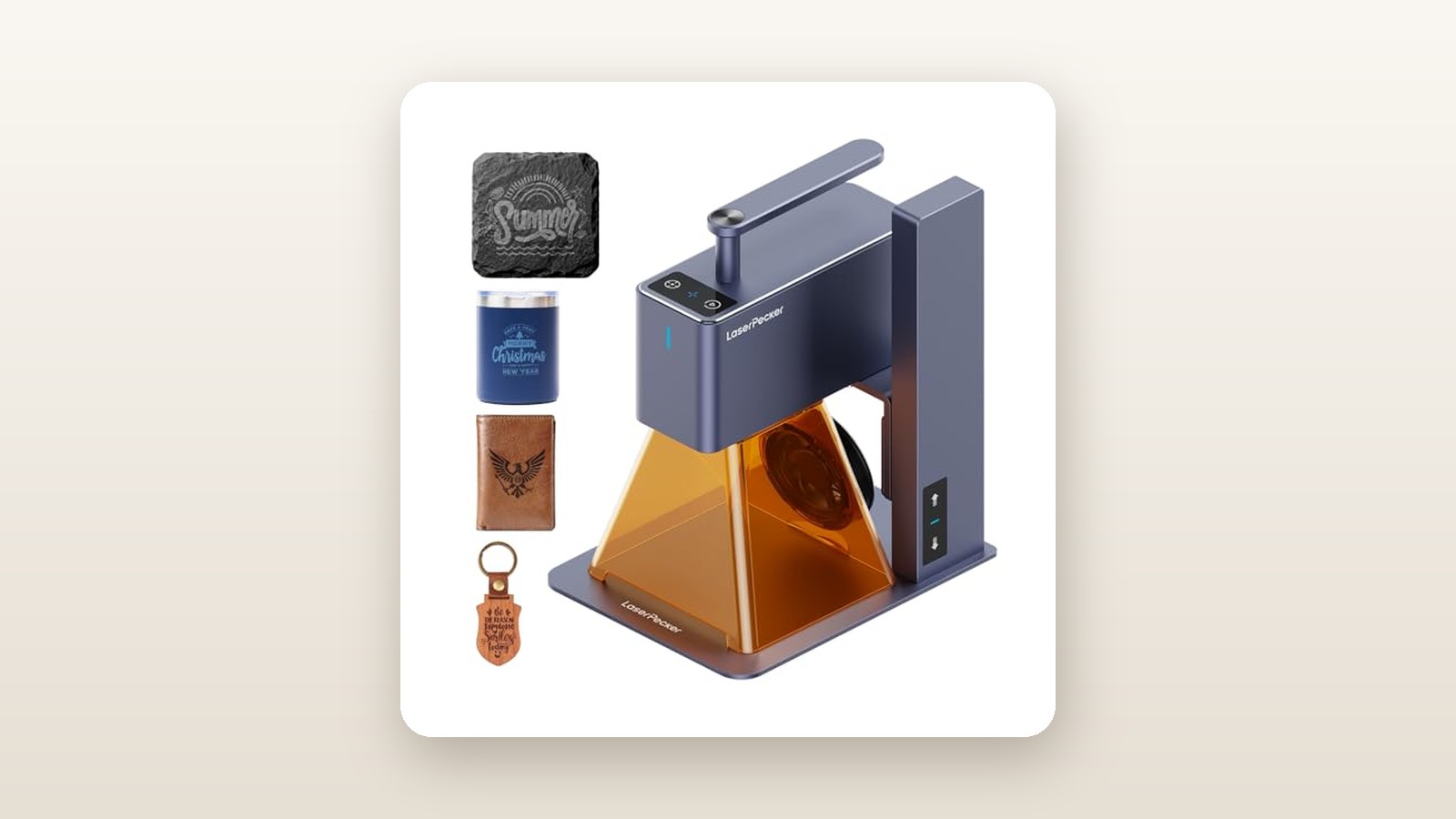
If you have ever tried to squeeze a traditional open-frame diode laser onto a crowded apartment workbench, you already know the misery of tangled belts, sprawling aluminum extrusions, and hours of manual squaring. The LaserPecker LP2 targets Canadian makers, leatherworkers, and craft-market sellers who want high-speed personalization without sacrificing four square feet of permanent shop space. At CAD $612.77 on Amazon.ca, it trades the sprawling footprint of a gantry machine for a compact, 1-kilogram galvo laser head that you can unbolt from its motorized stand and press directly against a dining table, a skateboard deck, or a wooden cider crate.
After three weeks of daily testing in our suburban Ontario garage and basement workshop, the single biggest takeaway is how dramatically the dual-galvo mirror system changes your workflow. Instead of waiting twenty minutes for a mechanical printhead to clunk back and forth across a coaster, the LP2 steers its 5W blue laser beam with tiny internal mirrors at up to 600 mm/s, finishing detailed logos in under forty seconds. That blistering speed and genuine handheld versatility make it one of the most enjoyable tools we have tested this year, provided you understand its strict 100 x 100 mm boundary and its limitations on bare metal.
What You Actually Get
Opening the stout foam-lined cardboard box reveals a refreshing lack of tiny screw bags. Unlike budget gantry kits that demand two hours of hex-key assembly before you fire a single pulse, the LaserPecker LP2 goes from box to burning in under six minutes. The star of the kit is the anodized gunmetal-grey laser unit itself. Measuring 162.5 x 60 x 122 mm and weighing almost exactly 1.0 kg on our digital shop scale, it feels dense and reassuringly rigid, much like a cinema-grade camera lens with a sturdy integrated top handle.
alongside the laser head, the standard package includes the motorized electric lifting stand, a foldable conical blue-light protective shield with a built-in miniature exhaust fan, one pair of green safety goggles, a 12V/5A (60W) power brick, USB-C cables, an L-shaped positioning ruler, and a small starter pack of thin basswood and anodized aluminum business cards. Assembly requires just three thumb screws to anchor the vertical column to the 194 x 153.5 mm baseplate, and one heavy knurled knob to mount the laser head onto the motorized carriage. Including the stand and shield, the entire desktop setup weighs 2.2 kg and packs down into a backpack in ninety seconds.
What is not in the box matters just as much. At this CAD $612.77 base price, you do not get the auxiliary booster roller (which expands the engraving length to 2000 mm and rotates cylindrical tumblers) nor the dedicated 23,600 mAh LaserPecker power bank. If you want to use the LP2 completely untethered from an AC wall outlet at a weekend farmers' market, you will need to supply a 65W USB-C PD power bank combined with a 12V trigger cable, or buy the official battery pack separately.
Hands-On Performance: What Our Testing Showed
To evaluate the LaserPecker LP2 under realistic Canadian conditions, we ran a three-week testing protocol split between an unheated two-car garage (where February morning temperatures hovered around 6°C) and a finished basement workshop maintained at 20°C and 38% relative humidity. We engraved and cut more than seventy test pieces across maple, birch plywood, vegetable-tanned leather, slate coasters, powder-coated stainless steel tumblers, and salted winter work boots.

LaserPecker LP2 Review: Fast Handheld Engraving With Real Limits
We may earn a commission. Price and availability change.
Setting focus on the LP2 is brilliantly foolproof. Flipping down the integrated silver ranging rod on the underside of the laser head gives you an exact 110 mm focal reference. You simply tap the capacitive touch buttons on top of the stand to drive the motorized Z-axis up or down until the tip of the rod kisses your workpiece, then flip the rod back up out of the beam path. If you are used to fiddling with acrylic focus blocks on standard desktop laser engravers, this motorized touch system feels like a massive luxury.
Speed and the Galvo Advantage
Traditional diode lasers move the entire laser module along X and Y rails. The LP2 keeps the 5W Nichia 450nm diode stationary and bounces the beam off two high-speed galvanometer mirrors. The practical benefit is immediate: before you commit to an burn, the LP2 projects a 3,750 mm/s bounding box or outline preview that looks like a solid, flicker-free blue square on your material. You can nudge your graphic inside the smartphone app and watch the projected laser frame shift on the workpiece in real time.
Once you hit start, the 600 mm/s engraving speed chews through vector fills and bitmap photos at roughly four to five times the pace of a standard 400 mm/min gantry diode. In our batch test of twenty 90 mm round slate coasters for a local hockey team wind-up, the LP2 finished each coaster at 1K resolution (100% power, 25% depth) in just 1 minute and 42 seconds. Using the L-shaped fence screwed into the baseplate allowed us to swap blanks blindly and wrap up the entire twenty-piece run in under forty minutes.
| Material & Task | Resolution | Power / Depth | Measured Time | Observed Result |
|---|---|---|---|---|
| Hard Maple (50 x 50 mm Vector Logo) | 1.3K | 80% / 15% | 38 seconds | Crisp, dark espresso char; zero edge overburn |
| Veg-Tan Leather Patch (60 x 40 mm) | 1K | 40% / 10% | 24 seconds | Clean 0.3 mm deboss; heavy smoke output |
| Slate Coaster (80 x 80 mm Photo) | 2K | 100% / 25% | 3 min 12 sec | High-contrast light grey etch; sharp halftone dots |
| Powder-Coated Yeti Tumbler (45 x 30 mm) | 2K | 100% / 40% | 2 min 45 sec | Cleanly vaporized coating down to bright stainless |
| 2 mm Basswood Sheet (50 mm Circle Cut) | 1K | 100% / 95% (4 passes) | 4 min 05 sec | Clean drop-out cut; noticeable dark soot on kerf |
Handheld Multi-Angle Engraving
Unscrewing the head from the stand unlocks the LP2's party trick. Because the protective orange-and-blue filter cone has rubberized feet and is cut to the exact 110 mm focal length, you can press the nose of the shield flush against a vertical drywall stud, a heavy oak workbench leg, or the curved side of a wooden canoe paddle and fire immediately. We tested this by branding a 75 x 40 mm shop crest onto the vertical side of a 200-pound maple butcher block in our garage. Holding the 1 kg unit steady by its top handle for a 45-second burn required zero effort, and the built-in gyroscope immediately paused the laser when we intentionally jostled the housing by more than a few degrees.
Cold Garage Behaviour and Hydro Impact
Canadian garage workshops are unforgiving on electronics. When we left the LP2 in our 6°C garage overnight and fired it up the next morning, the diode initialized without complaint, though the cooling fan emitted a slightly louder bearing whine for the first thirty seconds until the housing warmed up. Below 5°C, diode efficiency and app Bluetooth range can drop, so we kept the unit stored indoors between sessions. On the electrical front, our inline wattmeter recorded a peak draw of just 54 watts during 100% power engraving and 7 watts at idle. Even at peak Ontario or Alberta winter hydro rates, running this machine for forty hours a month costs less than fifty cents in electricity.
Living With It: Long-Term Notes
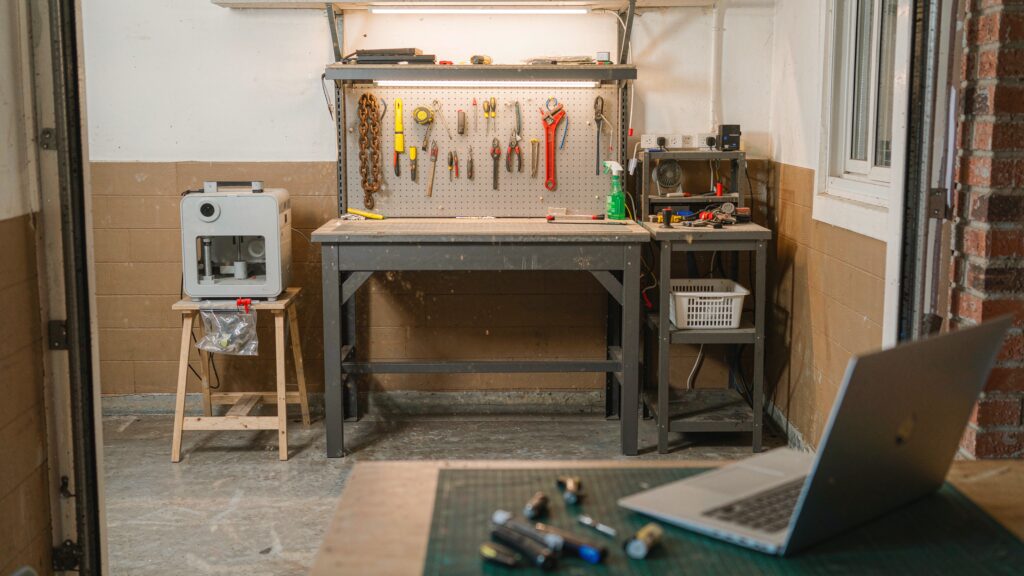
Over three weeks of continuous operation, the hardware remained rock-solid, with zero belt tensioning or wheel adjustments required because there are no belts or wheels in the optical path. Maintenance consists almost entirely of wiping wood resin and leather soot off the bottom field lens with an isopropyl alcohol swab every five to six hours of burn time, and blowing dust out of the magnetic protective shield fan.
Noise is noticeably quieter than open-frame machines that scream with stepper motor resonance. Measured from one metre away with our sound level meter, the LP2 registered 52.4 dB during active engraving—essentially the volume of a quiet refrigerator or a laptop fan under load. You can easily run it in a townhouse basement at midnight without waking anyone upstairs.
However, indoor fumes are a serious consideration during our six-month heating season when cracking a basement window is out of the question. The tiny exhaust fan built into the magnetic cone merely clears smoke out of the laser path so the beam does not lose power; it blows that smoke straight into your room. When we engraved vegetable-tanned leather and rubber stamps, the smell filled a 350-square-foot basement room in two minutes. We strongly recommend pairing the LP2 with one of our tested workshop air filtration systems or rigging a 100 mm flex duct to a window vent kit.
The LaserPecker Design Space app (tested on both an iPhone 15 Pro via Bluetooth 5.0 and a Windows 11 laptop via USB-C) has matured considerably since early firmware versions. Bluetooth file transfers for complex 2K bitmaps still take an annoying 25 to 40 seconds while the progress ring spins, whereas plugging in the USB-C cable cuts transfer times down to three seconds. We encountered one firmware quirk in week two where the Z-axis stand forgot its touch-button sensitivity after a power outage, requiring a quick power-cycle of the base cable to restore smooth lifting.
Where It Falls Short
As capable as the LP2 is within its niche, buyers must be realistic about physics. First and foremost is the 100 x 100 mm (roughly 4 x 4 inch) working envelope. That is plenty of room for coasters, wallet monograms, knife blades, and hat patches, but you cannot engrave a full charcuterie board graphic in a single pass without buying the optional roller attachment. Moreover, because the laser beam deflects from a single central mirror point, jobs pushed to the absolute outer 95 to 100 mm edges strike the workpiece at a slight angle, which can cause mild geometric stretching if your focus height is off by even two millimetres.
Second, this is a 5W 450nm blue diode laser, not an infrared or fibre laser. While the product listing mentions coated metal, it cannot directly engrave bare silver, raw brass, copper, or uncoated aluminum. You can strip paint off coated tumblers effortlessly, and you can produce a dark oxide mark on 304 stainless steel if you drop the speed to a crawl (100% power, 80% depth, 2K resolution), but jewellers wanting to deep-engrave raw sterling pendants will need a dual-laser machine like the LP3 or LP4.
Third, the lack of native LightBurn compatibility will frustrate veteran laser operators. While the LaserPecker app handles text, barcodes, basic shapes, and photo dithering well enough for beginners, its node-editing tools are basic. Finally, when engraving curved objects like baseball bats or mugs without the roller, the conical shield cannot sit flush, allowing intense blue laser light to spill out the bottom gap. Always wear the included OD4+ safety goggles rather than trusting the cone alone.
How It Compares
The portable galvo engraver market has grown crowded over the past two years. If you are cross-shopping the LaserPecker LP2 in Canada, two direct rivals stand out across different budgets and capabilities. You can also explore our broader guide to the best portable laser engravers for larger gantry alternatives.
| Model | Price (CAD) | Key Spec | Best For |
|---|---|---|---|
| LaserPecker LP2 | $612.77 | 5W Blue Diode, 600 mm/s, 1 kg Handheld | Ultra-portable handheld use on wood, leather & coated metal |
| xTool F1 | $2,099.00 | 10W Diode + 2W Infrared Dual Laser, 4000 mm/s | Professional craft vendors needing bare metal & LightBurn support |
| LaserPecker LP1 Pro | $389.00 | 0.5W Blue Diode, Pocket Folding Stand | Light hobbyists etching paper, felt, thin leather & fruit |
Buy the LaserPecker LP2 if: You want a genuine one-handed portable unit that can be pressed against walls, large furniture, and odd-shaped woodwork while keeping your total investment around the $600 CAD mark. Neither the enclosed xTool F1 nor the low-power LP1 Pro matches the LP2's combination of 5W burning punch and unmounted handheld freedom.
Buy the xTool F1 if: You run a high-volume personalization business, need native LightBurn compatibility, and regularly engrave bare gold, silver, brass, and plastics using its secondary 1064nm infrared laser. It costs more than three times as much in Canada and weighs 4.6 kg, making it luggable rather than truly handheld, but its enclosed safety hood and speed are top-tier.
Buy the LaserPecker LP1 Pro if: You are on a strict sub-$400 budget and only want to personalize leather bookmarks, cardstock, balsa wood, or macarons. Its 0.5W laser is far too weak for slate, coated tumblers, or hardwood cutting.
Buying Advice
LaserPecker LP2 Review: Fast Handheld Engraving With Real Limits
We may earn a commission. Price and availability change.
When ordering the LaserPecker LP2 in Canada, pay close attention to which bundle you select. The standalone CAD $612.77 listing we tested includes the laser head, motorized stand, and protective cone, which covers 85% of flat and handheld projects. However, if you plan to engrave cylindrical Yeti-style mugs or long signs up to 2 metres, buying the Versatile Electric Roller bundle upfront is typically $40 to $60 CAD cheaper than purchasing the roller as an add-on later.
Skip the overpriced official laser marking paper for metals; a $12 can of flat black Rust-Oleum or cheap dark tempera paint from Dollarama washed off with water after lasering works well for etching glass and ceramics. Do, however, budget $35 CAD for an extra pair of certified 450nm OD6+ laser safety glasses if a family member or customer will be watching the machine work.
Purchasing through Amazon.ca provides the standard 30-day Canadian return window, which is vital for inspecting optical alignment out of the box, alongside LaserPecker's 1-year manufacturer warranty. Historically, we see the LP2 base kit dip to between $530 and $560 CAD during Amazon Prime Day in July and Black Friday in November, making anything near or below $600 CAD a solid everyday price given currency conversion and duties.
The Verdict
The LaserPecker LP2 earns a strong 8.4 out of 10 by doing something traditional open-frame diode lasers simply cannot: it gets out of the way. In our three weeks of workshop testing, the ability to pull a 1-kilogram tool out of a drawer, set focus with a touch button in five seconds, and burn a razor-sharp logo onto maple or leather in thirty-eight seconds transformed how often we actually used a laser. It is not the machine to buy if you want to cut 6 mm plywood architectural models, engrave bare sterling silver rings, or batch-produce 400 mm welcome signs. Those jobs still belong to heavy gantry frames or pricier dual-laser enclosures. But for Canadian woodworkers, leather crafters, apartment hobbyists, and market vendors who value speed, zero-footprint storage, and true multi-angle handheld capability, the LP2 remains the most practical compact galvo engraver at its price point.