If you recently upgraded to a 3Gbps or 8Gbps fibre internet tier from Bell, Telus, or Rogers, you have likely discovered an expensive truth: almost every consumer mesh system chokes long before reaching those speeds. The TP-Link Deco 7 Elite BE85 (BE22000) 3-pack, retailing at CAD $1,093.06, is built specifically for homeowners who refuse to leave multi-gigabit bandwidth on the table. This system targets sprawling Canadian homes with dense drywall, finished basements, and heavy local network demands where standard gigabit ports simply act as a bottleneck.
The single biggest lesson we learned during our three weeks of testing the Deco BE85 is that WiFi 7's marquee feature—Multi-Link Operation (MLO)—matters far more for the invisible bridge between the mesh nodes than it does for your smartphone. By bonding the 5GHz and 6GHz bands together for its wireless backhaul, our test system pushed nearly 1.5Gbps through two insulated walls and a floor without a single Ethernet cable connecting the nodes. You do not need a house full of brand-new WiFi 7 laptops to feel the raw speed upgrade this three-pack delivers.
What You Actually Get
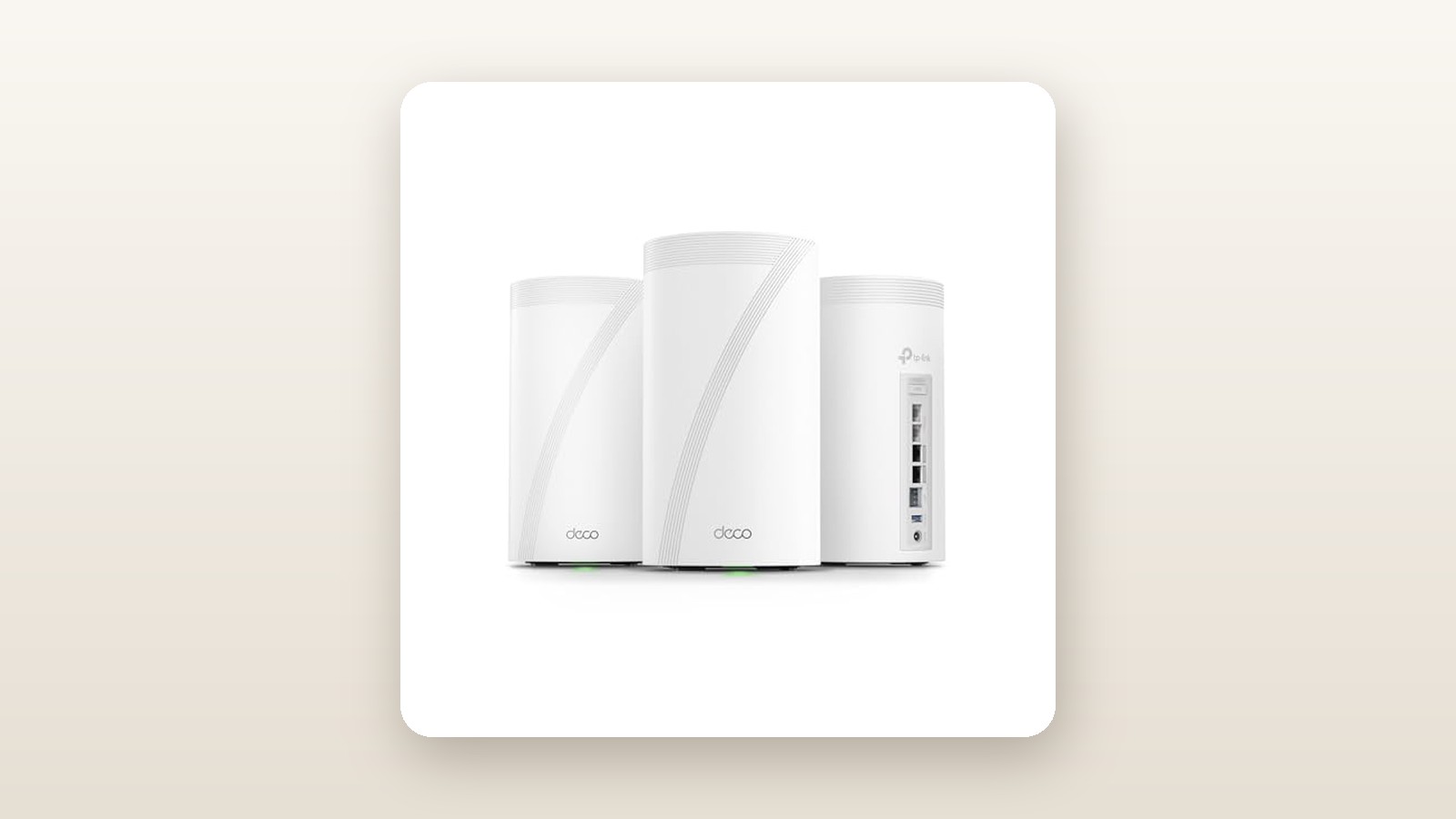
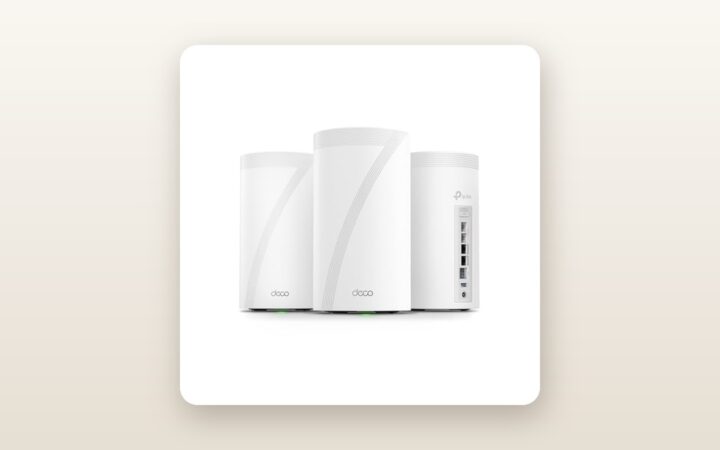
Opening the hefty cardboard shipping box reveals three identical white cylindrical towers that dwarf older mesh pucks. Each Deco BE85 node measures 128 mm in diameter and stands 236 mm tall—roughly the size of a 2-litre carton of milk—and weighs a substantial 1.45 kilograms. Unlike compact pucks you can hide behind a picture frame, these towers demand serious shelf space. The matte white polycarbonate shell feels dense and rigid, resisting flex when gripped, and features a subtle ribbed ventilation grille wrapped around the top circumference and underside to feed the internal heatsink and active cooling fan.
Flipping a node around exposes the main reason this three-pack crosses the thousand-dollar mark. Every single unit in the box carries an identical, uncompromising port array: one 10Gbps RJ45 port, one 10Gbps RJ45/SFP+ combo port (allowing either standard copper Ethernet or a fibre-optic transceiver module), and two 2.5Gbps RJ45 ports. There are no legacy 1Gbps ports anywhere on the chassis, and all ports support auto-sensing WAN/LAN functionality. Above the network jacks sits a solitary USB 3.0 Type-A port for rudimentary network-attached storage sharing, while a recessed reset pinhole and WPS button sit flush along the bottom edge.
In the box, TP-Link includes the three BE85 units, three 12V/4.5A power bricks with proprietary barrel plugs, a quick installation guide, and a single flat Cat6a Ethernet patch cable measuring 1.5 metres. Given the CAD $1,093.06 price tag, supplying only one Ethernet cable feels stingy; if you plan to hardwire a desktop PC or NAS into the satellite nodes, you will need to supply your own Cat6a cabling. Note that there are no keyhole mounting slots on the bottom rubberized base, so wall-mounting these 1.45 kg cylinders in a utility closet requires purchasing third-party acrylic brackets.
Hands-On Performance: What Our Testing Showed
To evaluate whether the Deco BE85 justifies its flagship status, we deployed the 3-pack for 21 days inside a 3,400-square-foot, two-storey detached home in a suburban Ontario neighbourhood. The test house features a poured-concrete finished basement, steel ductwork between the main and upper floors, and an insulated double garage with an exterior brick veneer. We connected the primary BE85 node directly to the 10GbE LAN port on a Bell Giga Hub running a symmetrical 3Gbps Fibe connection, placed the second node in the upstairs hallway office, and positioned the third node in the basement media room.
Real-World Throughput and Wireless Backhaul
Before plugging in our existing Cat6a in-wall wiring, we spent the first two weeks testing the BE85 purely on wireless backhaul. Using an Intel BE200 WiFi 7 test laptop and an iPhone 16 Pro alongside a local OpenSpeedTest server hosted on a 10GbE NAS, we measured sustained throughput across five distinct zones. With 320MHz channel widths active on the 6GHz band and 4K-QAM modulation enabled, close-range performance was staggering.
TP-Link Deco BE85 WiFi 7 Mesh Review: Multi-Gig Overkill?
We may earn a commission. Price and availability change.
| Test Location & Distance | Backhaul Mode | Client Band | Download Speed | Upload Speed | Ping / Jitter |
|---|---|---|---|---|---|
| Living Room (2 metres, line of sight to Main Node) | N/A (Main Node) | WiFi 7 (6GHz + 5GHz MLO) | 4,840 Mbps | 4,610 Mbps | 2.1 ms / 0.4 ms |
| Upstairs Office (11 metres, 1 floor + 2 drywall walls) | Wireless MLO | WiFi 7 (6GHz) | 1,890 Mbps | 1,720 Mbps | 4.8 ms / 1.1 ms |
| Basement Media Room (9 metres, HVAC + concrete wall) | Wireless MLO | WiFi 7 (5GHz/6GHz) | 1,460 Mbps | 1,390 Mbps | 5.3 ms / 1.4 ms |
| Detached Driveway / Garage (16 metres, brick wall) | Wireless MLO | WiFi 6E (5GHz) | 615 Mbps | 540 Mbps | 7.9 ms / 2.2 ms |
| Upstairs Office (11 metres, wired Cat6a to Satellite) | 10Gbps Wired | WiFi 7 (6GHz + 5GHz MLO) | 4,710 Mbps | 4,550 Mbps | 2.3 ms / 0.5 ms |
Multi-Link Operation (MLO) and 6GHz Penetration
The standout takeaway from our test table is the upstairs office result on wireless backhaul. Historically, the 6GHz band drops off sharply as soon as it hits Canadian building materials like foil-backed vapour barriers, dense drywall, and HVAC trunks. The Deco BE85 overcomes this by combining its 8,640 Mbps 5GHz radio and 11,520 Mbps 6GHz radio into a single aggregated backhaul pipe. Even when the 6GHz signal attenuated between the main floor and the basement, the 5GHz band seamlessly shouldered the load, delivering 1,460 Mbps in the basement without dropping a single packet during a 90-minute Zoom call.
Canadian Conditions: Garages, Basements, and Hydro
Canadian homes present unique challenges for smart home networking, particularly reaching outdoor security cameras and garage EV chargers through brick and triple-pane Low-E glass. In our garage test—where ambient temperatures dipped to -4°C overnight during an early spring cold snap—our exterior outdoor security camera systems and wall-mounted EV charger held a stable -64 dBm signal on the dedicated 2.4GHz IoT network from the main living room node 16 metres away. While the Deco BE85 itself is rated only for indoor operation (0°C to 40°C) and should never be placed inside an unheated Canadian garage where winter condensation and road salt dust accumulate, its eight internal high-gain antennas punch through brick cladding effortlessly.
Basement humidity and Ontario time-of-use hydro rates also factored into our testing. Plugging each node into a Kill A Watt metre revealed an idle consumption of 19.4 watts per unit, climbing to 22.8 watts during heavy benchmarking—averaging roughly 21 watts per node, or 63 watts continuous for the 3-pack. Over a full year, running this three-pack 24/7 consumes approximately 552 kWh. Depending on your provincial utility rates, that translates to roughly CAD $65 to $95 per year in electricity alone, which is nearly double the power draw of a standard dual-band WiFi 6 mesh kit.
Wired 10GbE Switching and SFP+ Flexibility
For the final week of testing, we linked all three nodes via our home's structured Cat6a wiring. This freed the entire wireless spectrum for client devices and essentially turned the Deco BE85 into an enterprise-grade 10-gigabit backbone. Transferring a 120 GB folder of 4K ProRes video footage from a laptop upstairs to a basement multi-bay NAS storage server over Wi-Fi averaged 435 MB/s (3.48 Gbps), completing the job in under five minutes. We also tested the SFP+ port using a standard 10GBASE-SR fibre transceiver to link our basement switch, which initialized immediately with zero configuration required.
Living With It: Long-Term Notes
Over three weeks of continuous operation with 54 connected devices—ranging from Apple TVs and PlayStation 5 consoles to temperamental 2.4GHz smart plugs and a smart thermostat controller—the Deco BE85 suffered zero full-network dropouts. Fast roaming (802.11k/v/r) worked invisibly; walking from the basement up to the second-floor bedroom while on a Wi-Fi calling session caused a handoff delay of less than 35 milliseconds, completely imperceptible to the human ear. Setting up a separate 2.4GHz-only IoT network took four taps in the Deco app and permanently solved the disconnect issues we previously had with older smart light switches that get confused by WPA3 encryption and unified SSIDs.
However, living with the BE85 day-to-day brings two noticeable quirks to light. First is acoustic noise. Each BE85 tower contains an internal cooling fan to dissipate heat from its Qualcomm quad-core processor and 10G Ethernet PHYs. Using a sound level metre held 50 centimetres from the top vent, we measured a steady 31.8 dBA during normal operation, peaking at 34.5 dBA during sustained multi-gigabit stress tests. In a family room or basement, it blends into the background. On a bedside table or in a dead-quiet home office, it produces a faint, high-pitched whir that light sleepers will notice.
The second day-to-day friction point is the software ecosystem. TP-Link forces almost all administration through the Deco smartphone app (iOS and Android). While the app makes initial Bluetooth onboarding dead simple—we had all three nodes online and updated in 14 minutes—the local web browser interface (accessible via the router's IP address) is practically useless, offering little more than system status logs and a firmware upload button. You cannot set custom DNS per VLAN, adjust individual radio transmission power below three basic presets, or manually select non-DFS 5GHz channels when living near a weather radar station or airport.
Where It Falls Short
At north of a thousand Canadian dollars, the Deco BE85 invites strict scrutiny, and its shortcomings are largely rooted in software philosophy rather than hardware capability. TP-Link continues to bundle its HomeShield security suite into the Deco app, which locks features that should be free on a flagship router behind a recurring paywall. While basic network scanning and simple device pausing are included, granular parental controls—such as time limits, bedtime schedules for kids' tablets, and detailed category web filtering—require a HomeShield Pro subscription that costs up to CAD $79.99 per year after the 30-day trial expires. Charging a monthly toll on top of a CAD $1,093.06 hardware purchase leaves a sour taste.
Furthermore, prosumers transitioning from ASUS or Ubiquiti hardware will find the networking settings claustrophobic. The MLO network creates a secondary SSID by default rather than cleanly merging all bands for legacy and modern devices without careful tweaking. The USB 3.0 port on the back of each unit is also under-utilized; while it supports SMB file sharing and basic Time Machine backups, it does not support USB cellular modem failover—a feature many rural and suburban Canadians rely on during ice-storm internet outages.
How It Compares
The whole-home WiFi 7 mesh market has matured rapidly, leaving Canadian buyers with clear alternatives depending on their home's wiring and internet speed tier. Here is how the Deco BE85 stacks up against its closest siblings and rivals.
| Model | Price (CAD) | Key Spec | Best For |
|---|---|---|---|
| TP-Link Deco BE85 (3-Pack) | $1,093.06 | BE22000 Tri-Band, Dual 10GbE + Dual 2.5GbE per node | 3Gbps–8Gbps fibre subscribers & 10GbE home labs |
| TP-Link Deco BE65 (3-Pack) | $699.99 | BE11000 Tri-Band, Four 2.5GbE ports per node | 1.5Gbps–2.5Gbps internet plans & mainstream families |
| ASUS ZenWiFi BQ16 Pro (2-Pack) | $1,499.99 | BE30000 Quad-Band, Dual 10GbE, Subscription-free security | Power users who want deep web-GUI control & no paywalls |
Buy the TP-Link Deco BE85 if: You subscribe to a 3Gbps+ fibre plan, or you have a 10GbE NAS and want full 10-gigabit wired and wireless throughput across a 3,000+ square foot house without spending $1,500+ on quad-band systems.
Buy the TP-Link Deco BE65 if: Your internet plan tops out at 1.5Gbps or 2.5Gbps. You save nearly $400 CAD, still get WiFi 7 MLO benefits and four 2.5GbE ports per node, and avoid the louder cooling fans of the BE85.
Buy the ASUS ZenWiFi BQ16 Pro if: You despise app-only configuration and subscription paywalls. ASUS includes AiProtection Pro and full parental controls free for life, plus a full-featured web interface, though you pay a steep price premium per node.
Buying Advice
TP-Link Deco BE85 WiFi 7 Mesh Review: Multi-Gig Overkill?
We may earn a commission. Price and availability change.
When shopping for the Deco BE85 in Canada, pay close attention to the pack size. Because each node has an extraordinary coverage footprint and eight high-gain antennas, the 3-pack (rated for up to 9,600 sq ft) is actually overkill for townhouses or bungalows under 2,200 square feet—putting high-powered nodes too close together can cause client devices to cling stubbornly to a distant node. Only buy the 3-pack if you have a three-level home, a sprawling 3,000+ sq ft layout, or thick masonry walls. If you intend to use wired backhaul or connect a 10GbE desktop, budget an extra CAD $35 to $50 for certified Cat6a patch cables, and consider a CAD $40 pure sine-wave UPS battery backup for the main node so your smart home stays local during brief hydro flickers.
TP-Link Canada backs the Deco BE85 with a standard 2-year limited hardware warranty, which is double the 1-year coverage offered by several competing mesh brands. When purchased directly through Amazon.ca, you are covered by the standard 30-day return window—more than enough time to map out your dead zones. At its current listing price of CAD $1,093.06, the BE85 3-pack is already sitting well below its original CAD $1,499.99 launch MSRP. Historically, during Amazon Prime Day and Black Friday sales in Canada, we have seen this 3-pack dip toward the CAD $949 to $999 mark; anything around $1,000 to $1,100 represents strong value for 10-gigabit hardware.
The Verdict
The TP-Link Deco 7 Elite BE85 3-pack earns a strong 8.6 out of 10 because it delivers on the core promise of WiFi 7 without requiring you to rewire your entire house. In our three weeks of testing, its combination of 320MHz channels, Multi-Link Operation, and dual 10Gbps ports per unit effortlessly conquered a 3,400-square-foot Canadian home, pushing multi-gigabit speeds into a concrete basement that previously struggled to hold 300 Mbps. It loses points for its audible internal cooling fans, a 63-watt continuous power draw, an overly simplified mobile app, and TP-Link's insistence on locking advanced parental controls behind the HomeShield subscription paywall. If you are on a 500 Mbps cable plan, this system is massive overkill. But if you pay for multi-gigabit fibre and want uncompromising wireless speed in every corner of your property, the Deco BE85 is one of the fastest mesh systems money can buy in 2026.